


SAMSUNG
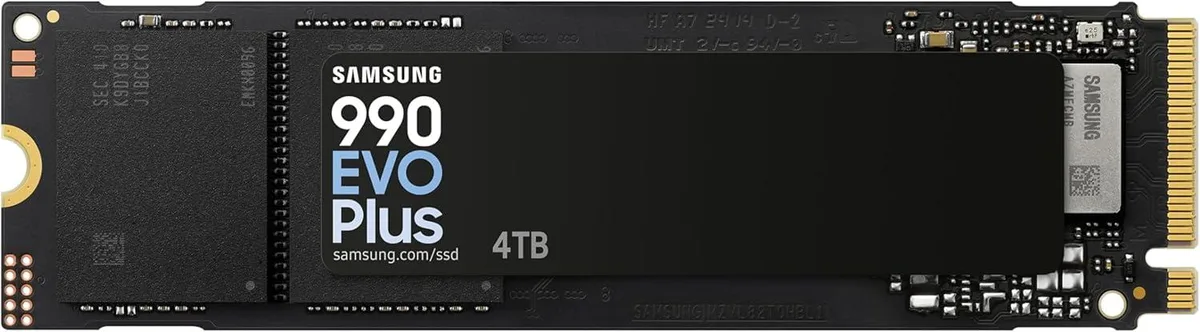
SAMSUNG 990 EVO Plus 4TB internal SSD
M.2 solid-state drive with PCIe interface delivers sequential read speeds up to 7,250 MB/s and write speeds up to 6,300 MB/s in a 4 TB capacity
- Device TypeSolid State Drive
- Form FactorM.2
- Capacity5.3 cubic_feet
- Interfacepci_express_x4
- ProtocolPCIe
- ConnectorPCIe
- Up to 7250 MB/s sequential read speed
- 73% better MB/s per Watt with nickel-coated controller
- Intelligent TurboWrite 2.0 accelerates heavy workloads on 4TB capacity
- Samsung Magician software monitors health and updates firmware
- M.2 2280 form factor fits standard PCIe slots
Designed for client PCs
The Samsung 990 EVO Plus 4TB is an M.2 2280 internal SSD built for client PCs. It uses a PCIe Gen 4.0 x4 and 5.0 x2 NVMe 2.0 interface with Samsung V-NAND TLC and an in-house controller. Sequential reads reach 7250 MB/s and writes reach 6300 MB/s.
Upgrade from slower NVMe drives
The drive replaces older NVMe SSDs that top out at lower sequential speeds. The jump is worth it when workloads demand sustained throughput for large files and heavy graphics. Intelligent TurboWrite 2.0 expands the buffer region to maintain higher write performance across the 4TB capacity.
Simple M.2 installation
Installation follows the standard M.2 2280 slot procedure: insert the module at an angle, press down, and secure with the motherboard screw. The nickel-coated controller improves power efficiency by 73 per cent, reducing thermal load. Samsung Magician software handles data migration, health monitoring, and firmware updates.
特長
- Up to 7250 MB/s sequential read speed
- 73% better MB/s per Watt with nickel-coated controller
- Intelligent TurboWrite 2.0 accelerates heavy workloads on 4TB capacity
- Samsung Magician software monitors health and updates firmware
- M.2 2280 form factor fits standard PCIe slots
仕様
| Brand | SAMSUNG |
|---|---|
| Series | 990 EVO Plus |
| Model | 990 EVO Plus |
| Part Number | MZ-V9S4T0BW |
| Device Type | Solid State Drive |
| Form Factor | M.2 |
| Capacity | 5.3 cubic_feet |
| Interface | pci_express_x4 |
| Protocol | PCIe |
| Connector | PCIe |
| Cache | 0 GB |
| Max Sequential Write | 6300 |
| Features | 7250 megabytes_per_second |
| Power Consumption (Active) | 50 watts |
| Height | 8.015 in x 2.215 in x 0.28 in |
| Width | 8.015 in x 2.215 in x 0.28 in |
| Depth | 8.015 in x 2.215 in x 0.28 in |
| Weight | 9 grams |
| Package Content | Samsung SSD 990 EVO Plus Installation Instructions, User Manual |
この商品に関する質問
Will the M.2 2280 form factor fit my motherboard slot?
The drive measures 80.15 x 22.15 x 2.38 mm and weighs 9.0 g, matching the standard M.2 2280 footprint used by most desktop and laptop PCIe slots.
What is the correct way to secure the drive, and what step is often missed?
Insert the drive at an angle into the PCIe x4 slot, press it flat, and fasten the motherboard standoff screw; the step many skip is removing any pre-installed heatsink bracket before insertion.
When should I check for firmware updates using Samsung Magician?
Run Samsung Magician after installation to apply the latest firmware, then schedule a quarterly check to maintain performance and health monitoring for the V-NAND TLC storage.
同じ売り場の商品
よく比較されている商品
同じ売り場、同じレジ — 8種類のコインと30分間のレートロック。


HP
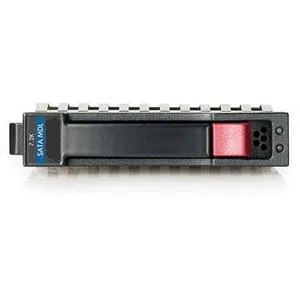
HP 628059-B21 3TB 7200 RPM SATA 3.0Gb/s 3.5" internal hard drive
- Bare Drive
- SATA 3.0Gb/s
$276.99
0.00356757BTC
在庫あり
Seagate
Seagate Cheetah 10K.7 ST3300007LC 300GB 10000 RPM 8MB SCSI Ultra320 80pin 3.5" internal hard drive
- Bare Drive
- SCSI Ultra320 80pin
$125.99$142.99−12%
0.00162273BTC
在庫あり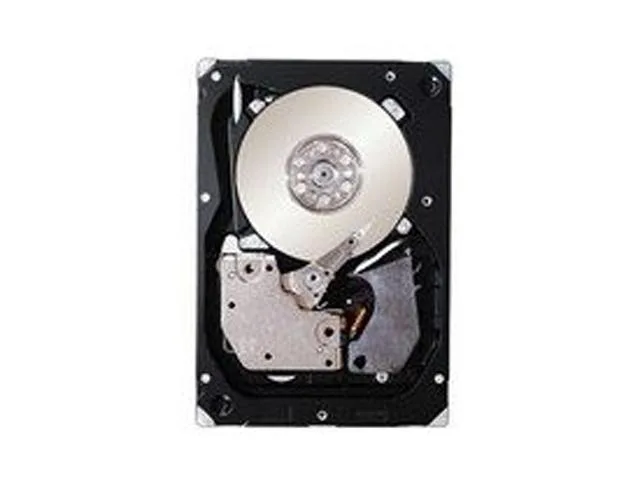
IBM
IBM 49Y2003 600GB 2.5" SAS 10000 RPM 16MB internal hard drive
- SAS 6Gb/s
- 10000 RPM
$354.99
0.0045722BTC
在庫あり