
Acer America
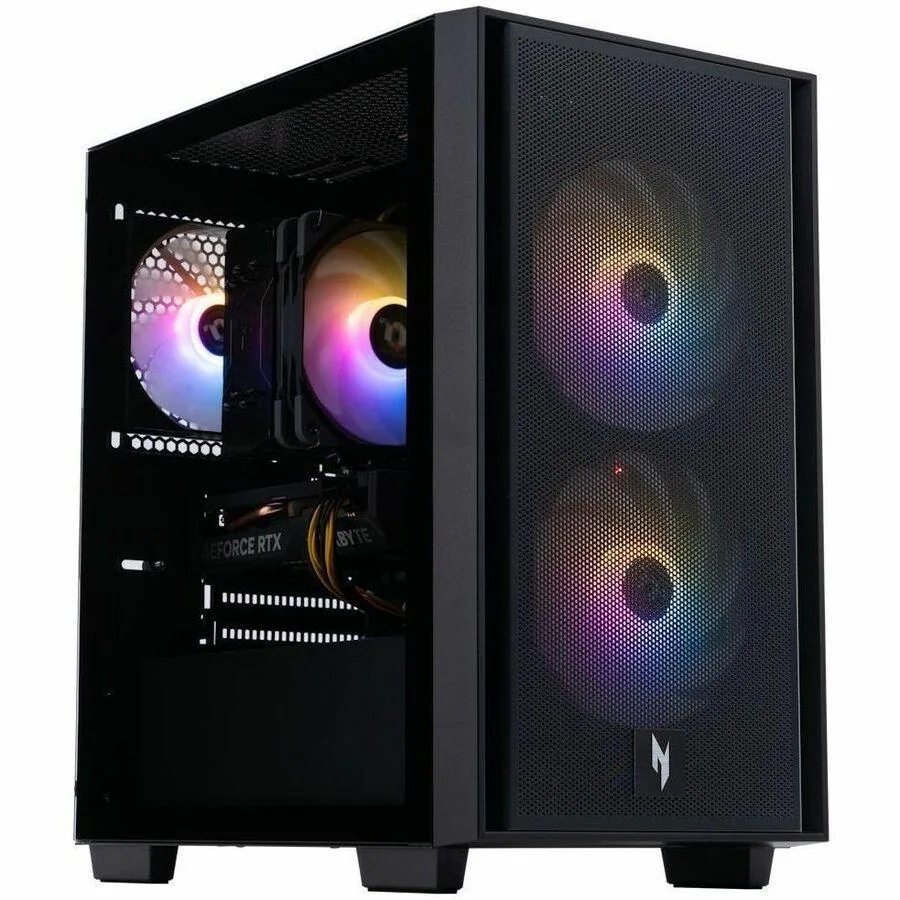
Acer Nitro N60-640 Desktop PC i7-14700F 32GB 2TB RTX 5060
Gaming desktop with an i7-14700F processor, 32 GB memory, 2 TB storage and an RTX 5060 graphics card
- TypeGaming Desktops
- MonitorMonitor not included
- Screen SizeNo Screen
- Intel Core i7-14700F powers demanding games and creative workloads
- 32 GB memory keeps multiple apps and browser tabs responsive
- 2 TB solid-state storage holds a large library with fast load times
- NVIDIA RTX 5060 graphics deliver smooth frame rates at high settings
Acer Nitro N60-640 i7-14700F 32GB 2TB RTX 5060
This Acer Nitro N60-640 desktop PC runs Windows 11 Pro on an Intel Core i7-14700F processor with 32 GB of memory and a 2 TB solid-state drive. An NVIDIA RTX 5060 graphics card handles rendering duties. The system ships new without a monitor.
Gaming desktop for 1440p play and content creation
Buyers wanting a ready-to-use Windows 11 Pro tower with 32 GB RAM, 2 TB SSD storage and an RTX 5060 GPU will find this configuration suitable. Shoppers who need a display included, more than 32 GB of memory, or a different graphics tier should consider other options.
주요 특징
- Intel Core i7-14700F powers demanding games and creative workloads
- 32 GB memory keeps multiple apps and browser tabs responsive
- 2 TB solid-state storage holds a large library with fast load times
- NVIDIA RTX 5060 graphics deliver smooth frame rates at high settings
사양
| Brand | Acer |
|---|---|
| Type | Gaming Desktops |
| Monitor | Monitor not included |
| Screen Size | No Screen |
이 상품에 대한 질문
What are the physical dimensions and mounting requirements for the Acer Nitro N60-640 tower?
The Acer Nitro N60-640 is a standard tower desktop; ensure your desk or floor space accommodates a full-size chassis with adequate rear clearance for the RTX 5060 graphics card and power supply ventilation.
How do I install a secondary storage drive in the N60-640, and which step is commonly missed?
Power down and unplug the system, open the side panel, mount the drive in an available bay, connect the data and power cables, then initialise the new volume in Windows 11 Pro Disk Management — the step most often missed.
이 진열대의 다른 상품
고객들이 함께 비교한 상품
같은 진열대, 같은 체크아웃 — 코인 8종, 환율 잠금 30분.



Higole
Higole 11.6" Touch All-in-One PC Celeron N5095 8GB 128GB
- 11.6"
- 1366 x 768
US$307.99
0.00394268BTC
재고 있음
Toemaagic
Toemaagic All-in-One PC 24" FHD i7 4.0GHz 16GB 512GB White
- Toemaagic
- 16 GB
US$318.99
0.00408349BTC
재고 있음
Lenovo
Lenovo A100 23.8" FHD All-in-One PC Intel N100 32GB DDR4 2TB SSD 1TB Dock Windows 11 Pro White
- All-in-One PC
- All-in-One
US$930.99
0.01191789BTC
재고 있음