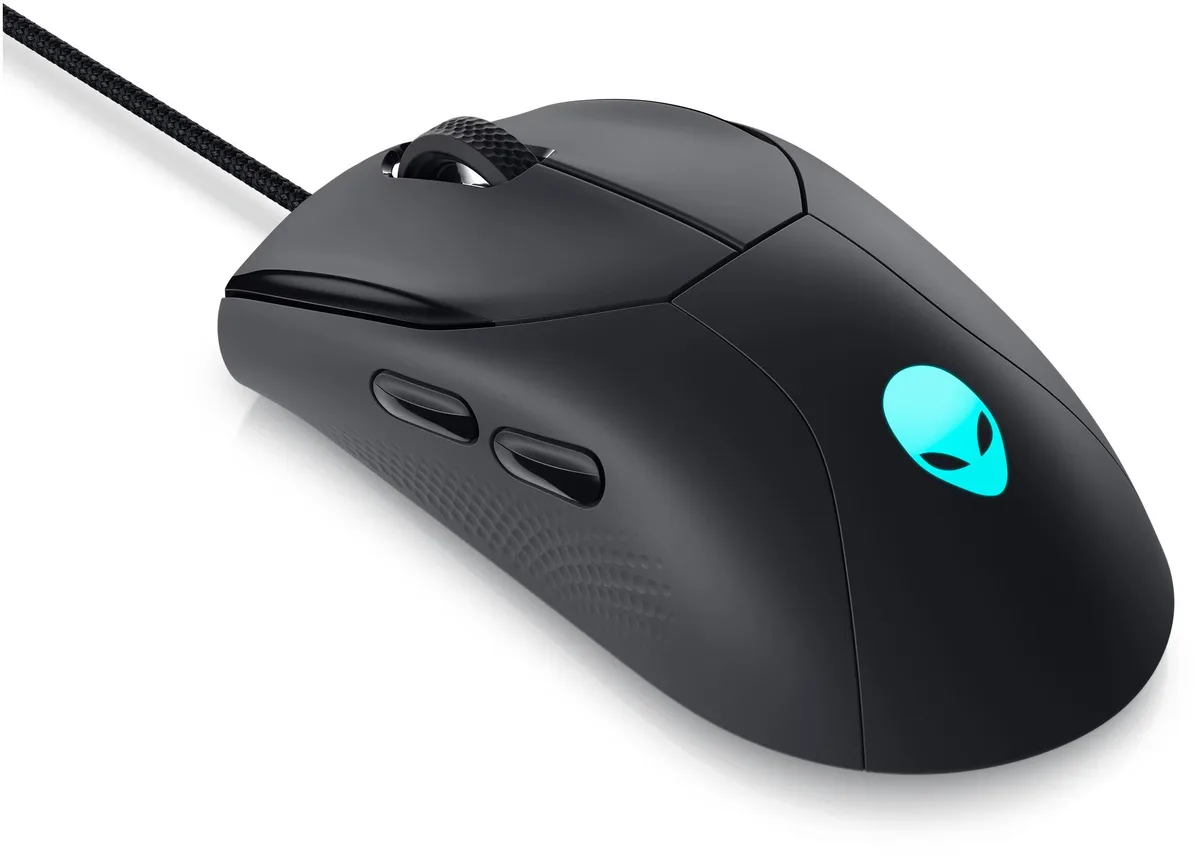
ASUS Basilisk V3 Razer Gaming Mouse 26K DPI 11 Buttons Black
Right-handed ergonomic gaming mouse with a 26K DPI optical sensor, 11 programmable buttons, a HyperScroll tilt wheel and 16.8 million colour Chroma RGB zones
- NameBasilisk V3 Razer
- Type2.4GHz / Wired
- ColorBlack
- InterfaceBluetooth
- Mouse Grip StyleAdjustable
- Tracking MethodOptical
- Ergonomic design with thumb rest supports the hand during long sessions
- 11 programmable buttons let you assign macros and secondary functions
- HyperScroll tilt wheel offers free-spin, tactile and Smart-Reel modes
- 11 Chroma RGB zones with 16.8 million colours react dynamically with 150 integrated games
- Focus+ 26K DPI optical sensor tracks with zero smoothing for pixel-precise accuracy
Iconic Ergonomic Design with Thumb Rest
The ASUS Basilisk V3 is a right-handed gaming mouse built for PC players who want a shape that supports the hand during long sessions. Its form factor positions 11 programmable buttons within easy reach for quick access to essential actions. The mouse connects via 2.4GHz wireless, wired USB or Bluetooth and includes a Focus+ 26K DPI optical sensor for pixel-precise tracking. Chroma RGB lighting offers 11 zones with 16.8 million colour options.
Suited for Customisation-Focused Gamers
This mouse suits players who rely on extensive button mapping for macros, push-to-talk or ability cycling and who value a scroll wheel that switches between tactile, free-spin and Smart-Reel modes. Optical switches rated for 70 million clicks at 0.2ms actuation deliver consistent response. Buyers who need a lightweight design, a symmetrical shape for left-handed use or a simpler button layout should look at alternative models.
Straightforward Setup with Software Depth
Installation begins by plugging the receiver into a USB port or pairing over Bluetooth; the mouse is recognised immediately for basic use. Full customisation of the 11 buttons, 26K DPI stages, scroll-wheel behaviour and 11 lighting zones requires the companion software. The main friction point is the software learning curve for new users configuring macros, hypershift layers and Chroma sync across 150 integrated games.
주요 특징
- Ergonomic design with thumb rest supports the hand during long sessions
- 11 programmable buttons let you assign macros and secondary functions
- HyperScroll tilt wheel offers free-spin, tactile and Smart-Reel modes
- 11 Chroma RGB zones with 16.8 million colours react dynamically with 150 integrated games
- Focus+ 26K DPI optical sensor tracks with zero smoothing for pixel-precise accuracy
사양
| Brand | ASUS |
|---|---|
| Series | Basilisk V3 |
| Name | Basilisk V3 Razer |
| Model | Basilisk V3 |
| Part Number | RZ01-04000100-R3U1 |
| Type | 2.4GHz / Wired |
| Color | Black |
| Interface | Bluetooth |
| Mouse Grip Style | Adjustable |
| Tracking Method | Optical |
| Sensor | Optical |
| Hand Orientation | Right Hand |
| Buttons | 16 |
| Dimension | 5.4102 cm x 10.1092 cm x 15.6972 cm |
| Weight | 3.56 ounces |
| System Requirement | USB port |
| Features | Ergonomic Design |
| Package Contents | Razer Basilisk V3, Important Product Information Guide |
이 상품에 대한 질문
Does the Basilisk V3 need a USB port for its 2.4 GHz wireless dongle?
Yes, the mouse requires an available USB port for the wireless receiver; a wired USB connection is also supported.
Can I use the 11 programmable buttons and HyperScroll tilt wheel without installing Razer Synapse?
Basic button clicks and scroll-wheel modes work immediately, but macro assignments, lighting zones and Smart-Reel switching require Synapse software.
How do I verify the Focus+ sensor is tracking at the full 26K DPI after setup?
Open Synapse, set the DPI stage to 26K, then move the mouse — the on-screen cursor should travel the exact distance shown in the DPI readout.
이 진열대의 다른 상품
고객들이 함께 비교한 상품
같은 진열대, 같은 체크아웃 — 코인 8종, 환율 잠금 30분.