


ASUS
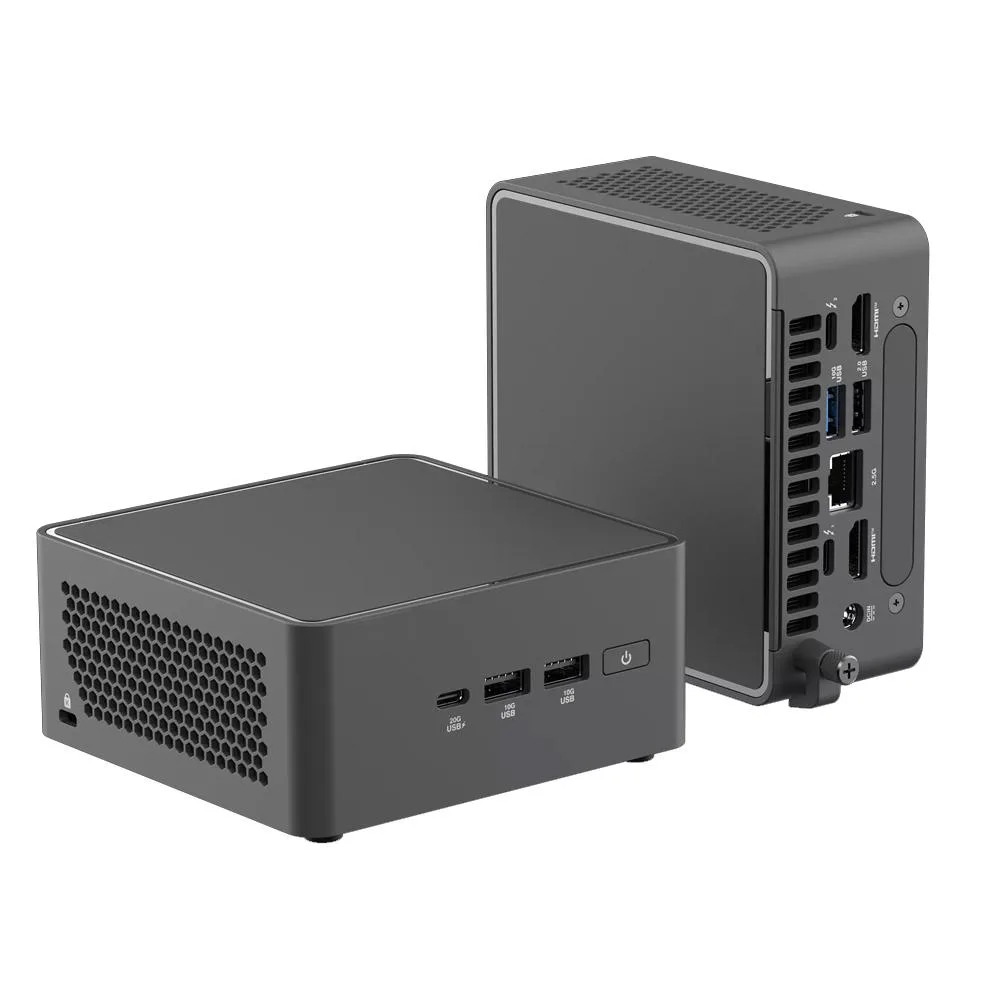
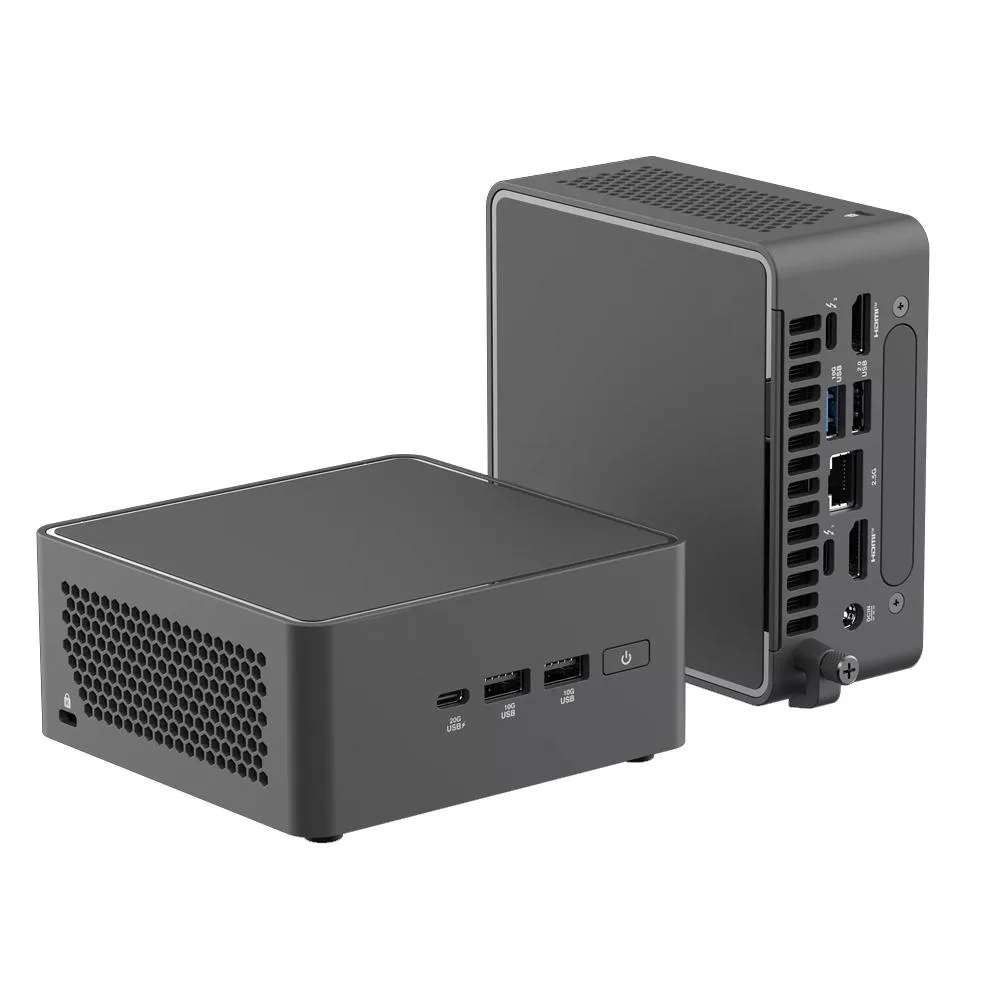
ASUS NUC 15 Pro NUC15CRHC7 Core 7 240H 32GB 2TB barebone mini PC
Ultra-compact 0.48 L barebone with Core 7 240H, 32 GB DDR5, 2 TB NVMe, Arc graphics, Wi-Fi 7 and Bluetooth 5.4
Group 32GB RAM+2TB SSD
- 32GB RAM+2TB SSD
- Barebone system
- 8GB RAM+256GB SSD
- 8GB RAM+512GB SSD
- 8GB RAM+1TB SSD
- 16GB RAM+256GB SSD
- 16GB RAM+512GB SSD
- 16GB RAM+1TB SSD
- 32GB RAM+256GB SSD
- 32GB RAM+512GB SSD
- 32GB RAM+1TB SSD
- 64GB RAM+1TB SSD
구성 2개 더 보기
- Intel Core 7 240H processor powers demanding workloads with high performance
- 32 GB DDR5-5600 memory enables smooth multitasking and responsiveness
- 2 TB NVMe SSD on PCIe Gen5 delivers fast storage speeds
- Intel Arc 140T GPU graphics handles multimedia and entertainment visuals
- Ultra-compact 0.48 L design fits space-constrained setups easily
Ready-to-run mini PC
The ASUS NUC 15 Pro NUC15CRHC7 arrives with 32GB of DDR5-5600 memory and a 2TB NVMe SSD already installed. An Intel Core 7 240H processor and integrated Arc 140T graphics handle demanding workloads and media tasks. Wi-Fi 7 and Bluetooth 5.4 provide modern wireless connectivity. The 0.48L chassis fits tight workspaces without sacrificing performance.
Thermals and power
The compact enclosure manages heat from the Core 7 240H and Arc 140T GPU under sustained loads. Fan speed ramps up during intensive compute or graphics tasks, producing audible airflow in quiet rooms. Idle power draw remains low for always-on scenarios. The 0.48L volume limits thermal headroom compared to larger desktops.
Storage expansion ceiling
One M.2 2280 slot supports PCIe Gen5 NVMe SSDs from 128GB to 8TB, and one M.2 2242 slot supports PCIe Gen4 NVMe SSDs from 128GB to 2TB. Memory tops out at 96GB DDR5-5600 across two slots. Buyers who need more than two NVMe drives or more than 96GB of RAM cannot expand further.
주요 특징
- Intel Core 7 240H processor powers demanding workloads with high performance
- 32 GB DDR5-5600 memory enables smooth multitasking and responsiveness
- 2 TB NVMe SSD on PCIe Gen5 delivers fast storage speeds
- Intel Arc 140T GPU graphics handles multimedia and entertainment visuals
- Ultra-compact 0.48 L design fits space-constrained setups easily
사양
이 상품에 대해 아직 공개된 사양이 없습니다.
이 모델의 다른 버전
같은 라인업에서 5개 더
같은 제품군에서 메모리·쿨러·클럭이 다릅니다 — 결정 전에 비교해 보세요.




이 상품에 대한 질문
How do I install extra DDR5 memory in the ASUS NUC 15 Pro and what step is often missed?
Open the chassis, insert DDR5-5600 SO-DIMMs into the two slots up to 96 GB total, then enter BIOS to confirm the new capacity is recognised.
Which storage slot will need a drive replacement first under heavy write workloads?
The 2242 PCIe Gen4x4 slot is limited to 2 TB, so its drive will hit capacity or endurance limits before the 2280 Gen5x4 slot that supports up to 8 TB.
What thermal limit appears first when the Intel Core 7 240H runs sustained heavy loads in the 0.48 L chassis?
The compact 0.48 L enclosure forces the fan to spin faster and the processor to throttle once its thermal ceiling is reached during prolonged high-intensity work.
이 진열대의 다른 상품
고객들이 함께 비교한 상품
같은 진열대, 같은 체크아웃 — 코인 8종, 환율 잠금 30분.


Mushkin Enhanced
Mushkin Enhanced 4GB DDR2-800 CL6 SoDIMM Apple 971741A memory upgrade
US$104.99
0.00133444BTC
재고 있음

SK hynix
SK hynix HYMD232M646C6-J 256MB DDR 333MHz PC2700 CL2.5 SODIMM laptop RAM
- 4GB (2 x 2GB)
US$7.99
0.00010155BTC
재고 있음