

SanDisk
SanDisk Cruzer Blade 8 GB USB 2.0 USB flash drive Black SDCZ50-008G-B35
US$391.99
0.00502017BTC
재고 있음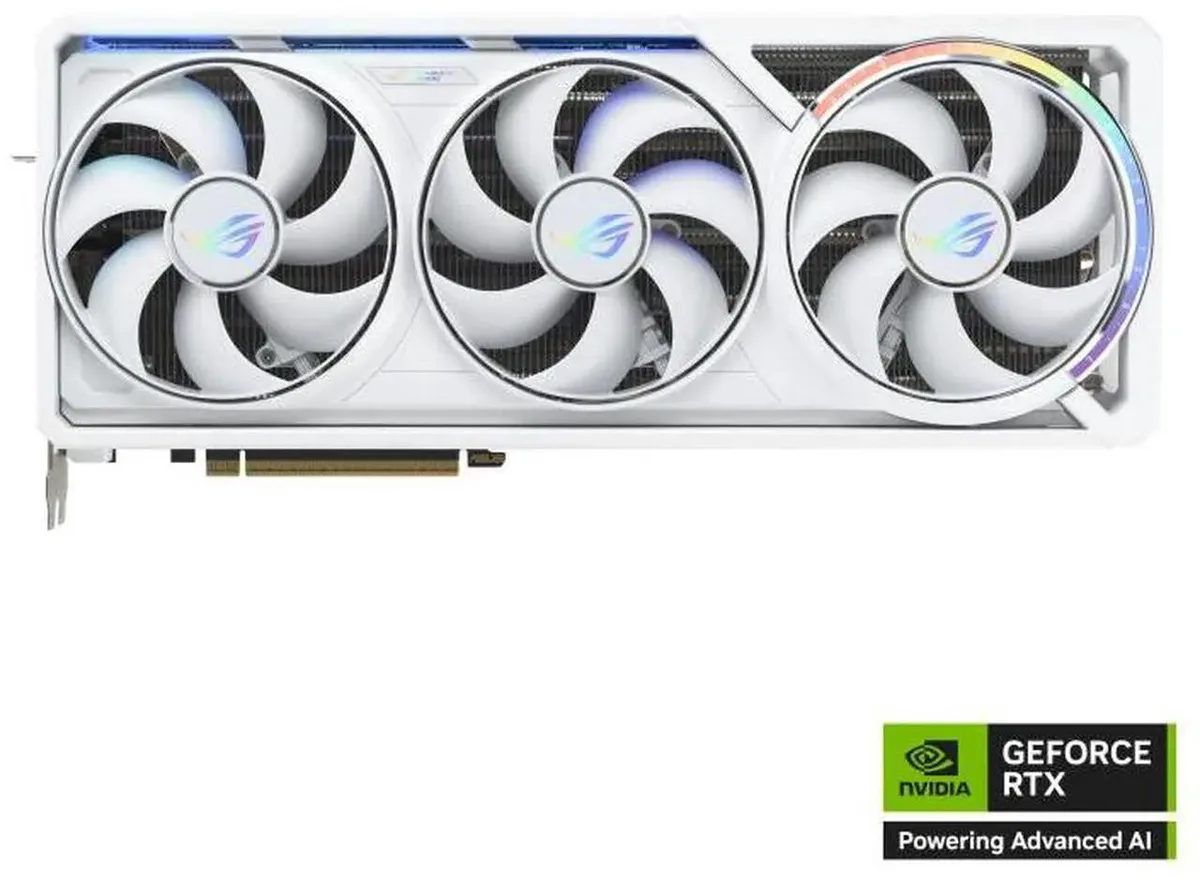


ASUS
16 GB GDDR7 GPU with 10752 CUDA cores, PCIe 5.0 x16, DLSS 4.0, two HDMI 2.1b and three DisplayPort 2.1a outputs for 7680 x 4320 resolution
The ASUS ROG Astral GeForce RTX 5080 delivers 16GB of GDDR7 memory across a 256-bit interface. It targets enthusiasts building high-end systems for 4K gaming and professional creative workloads. The Blackwell architecture provides 10752 CUDA cores for parallel compute tasks. A PCI Express 5.0 x16 link supplies full bandwidth to modern platforms.
The 16GB frame buffer handles 4K textures, large 3D scenes and multi-application workflows without paging. At 30 Gbps effective clock the 256-bit bus moves data quickly for rasterisation and ray tracing. Workloads exceeding 16GB will spill to system memory and reduce throughput. The card supports DirectX 12 Ultimate and OpenGL 4.6 for current API features.
The x16 Gen 5 link is the single specification that decides platform compatibility. It requires a motherboard with a PCIe 5.0 slot to avoid bandwidth limitation. Older PCIe 4.0 or 3.0 slots will operate at reduced throughput. Verify your platform supports PCIe 5.0 x16 before purchase.
| Brand | ASUS |
|---|---|
| Series | ROG Astral |
| Model | ROG-ASTRAL-RTX5080-O16G-WHITE |
| Interface | PCI Express 5.0 x16 |
| Chipset Manufacturer | NVIDIA |
| GPU Series | NVIDIA GeForce RTX 50 Series |
| GPU | GeForce RTX 5080 |
| Architecture | Blackwell |
| CUDA Cores | 10752 |
| Effective Memory Clock | 30 Gbps |
| Memory Size | 16GB |
| Memory Interface | 256-Bit |
| Memory Type | GDDR7 |
| DirectX | DirectX 12 Ultimate |
| OpenGL | OpenGL 4.6 |
| Multi-Monitor Support | 4 |
| HDMI | 2 x HDMI 2.1b |
| DisplayPort | 3 x DisplayPort 2.1a |
| Max Resolution | 7680 x 4320 |
| CrossFireX Support | No |
| SLI Support | No |
| Thermal Design Power | 360W |
| Recommended PSU Wattage | 850W |
| Power Connector | 1 x 16-Pin |
| HDCP Ready | Yes |
| Max GPU Length | 358 mm |
| Card Dimensions (L x H) | 14.1 x 5.9 x 3 inch |
| Slot Width | 3.8 Slots |
| Package Contents | 1 x Speedsetup Manual 1 x ROG Graphics Card Holder 1 x ROG Velcro Hook & Loop 1 x ROG Magnet 1 x ROG Graphics Card Keycap 1 x ROG PCB Ruler 1 x Thank You Card 1 x Adapter Cable (1 to 3)? |
Yes, the card is backward compatible and will run at PCIe 4.0 x16 speeds on a 4.0 motherboard. The 10752 CUDA cores and 16GB GDDR7 memory still deliver full compute performance, though peak bandwidth is limited to the slot generation.
Open GPU-Z or the NVIDIA control panel and confirm the memory interface reads 256-bit with a 30 Gbps effective clock. In games, enable the DLSS 4.0 overlay to see frame-generation active, proving the Blackwell architecture is functioning.
The package contains the graphics card, a quick-install guide, and a 12VHPWR-to-dual-8-pin adapter cable. If your power supply already has a native 12VHPWR port you can plug directly; otherwise use the included adapter with two separate 8-pin cables from your PSU.
이 진열대의 다른 상품
같은 진열대, 같은 체크아웃 — 코인 8종, 환율 잠금 30분.
결제할 코인과 가격을 확인할 통화입니다.
체크아웃 시 지갑에서 전송됩니다.
표시 전용 — 카탈로그 가격은 달러 기준입니다.
일치하는 통화가 없습니다.
사이트에서 사용할 언어를 선택하십시오.
일치하는 언어가 없습니다.
처음 방문하셨나요?
이미 계정이 있으신가요?
자동 재설정 기능은 없습니다. 이 쇼핑몰은 어떠한 메일도 보내지 않으므로 요청할 일회용 링크 자체가 없습니다. 계정에 등록된 이메일 주소를 그대로 두시면 담당자가 직접 확인해 처리합니다.
요청 접수
받은편지함으로 오는 것은 아무것도 없습니다 — 이 쇼핑몰은 메일을 전혀 보내지 않습니다. 담당자가 직접 확인해 처리합니다.
기억나셨나요?



