


ASUS
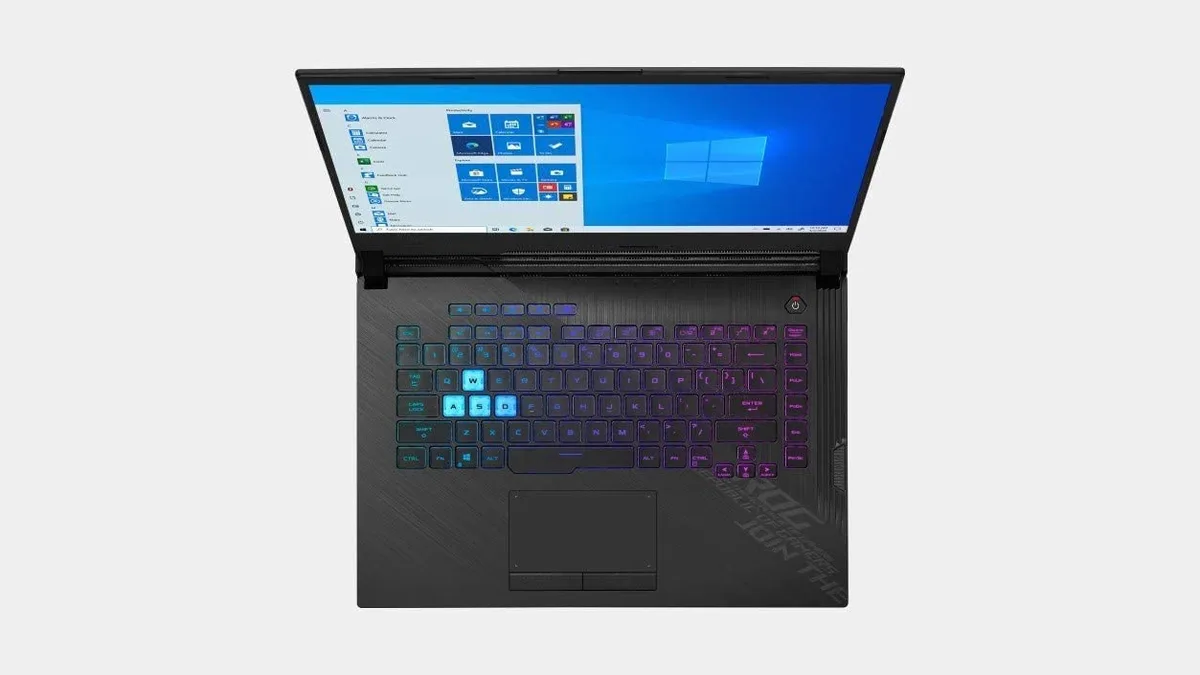
ASUS ROG Strix 15.6" FHD 240Hz i7-10870H RTX 2060 16GB 512GB laptop
15.6-inch FHD IPS display at 240 Hz and 3 ms response, Intel Core i7-10870H eight-core processor, RTX 2060 6 GB GDDR6 graphics, 16 GB DDR4 memory, 512 GB SSD, Windows 10 Home
- Smooth competitive play from 240 Hz 15.6" display
- Fast multitasking with 16 GB DDR4 memory
- Quick boot and load times via 512 GB SSD
- High frame rates powered by RTX 2060 6 GB GDDR6 graphics
- All-day mobility from 66 Wh battery
ASUS ROG Strix 15.6" gaming laptop
The ASUS ROG Strix 15.6" laptop pairs an Intel Core i7-10870H processor with an NVIDIA GeForce RTX 2060 GPU. It ships with 16 GB DDR4 memory and a 512 GB SSD. The 15.6 inch Full HD IPS panel runs at 240 Hz with a 3 ms response time. Windows 10 Home is pre-installed.
16 GB RAM and 512 GB SSD capacity
Sixteen gigabytes of DDR4 memory handles modern games and multitasking with headroom for background apps. The 512 GB solid-state drive offers fast boot and load times but fills quickly with large game libraries. The RTX 2060 with 6 GB GDDR6 drives high frame rates at 1080p, yet struggles at higher resolutions or maximum ray-tracing settings.
Three USB 3.1 Type-A, one Type-C.
Connectivity includes three USB 3.1 Type-A ports, one USB 3.1 Type-C, HDMI and DisplayPort for external monitors. Gigabit Ethernet and 802.11ax Wi-Fi cover wired and wireless networking. A 66 Wh four-cell battery powers the 5.07 lb chassis measuring 14.17 x 10.83 x 1.02 inches. The backlit keyboard and stereo speakers complete the package.
주요 특징
- Smooth competitive play from 240 Hz 15.6" display
- Fast multitasking with 16 GB DDR4 memory
- Quick boot and load times via 512 GB SSD
- High frame rates powered by RTX 2060 6 GB GDDR6 graphics
- All-day mobility from 66 Wh battery
사양
이 상품에 대해 아직 공개된 사양이 없습니다.
이 상품에 대한 질문
Will the 15.6" 240Hz display and RTX 2060 GPU work well with my older USB 3.1 Type-A peripherals?
The laptop provides three USB 3.1 Type-A ports so existing mice, keyboards and external drives connect directly without adapters.
How can I verify the 240Hz panel and 3ms response time are active after setup?
Open Windows display settings and confirm the refresh rate is set to 240Hz; in fast-paced games the motion should appear sharp with minimal ghosting.
What accessories are included in the box and what must I purchase separately?
The unit ships with the laptop, a power adapter and documentation; any external monitor cables, USB-C hubs or carrying cases are sold separately.
이 진열대의 다른 상품
고객들이 함께 비교한 상품
같은 진열대, 같은 체크아웃 — 코인 8종, 환율 잠금 30분.


Microsoft
Microsoft Surface 3 1657 128GB CRB 2-in-1 laptop
- Silver
- Windows 10 Pro
US$244.99
0.0031527BTC
재고 있음
Microsoft
Microsoft Surface Pro FGG-2D-00001-RFB 2-in-1 laptop 16 GB 512 GB 12.0" touchscreen 2736 x 1824 refurbished
- 12.0"
- Touch Screen
US$687.99
0.00885353BTC
재고 있음
Lenovo
Lenovo Chromebook 500e Gen 5 M89 83TA0004US 12.2" MediaTek 8GB 64GB
- 12.2"
US$392.99US$420.99−7%
0.00505727BTC
재고 있음