

SanDisk
SanDisk Cruzer Blade 8 GB USB 2.0 USB flash drive Black SDCZ50-008G-B35
US$391.99
0.00501272BTC
재고 있음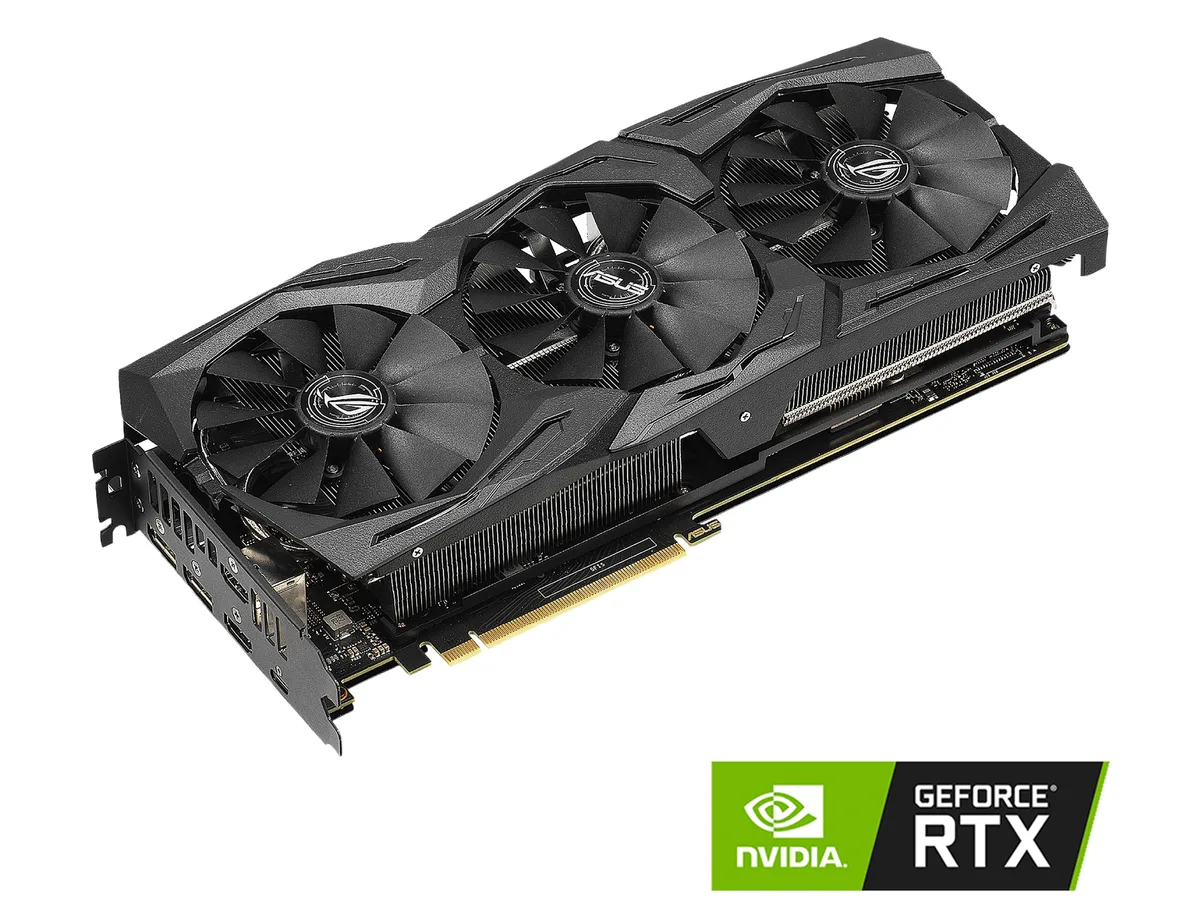


ASUS
Refurbished GeForce RTX 2070 with 8GB GDDR6, 2304 CUDA cores and boost clocks up to 1845 MHz for high-refresh 1440p gaming
The ASUS ROG Strix GeForce RTX 2070 is a refurbished graphics card built on the NVIDIA Turing architecture. It ships with 8GB of GDDR6 memory across a 256-Bit interface and 2304 CUDA cores for 1440p gaming and creative workloads. The PCI Express 3.0 interface fits most modern desktop platforms.
This card targets users who want the 1845 MHz OC Mode boost clock out of the box and the triple-fan ROG Strix cooler. It is less suited for builds that require a low-profile bracket or a single-slot design, or for workloads that demand more than 8GB of video memory.
The 8GB GDDR6 buffer and 256-Bit bus determine whether this model fits your texture-heavy games or GPU-accelerated applications. If your workflow regularly exceeds 8GB, you will need a card with a larger memory capacity.
| Brand | ASUS |
|---|---|
| Series | ROG Strix |
| Model | ROG-STRIX-RTX2070-O8G-GAMING |
| Interface | PCI Express 3.0 |
| Chipset Manufacturer | NVIDIA |
| GPU Series | NVIDIA GeForce RTX 20 Series |
| GPU | GeForce RTX 2070 |
| Core Clock | 1410 MHz |
| Boost Clock | OC Mode: 1845 MHz Gaming Mode (Default): 1815 MHz |
| CUDA Cores | 2304 |
| Effective Memory Clock | 14000 MHz |
| Memory Size | 8GB |
| Memory Interface | 256-Bit |
| Memory Type | GDDR6 |
| DirectX | DirectX 12 |
| OpenGL | OpenGL 4.6 |
| Multi-Monitor Support | 4 |
| HDMI | 2 x HDMI 2.0b |
| DisplayPort | 2 x DisplayPort 1.4 |
| Other Ports | 1 x USB Type-C |
| Max Resolution | 7680 x 4320 |
| SLI Support | No |
| Virtual Reality Ready | Yes |
| Cooler | Triple Fans |
| Thermal Design Power | 185W |
| System Requirements | Recommended PSU: 550W |
| Recommended PSU Wattage | 550W |
| Power Connector | 1 x 6-pin, 1 x 8-pin |
| HDCP Ready | 2.2 |
| Features | NVIDIA TURING: ROG GeForce RTX graphics cards are powered by the Turing GPU architecture and the all-new RTX platform. This gives you up to 6X the performance of previous-generation graphics cards and brings the power of real-time ray tracing and AI to games. DirectX 12: Power new visual effects and rendering techniques for more lifelike gaming. NVIDIA Shadowplay Record and share high-quality gameplay videos, screenshots, and livestreams with your friends. Unique Wing-blade Fans deliver high air pressure, reduced noise levels, IP5X certified dust resistance, and 0dB mode for silent g |
| Max GPU Length | 300 mm |
| Card Dimensions (L x H) | 11.83" x 5.14" |
| Slot Width | 2.5-slot |
| 배송 무게 | 1.87 kg |
| 포장 크기 | 450 × 234 × 89 mm |
The revised shroud is designed for multi-card configurations and small chassis, so measure the available length and height inside your case before ordering.
Connect every required PCIe power cable from the PSU to the card; missing a connector is the most common reason the system posts with no video.
Use short bursts of compressed air through the fan blades while holding them stationary; avoid liquids and do not spin the fans with the air stream.
이 진열대의 다른 상품
같은 진열대, 같은 체크아웃 — 코인 8종, 환율 잠금 30분.
결제할 코인과 가격을 확인할 통화입니다.
체크아웃 시 지갑에서 전송됩니다.
표시 전용 — 카탈로그 가격은 달러 기준입니다.
일치하는 통화가 없습니다.
사이트에서 사용할 언어를 선택하십시오.
일치하는 언어가 없습니다.
처음 방문하셨나요?
이미 계정이 있으신가요?
자동 재설정 기능은 없습니다. 이 쇼핑몰은 어떠한 메일도 보내지 않으므로 요청할 일회용 링크 자체가 없습니다. 계정에 등록된 이메일 주소를 그대로 두시면 담당자가 직접 확인해 처리합니다.
요청 접수
받은편지함으로 오는 것은 아무것도 없습니다 — 이 쇼핑몰은 메일을 전혀 보내지 않습니다. 담당자가 직접 확인해 처리합니다.
기억나셨나요?



