Buffalo Technology
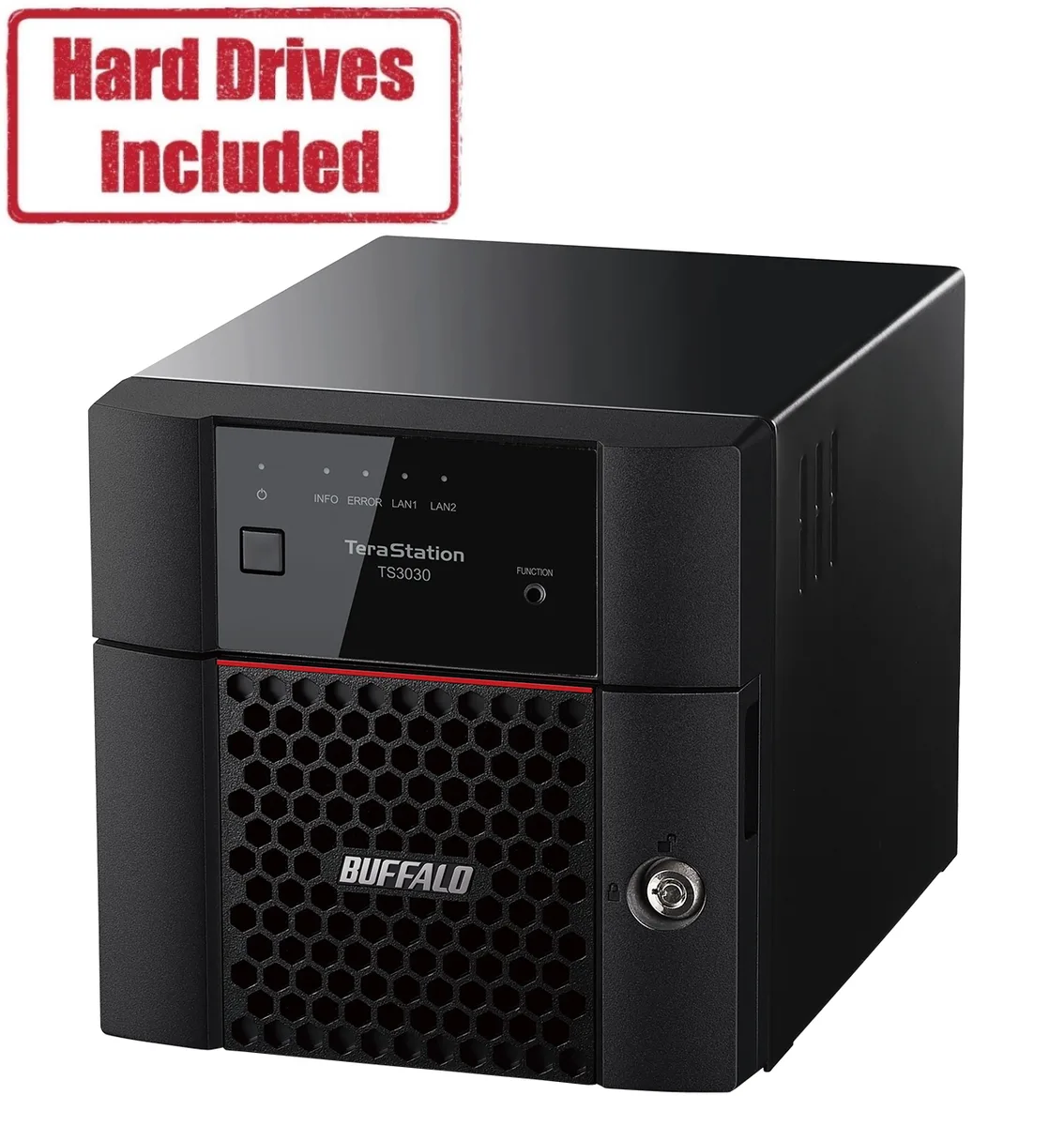
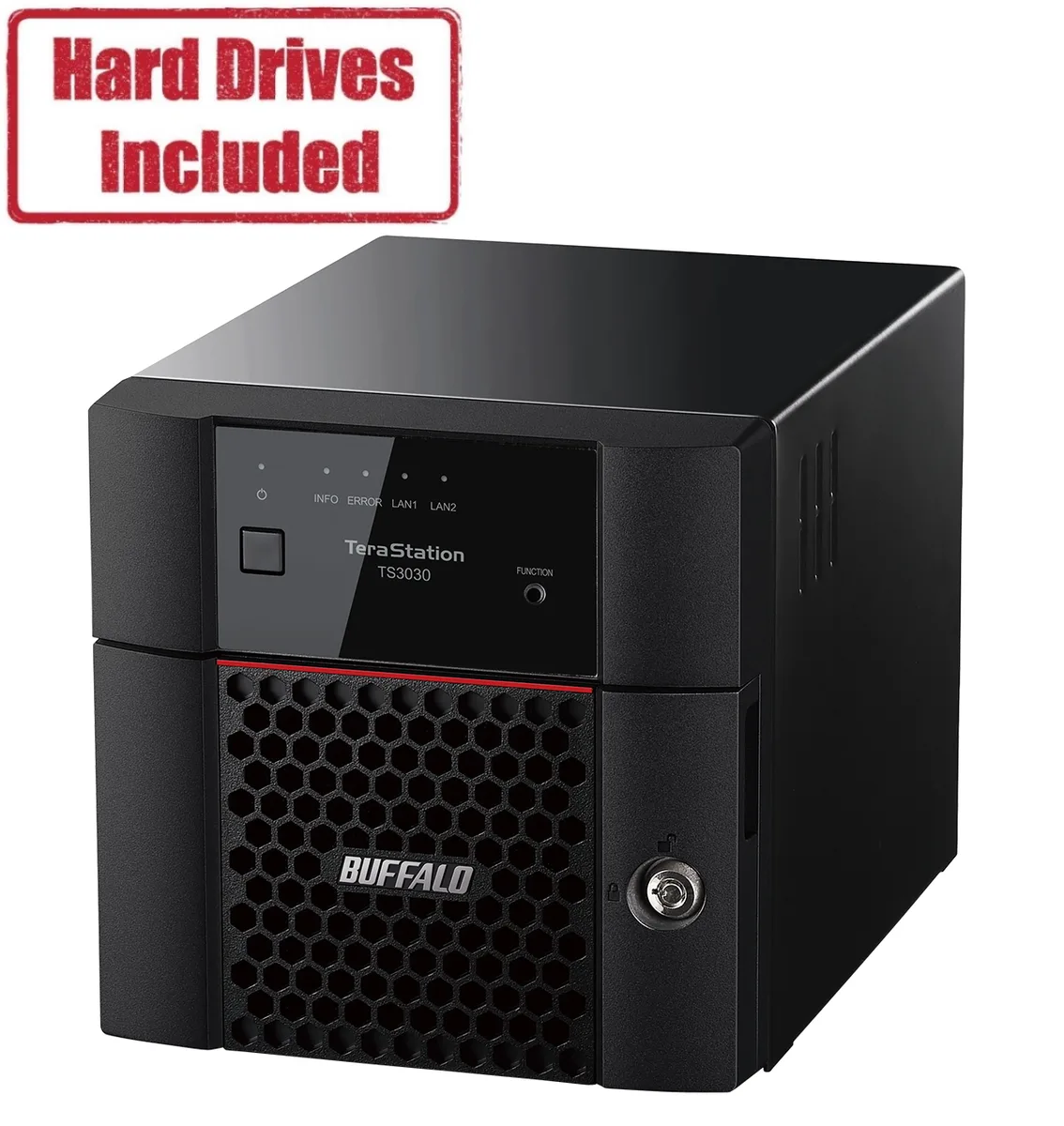
Buffalo Technology TS3230DN0402 2-Bay NAS 4TB 2GB DDR4
- Desktop NAS
- IEEE 802.3, IEEE 80…
US$465.99
0.00596406BTC
재고 있음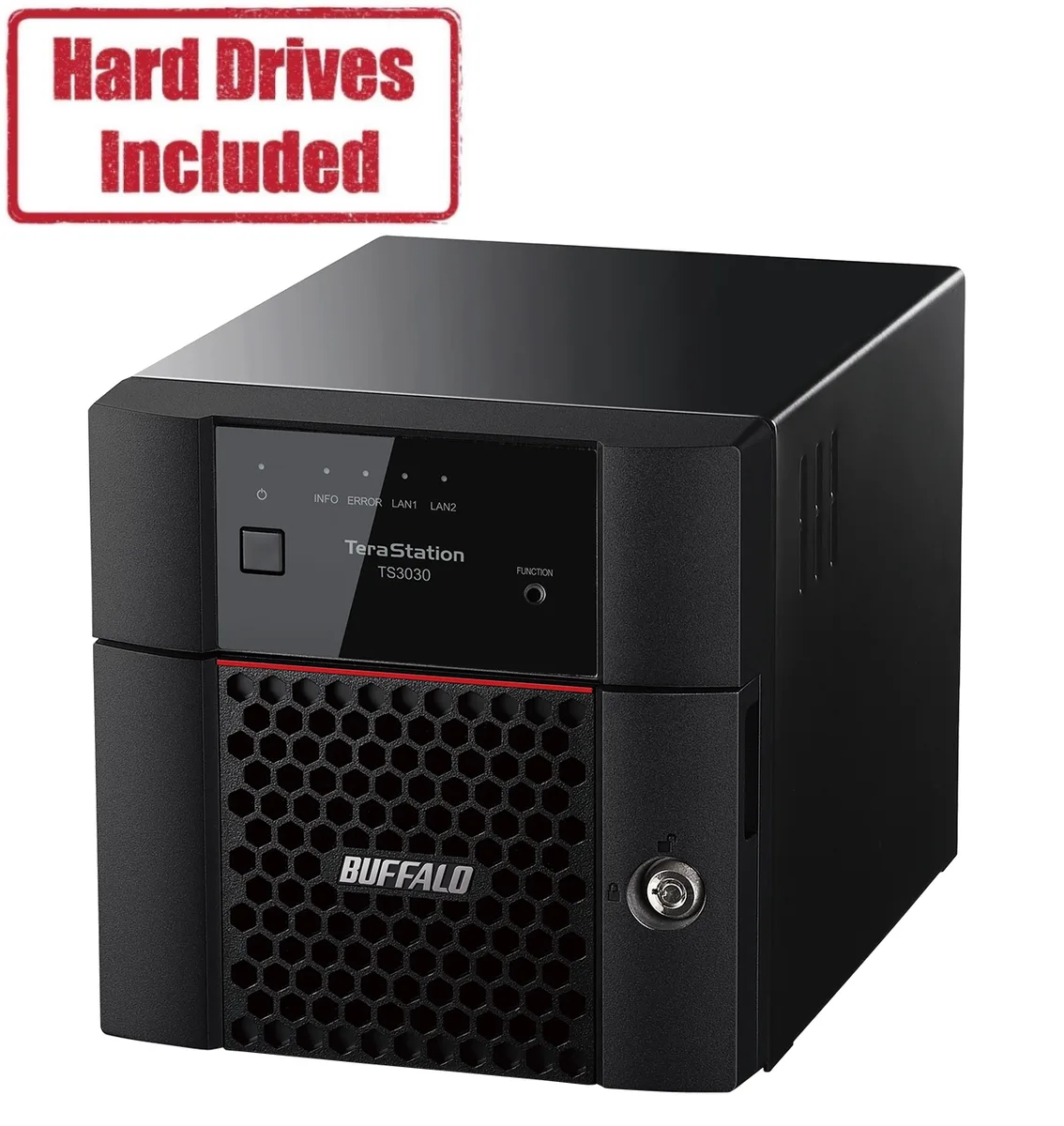


Buffalo Technology
A 2-bay desktop NAS with 16 TB of pre-installed storage, a quad-core 2.0 GHz processor, 2.5 GbE and 1 GbE ports, and RAID 0, 1 and JBOD support
Included HDD Capacity 16TB (2 x 8TB)
The Buffalo TeraStation 3030 ships as a 2-bay desktop NAS with 16TB of storage pre-installed across two 8TB drives. A quad-core Annapurna Labs Alpine AL-524 processor running at 2.0GHz and 2GB of DDR4 memory handle file serving and RAID management. The unit supports RAID 0, RAID 1 and JBOD configurations for performance or redundancy. It is aimed at small offices and home users who need a ready-to-use network storage appliance.
The rear panel provides one 2.5GbE RJ-45 port and one 1GbE RJ-45 port for link aggregation or separate network segments. Two USB 3.0 ports allow attachment of external drives or a UPS for safe shutdown. Drive bays accept SATA drives and are keyed with the supplied front-panel key for physical security. LEDs show power, drive activity and link status at a glance. The chassis measures 9.1 x 6.7 x 6.7 inches and weighs 9.5 lbs.
The package contains a quick setup guide, a Cat5e Ethernet cable, an AC power cable and the front-panel key. The warranty statement is also supplied in the box. No additional drive brackets or mounting rails are required for the two pre-installed drives. The NAS operates on 100-240 VAC at 50/60Hz with a typical power draw of 33.88W. Buyers who need more than two drive bays or 10GbE connectivity will need a different platform.
| Brand | BUFFALO |
|---|---|
| Series | TeraStation 3030 |
| Model | TS3230DN1602 |
| Part Number | TS3230DN1602 |
| Type | Desktop NAS |
| Standards | IEEE 802.3, IEEE 802.3u, IEEE 802.3ab |
| Ports | 1 x 1GbE |
| Port RJ-45 | 1 x 2.5GbE + 1 x 1GbE |
| Port USB | 2 x USB3.0 |
| HDD Interface | 2 x SATA (2 x Bay) |
| Form Factor | 2-Bay |
| Processor | Annapurna Labs Alpine Processor AL-524 2.0GHz Quad-core |
| Installed Memory | 2GB DDR4 |
| Included HDD Capacity | 16TB (2 x 8TB) |
| RAID | RAID 0, 1 and JBOD |
| Drive Compatibility | OP-HD8.0N |
| Supported Protocols | TCP/IP |
| LEDs | Power, HDD (Hard Disk Drive), LAN (10/100) |
| Power | 100-240 VAC 50/60Hz |
| Power Consumption | 33.88W |
| Temperature | 0°C - 40 °C |
| Humidity | 10-80% Non-condensing |
| Usage | High read/write performance with RAID |
| Dimensions | 9.1 x 6.7 x 6.7 in |
| Weight | 9.5 lbs. |
| Package Contents | TeraStation, Quick Setup Guide, 5e Ethernet Cable, AC Cable, Front Panel Key, and Warranty Statement |
| 배송 무게 | 5.72 kg |
| 포장 크기 | 358 × 320 × 310 mm |
이 모델의 다른 버전
같은 제품군에서 메모리·쿨러·클럭이 다릅니다 — 결정 전에 비교해 보세요.
The 2.5GbE RJ‑45 port caps practical throughput at 2.5 Gbps, while the second RJ‑45 port is limited to 1 Gbps.
The unit measures 9.1 × 6.7 × 6.7 in and accepts two 3.5‑inch SATA drives in its internal bays.
Unlock the front panel with the included key, slide each drive into a bay until it clicks, then initialize the RAID array in the web UI — skipping the RAID setup leaves the drives unprotected.
이 진열대의 다른 상품
같은 진열대, 같은 체크아웃 — 코인 8종, 환율 잠금 30분.
결제할 코인과 가격을 확인할 통화입니다.
체크아웃 시 지갑에서 전송됩니다.
표시 전용 — 카탈로그 가격은 달러 기준입니다.
일치하는 통화가 없습니다.
사이트에서 사용할 언어를 선택하십시오.
일치하는 언어가 없습니다.
처음 방문하셨나요?
이미 계정이 있으신가요?
자동 재설정 기능은 없습니다. 이 쇼핑몰은 어떠한 메일도 보내지 않으므로 요청할 일회용 링크 자체가 없습니다. 계정에 등록된 이메일 주소를 그대로 두시면 담당자가 직접 확인해 처리합니다.
요청 접수
받은편지함으로 오는 것은 아무것도 없습니다 — 이 쇼핑몰은 메일을 전혀 보내지 않습니다. 담당자가 직접 확인해 처리합니다.
기억나셨나요?