


DELL
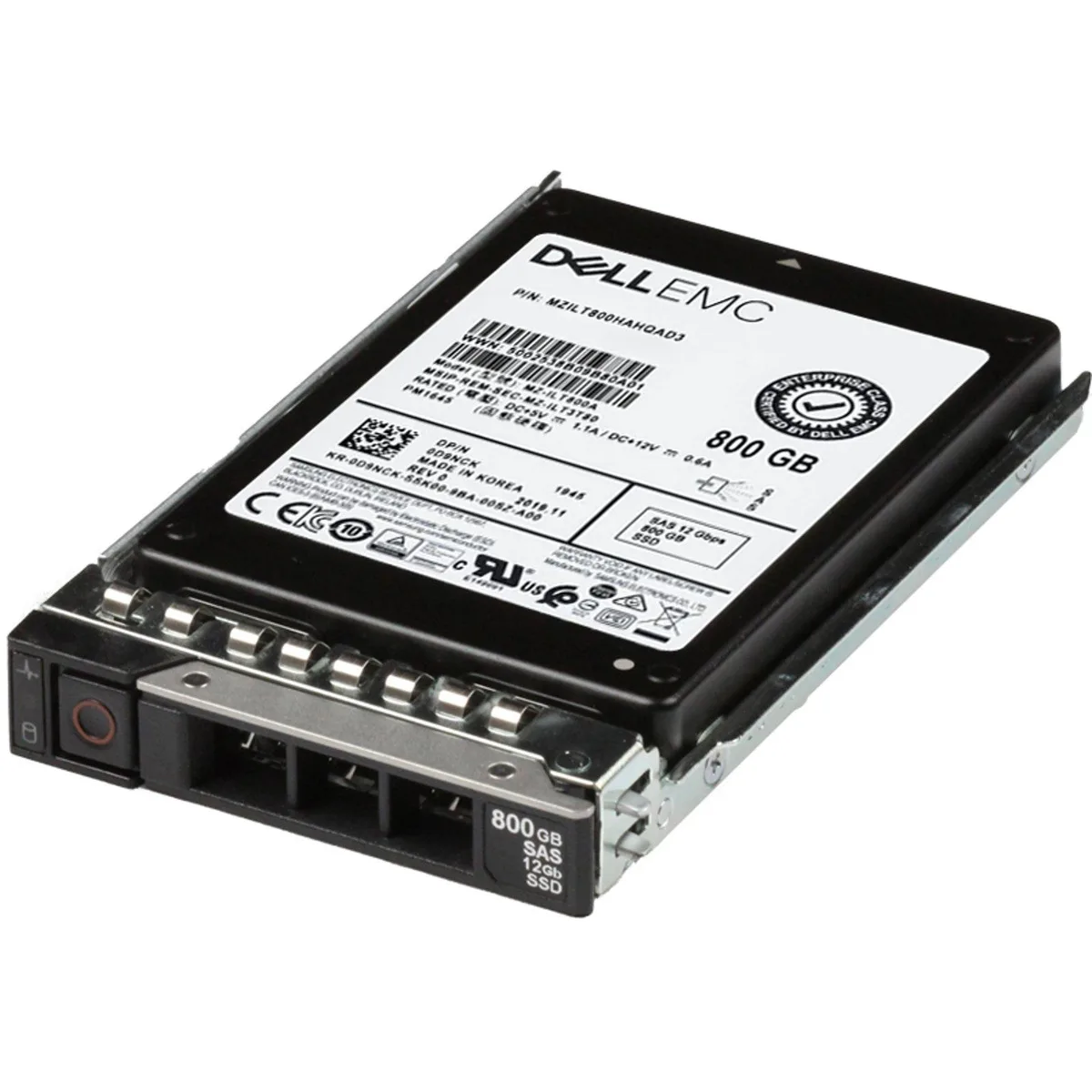
DELL D9NCK 800GB 12Gbps SAS 2.5 enterprise SSD PM1645
An 800 GB 12 Gbps SAS 2.5 inch enterprise SSD for Dell PowerEdge servers
- InterfaceSAS
- 800 GB capacity stores large enterprise datasets
- 12 Gbps SAS interface delivers fast server throughput
- Mixed-use TLC flash balances read and write endurance
- 5 inch form factor fits dense PowerEdge bays
- Compatible with over 50 Dell PowerEdge server models
800 GB SAS enterprise SSD for Dell servers
This 2.5 inch solid-state drive provides 800 GB of capacity over a 12 Gbps SAS interface using mixed-use TLC NAND. It is built for Dell PowerEdge servers that require high-endurance storage in a compact form factor.
Replaces slower or smaller SAS SSDs in mixed
The drive suits environments where read and write demands are balanced, such as databases, virtualisation hosts and logging tiers. Upgrading is worthwhile when existing drives limit throughput or have reached their write-endurance ratings.
Verify SAS backplane and controller support
Confirm the server chassis provides 2.5 inch SAS bays and that the RAID or HBA controller supports 12 Gbps SAS devices. Check firmware compatibility with the specific PowerEdge model before installation.
주요 특징
- 800 GB capacity stores large enterprise datasets
- 12 Gbps SAS interface delivers fast server throughput
- Mixed-use TLC flash balances read and write endurance
- 5 inch form factor fits dense PowerEdge bays
- Compatible with over 50 Dell PowerEdge server models
사양
| Brand | Dell |
|---|---|
| Model | D9NCK, MZILT800HAHQ0D3 |
| Interface | SAS |
이 상품에 대한 질문
Will the 2.5 inch SAS drive fit in a Dell PowerEdge R740 server bay?
Yes, the 2.5 inch form factor matches the drive bays in the listed PowerEdge R740 and other compatible models such as R640 and R750.
How do I install the SSD into a Dell PowerEdge R640, and what step is often missed?
Slide the drive into the hot-swap bay until the carrier clicks, then ensure the release lever locks fully; the lever is often left unlatched.
When should the 800GB mixed-use TLC SSD be replaced in a Dell PowerEdge R750?
Monitor the drive health via the RAID controller or iDRAC; replace it when the media wear indicator approaches the rated endurance limit for mixed-use workloads.
이 진열대의 다른 상품
고객들이 함께 비교한 상품
같은 진열대, 같은 체크아웃 — 코인 8종, 환율 잠금 30분.


Microsemi
Microsemi 2291700-R SmartRAID 3101-4i RAID controller
- 2291700-R
- Low Profile
US$347.99US$373.99−7%
0.00447973BTC
재고 있음
Avolusion
Avolusion PRO-H1 Series 14TB 7200RPM USB 3.2 Gen2 External Hard Drive
- White
- USB 3.2
US$253.99
0.00326965BTC
재고 있음
Avolusion
Avolusion PRO-H1 12TB 7200RPM USB 3.2 Gen2 White external hard drive
- White
- USB 3.2
US$238.99
0.00307656BTC
재고 있음