


DELL
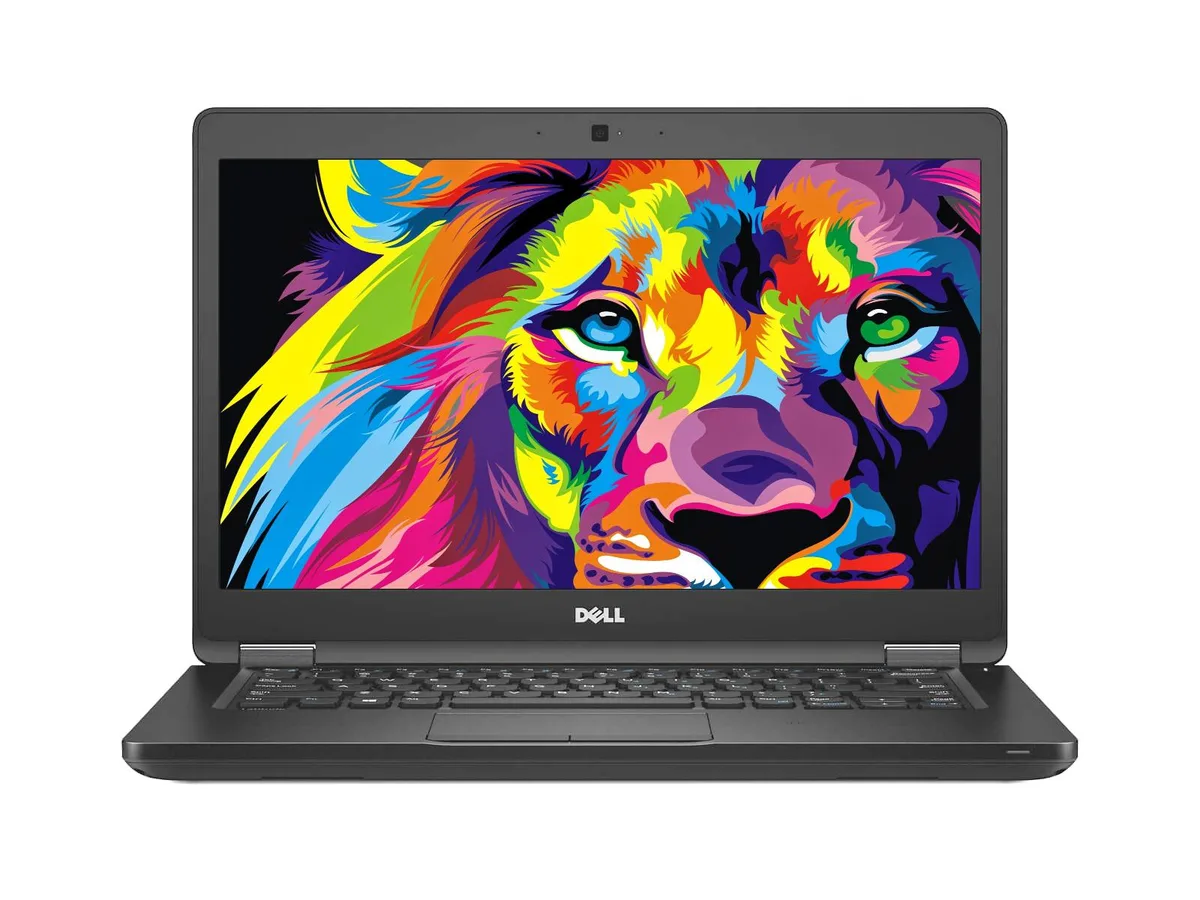
DELL Latitude 5480 laptop Intel Core i5-7300U 16GB 256GB NVMe 14.0" HD
A 14.0 inch HD laptop with an Intel Core i5-7300U processor, 16GB DDR4 memory and a 256GB NVMe SSD, running Windows 10 Home
- ColorBlack
- Operating SystemWindows 10 Home 🙋♀️Microsoft Windows 11 Pro Upgrade 👉Check
- CPU TypeIntel Core i5 7th Gen
- Processor NameIntel Core i5-7300U
- Core NameSkylake
- Number of CoresDual-core Processor
- 16 GB DDR4 memory keeps multitasking smooth
- 256 GB NVMe SSD loads apps and files quickly
- Intel Core i5-7300U dual-core processor handles everyday workloads
- 0 inch HD display fits in a compact chassis
- USB-C, HDMI and VGA ports connect monitors and peripherals
Dell Latitude 5480 14-inch business laptop
The Dell Latitude 5480 is a 14.0-inch business laptop built for mobile professionals. It runs Windows 10 Home on an Intel Core i5-7300U dual-core processor with a base speed of 2.6 GHz. The system includes 16 GB of DDR4 memory and a 256 GB NVMe PCIe M.2 solid-state drive. Integrated Intel HD Graphics 620 handles the 1366 x 768 HD display.
Suits travelers needing legacy ports.
This unit fits users who require a full-size HDMI port, a VGA connector and a USB-C port with DisplayPort alternate mode for external screens. The 16 GB memory allowance supports typical office multitasking and video calls via the integrated webcam. Buyers who need a touchscreen, a higher pixel density panel or a dedicated graphics processor should look at a different configuration.
256 GB NVMe PCIe M.2 SSD defines storage speed
The installed 256 GB NVMe PCIe M.2 drive sets the maximum internal capacity and the throughput ceiling for boot, application launch and file transfer. No additional drive bays are mentioned in the specifications. If the workload demands more local space or a second physical drive, this chassis does not meet that requirement.
주요 특징
- 16 GB DDR4 memory keeps multitasking smooth
- 256 GB NVMe SSD loads apps and files quickly
- Intel Core i5-7300U dual-core processor handles everyday workloads
- 0 inch HD display fits in a compact chassis
- USB-C, HDMI and VGA ports connect monitors and peripherals
사양
| Brand | DELL |
|---|---|
| Series | Latitude |
| Model | 5480 |
| Color | Black |
| Operating System | Windows 10 Home 🙋♀️Microsoft Windows 11 Pro Upgrade 👉Check ABS/Helix computers with Windows 11 |
| CPU Type | Intel Core i5 7th Gen |
| Processor Name | Intel Core i5-7300U |
| Core Name | Skylake |
| Number of Cores | Dual-core Processor |
| CPU L2 Cache | 3MB |
| Screen Size | 14.0" |
| Touchscreen | Non-Touch Screen |
| Wide Screen Support | Yes |
| Display Type | HD |
| Resolution | 1366 x 768 |
| GPU/VPU | Intel HD Graphics 620 |
| Graphic Type | Integrated Card |
| SSD | 256GB |
| Storage Spec | NVMe PCIe M.2 SSD |
| Memory | 16GB |
| Max Memory Supported | 16 GB |
| Optical Drive Type | No |
| LAN | 10/100/1000Mbps |
| WLAN | 802.11a/b/g/n Wireless LAN |
| USB | 3 |
| HDMI | 1 x HDMI |
| Audio | Integrated Sound card |
| Webcam | Yes |
| Card Reader | 3-in-1 |
| Style | Standard |
| Type | Mainstream |
| Usage | Business |
| AC Adapter/Charger | 65-watt AC Adapter |
| Software Included | Fresh install and activated Windows 10 with zero bloatware. Your very own genuine Windows 10 digital license will be applied to the unit. |
| Consumer Alert | Grade B - Laptop will have some cosmetic blemishes that include scratches and/or other surface imperfections. Some laptops may exhibit shiny keys on the keyboard and/or shiny surfaces around the keyboard. All key characters will be legible. Grade B units will be priced lower then the Grade A equivalent and will have the same warranty as all products. Vinyl skin cover may be applied. |
이 상품에 대한 질문
Does the laptop include an HDMI port so I can connect it to my existing monitor?
Yes, the Latitude 5480 provides one HDMI port for external displays.
Will the USB-C port on this model work with my older USB 3.0 peripherals?
The USB-C port supports DisplayPort output and data; legacy USB 3.0 devices connect through the three standard USB 3.0 Type-A ports.
How can I verify the Intel HD Graphics 620 is active after I install drivers?
Open Device Manager, expand Display adapters, and confirm Intel HD Graphics 620 appears without error codes.
이 진열대의 다른 상품
고객들이 함께 비교한 상품
같은 진열대, 같은 체크아웃 — 코인 8종, 환율 잠금 30분.


Microsoft
Microsoft Surface 3 1657 128GB CRB 2-in-1 laptop
- Silver
- Windows 10 Pro
US$244.99
0.00316394BTC
재고 있음
Microsoft
Microsoft Surface Pro FGG-2D-00001-RFB 2-in-1 laptop 16 GB 512 GB 12.0" touchscreen 2736 x 1824 refurbished
- 12.0"
- Touch Screen
US$687.99
0.00888509BTC
재고 있음
Lenovo
Lenovo Chromebook 500e Gen 5 M89 83TA0004US 12.2" MediaTek 8GB 64GB
- 12.2"
US$392.99US$420.99−7%
0.00507529BTC
재고 있음