DELL
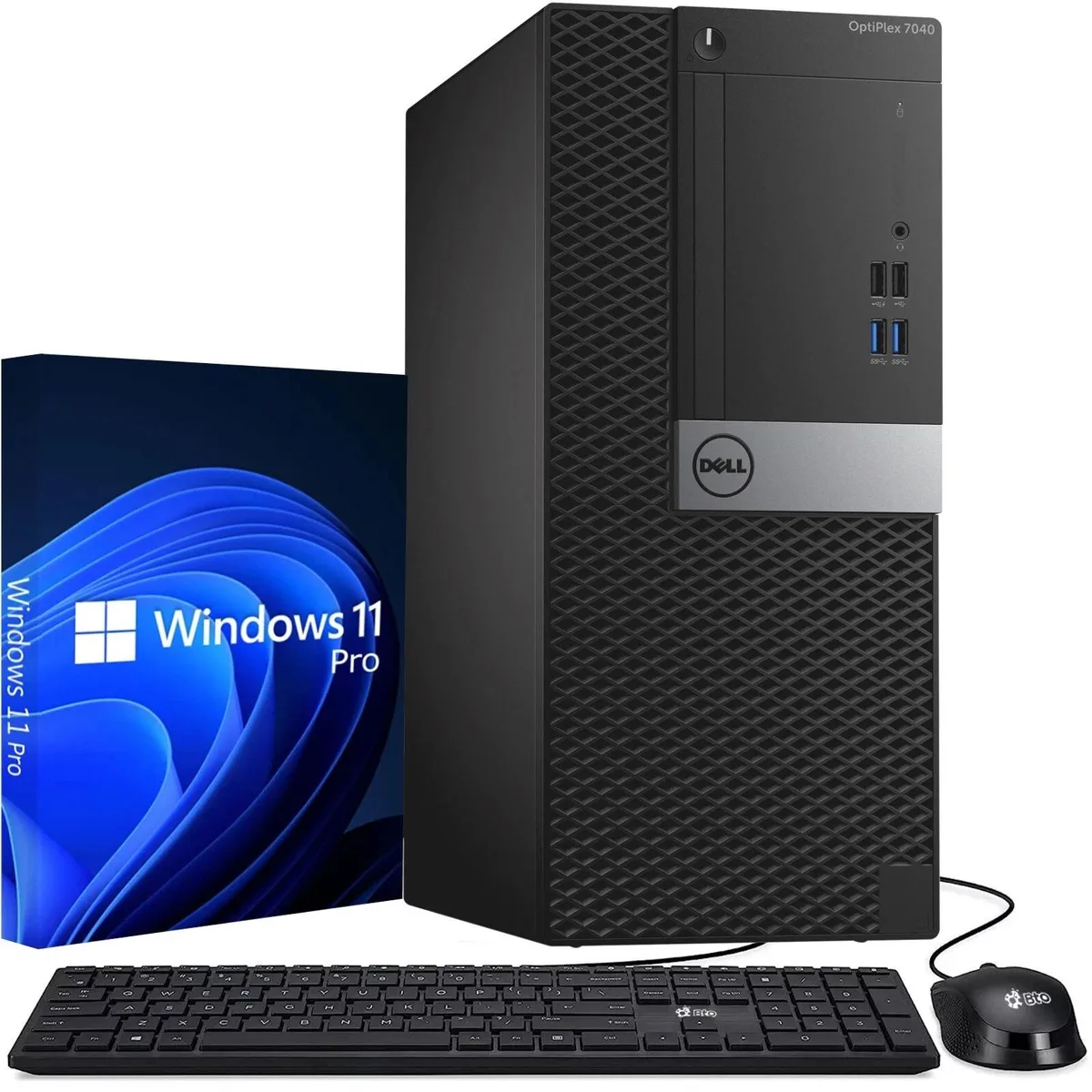
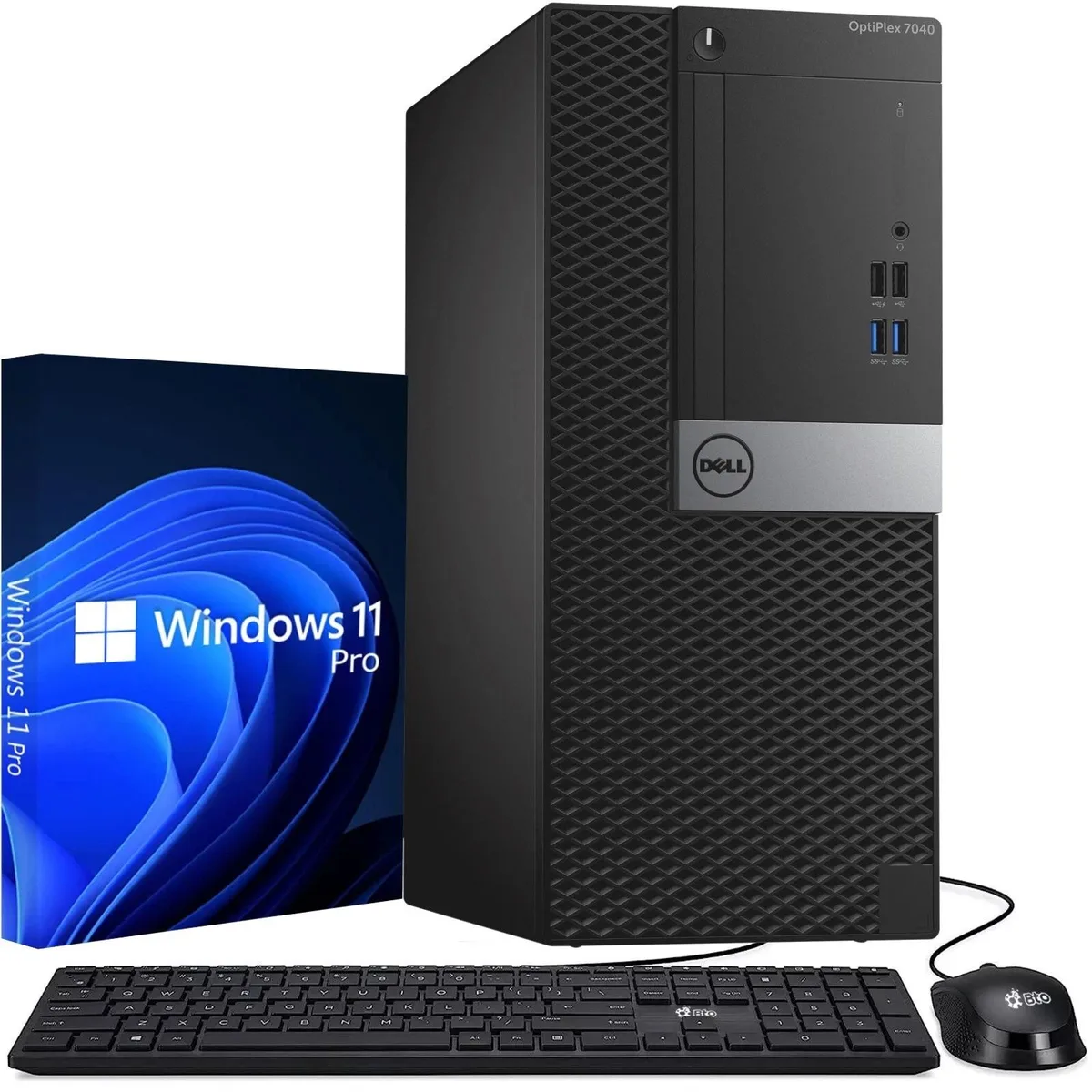
DELL OptiPlex 7040 Tower i5-6500 3.60GHz 8GB DDR4 256GB SSD desktop PC
US$133.99
0.00170194BTC
재고 있음


DELL
Tower desktop with Intel Core i5-6500 at 3.60GHz, 8GB DDR4, 128GB SSD, Wi-Fi, Windows 11 Pro, six USB 3.0 and four USB 2.0 ports, dual DisplayPort and HDMI outputs
Ram 8GB
취소선으로 표시된 버전은 존재하지만, 이곳에서는 취급하지 않습니다.
The Dell OptiPlex 7040 Tower is a desktop computer built for home users and business professionals. It runs on an Intel Core i5-6500 processor reaching 3.60GHz with 8GB DDR4 memory and a 128GB SSD. Windows 11 Pro 64-bit is installed and supports English, Spanish and French.
The tower form factor fits standard office spaces and includes a power cord. Six USB 3.0 ports and four USB 2.0 ports handle multiple peripherals at once. Two DisplayPort outputs and one HDMI port connect up to three displays. A combo audio jack serves headsets or speakers and Wi-Fi is integrated.
Integrated graphics suit office applications and video playback but not 3D workloads or modern gaming. The 128GB SSD holds the operating system and core programs, leaving little room for large media libraries or local backups. Buyers who need more storage or discrete graphics should consider other configurations.
이 상품에 대해 아직 공개된 사양이 없습니다.
이 모델의 다른 버전
같은 제품군에서 메모리·쿨러·클럭이 다릅니다 — 결정 전에 비교해 보세요.
The six blue ports are USB 3.0 and cap at 5 Gbps in practice.
The tower chassis provides 3.5-inch and 2.5-inch drive bays plus an M.2 slot for additional SSDs.
Remove the side panel, locate the two DIMM slots, and populate the black slot first for dual-channel operation.
이 진열대의 다른 상품
같은 진열대, 같은 체크아웃 — 코인 8종, 환율 잠금 30분.
결제할 코인과 가격을 확인할 통화입니다.
체크아웃 시 지갑에서 전송됩니다.
표시 전용 — 카탈로그 가격은 달러 기준입니다.
일치하는 통화가 없습니다.
사이트에서 사용할 언어를 선택하십시오.
일치하는 언어가 없습니다.
처음 방문하셨나요?
이미 계정이 있으신가요?
자동 재설정 기능은 없습니다. 이 쇼핑몰은 어떠한 메일도 보내지 않으므로 요청할 일회용 링크 자체가 없습니다. 계정에 등록된 이메일 주소를 그대로 두시면 담당자가 직접 확인해 처리합니다.
요청 접수
받은편지함으로 오는 것은 아무것도 없습니다 — 이 쇼핑몰은 메일을 전혀 보내지 않습니다. 담당자가 직접 확인해 처리합니다.
기억나셨나요?