DELL
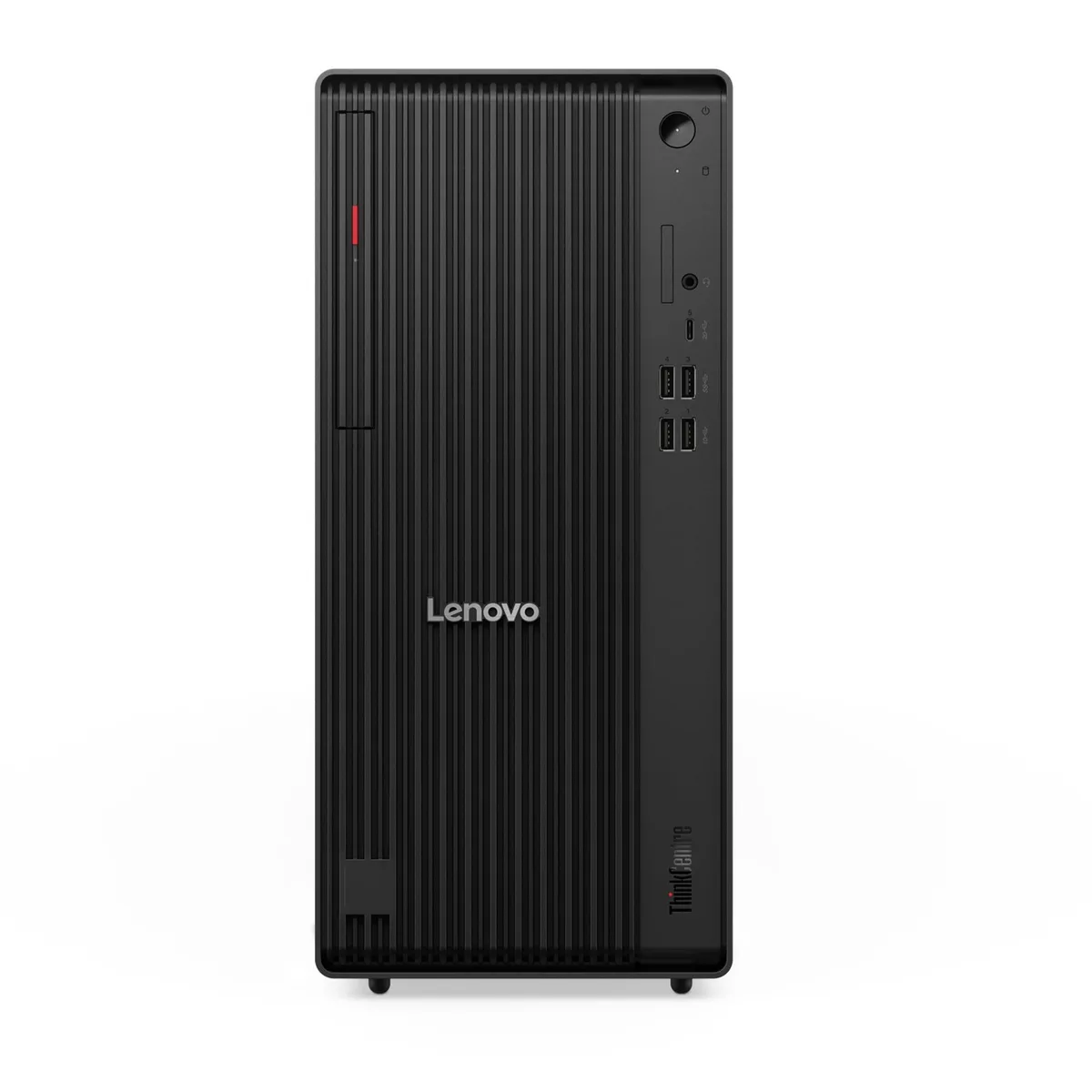
DELL OptiPlex 7010 Slim Tower i5-3470 3.2GHz 8GB DDR3 1TB SSD + 1TB HDD DVD-RW Windows 10 Pro desktop PC
- Home / Office
- DIMM 240-pin
US$181.99
0.00232172BTC
재고 있음


DELL
A 4th-generation Intel Core i7 desktop with 16 GB DDR3, 1 TB SSD, DVD-RW and Windows 10 Pro in a mini-tower case
The Dell OptiPlex 9020 Mini Tower is a desktop computer built around a 4th Generation Intel Core i7-4770 processor running at 3.40 GHz. It comes with 16 GB of DDR3 memory and a 1 TB solid-state drive for storage. Integrated Intel Graphics 4600 handles display output, while Gigabit Ethernet provides wired networking. A DVD±RW optical drive and USB keyboard and mouse are included, with Windows 10 Professional 64-bit pre-installed.
The system operates from a 290 W internal power supply, which supports the processor, memory, storage and optical drive under normal workloads. Integrated graphics and a single SSD keep overall power draw moderate during typical office tasks. The mini-tower chassis uses standard airflow paths to manage heat from the quad-core CPU without requiring auxiliary power connectors. Fan noise remains low during light productivity use and rises only under sustained heavy loads.
This unit ships with 16 GB of DDR3 desktop RAM installed in the 240-pin DIMM slots. The platform supports a maximum of 32 GB, so the current configuration leaves room for a future upgrade if workloads demand more capacity. Buyers who need 32 GB immediately should verify availability of the higher-capacity option before purchase, as this specific listing provides 16 GB only.
| Brand | DELL |
|---|---|
| Series | OptiPlex |
| Model | 9020 |
| Part Number | 9020 |
| Type | Student / Home Office |
| Form Factor | DIMM 240-pin |
| Usage | Consumer |
| Color | Black/Silver |
| Processor | 4th Gen Intel Quad-Core i7-4770 3.40GHz |
| Processor Main Features | 64 bit Processor |
| Memory | 16 GB DDR3 Desktop RAM |
| Storage | 2.5" 1TB (1,000GB) Solid State Drive (SSD) |
| Optical Drive | DVD±RW Drive |
| Graphics | Intel Graphics 4600 |
| Audio | Sound card - Integrated |
| Ethernet | Gigabit Ethernet |
| Power Supply | 290W |
| Monitor | Monitor not included |
| Case | Mini Tower |
| Keyboard | USB |
| Mouse | USB |
| Operating System | Windows 10 Pro |
| Software Included | Windows 10 Pro Installed |
| Chipset | Intel Q87 Chipset |
| CPU Type | Intel Core i7 4th Gen |
| Installed Qty | 1 |
| Max Supported Qty | 1 |
| CPU Name | Intel Core i7-4770 |
| CPU Socket Type | FCLGA1150 |
| GPU/VGA Type | Intel HD Graphics 4600 |
| Graphics Interface | Integrated video |
| Memory Capacity | 16GB DDR3 |
| Memory Speed | DDR3 |
| Memory Spec | 4 GB x 4 |
| Memory Slot (Total) | 4 |
| Memory Slot (Available) | 0 |
| Memory Slots (Available/Total) | 0/4 |
| Maximum Memory Supported | 32 GB |
| SSD | 1TB |
| HDD | No |
| HDD Interface | SATA |
| Storage Spec | 2.5" 1TB (1,000GB) Solid State Drive (SSD) |
| Optical Drive Type | DVD+R/RW |
| Screen Size | No Screen |
| Audio Chipset | Integrated |
| LAN Chipset | Integrated |
| LAN Speed | 10/100/1000Mbps |
| WLAN | IEEE 802.11n |
| Bluetooth | Yes |
| Front USB | 4 |
| PS/2 | 2 |
| Video Ports | 1 VGA, 2 Display Ports |
| Rear USB | 6 |
| RJ45 | 1 port |
| Rear Audio Ports | 1x Headphone, 1x Microphone, 1x Line In |
| Keyboard Type | USB Keyboard |
| Mouse Type | USB Mouse |
| Dimensions (H x W x D) | 14.2 x 6.9 x 16.4 |
| Weight | 21 |
이 모델의 다른 버전
같은 제품군에서 메모리·쿨러·클럭이 다릅니다 — 결정 전에 비교해 보세요.
Power off, open the mini-tower case, align the notch on each DDR3 module with the 240-pin slot, press firmly until the retention clips click, then verify 16 GB shows in BIOS before closing the cover.
The 290 W power supply and the DVD±RW drive are the parts that typically wear out first; the 1 TB SSD and 16 GB DDR3 have no moving parts and last longer.
The 290 W power supply caps total system draw, so sustained 100 % CPU utilisation will hit that ceiling before the Intel Graphics 4600 or Gigabit Ethernet become bottlenecks.
이 진열대의 다른 상품
같은 진열대, 같은 체크아웃 — 코인 8종, 환율 잠금 30분.
결제할 코인과 가격을 확인할 통화입니다.
체크아웃 시 지갑에서 전송됩니다.
표시 전용 — 카탈로그 가격은 달러 기준입니다.
일치하는 통화가 없습니다.
사이트에서 사용할 언어를 선택하십시오.
일치하는 언어가 없습니다.
처음 방문하셨나요?
이미 계정이 있으신가요?
자동 재설정 기능은 없습니다. 이 쇼핑몰은 어떠한 메일도 보내지 않으므로 요청할 일회용 링크 자체가 없습니다. 계정에 등록된 이메일 주소를 그대로 두시면 담당자가 직접 확인해 처리합니다.
요청 접수
받은편지함으로 오는 것은 아무것도 없습니다 — 이 쇼핑몰은 메일을 전혀 보내지 않습니다. 담당자가 직접 확인해 처리합니다.
기억나셨나요?