DELL
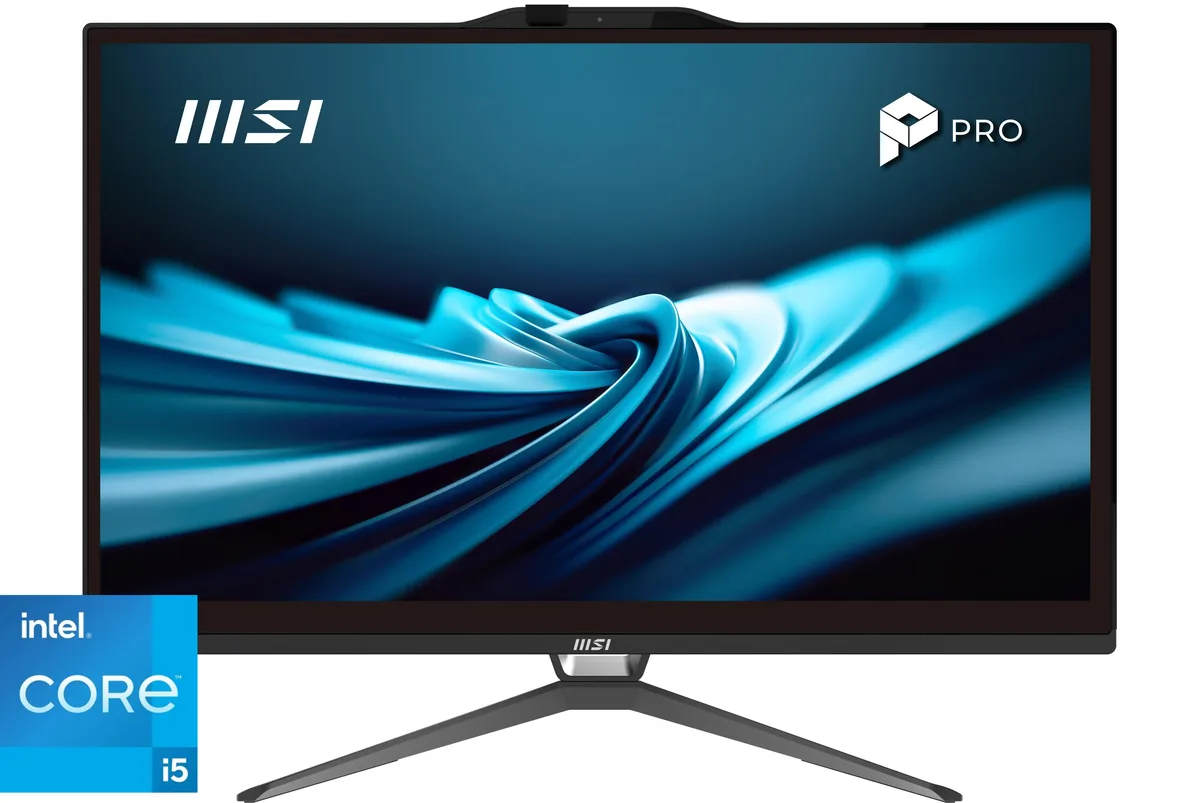
DELL OptiPlex All-in-One 7420 7DX9X Core i5-14500 16GB 256GB 23.8" all-in-one PC
- All-in-One PC
- All-in-One
US$922.99US$974.99−5%
0.01187874BTC
재고 있음


DELL
A business tower with a 20-core Intel Core Ultra 7 265 processor, 32GB DDR5 memory and a 2TB SSD, ready for multi-display productivity on Windows 11 Pro
The Dell Pro Tower Plus QBT 1250 is a business desktop built around an Intel Core Ultra 7 265 processor with 20 cores running from 2.40GHz up to 5.30GHz. It ships with 32GB of DDR5 memory and a 2TB SSD for fast boot and application load times. Windows 11 Pro is pre-installed and the 260W power supply drives the integrated Intel HD Graphics.
This system fits professionals who need reliable multi-display output through DisplayPort connections and a generous port selection including four USB 2.0, four USB 3.2 and two USB 3.2 Type-C ports. Buyers who require a discrete graphics card for 3D rendering, video editing or gaming should look elsewhere because the platform relies on integrated graphics only.
The single decisive specification is the 32GB of DDR5 memory installed from the factory. If your workflow demands more RAM than this fixed amount provides, the desktop will not meet the requirement.
| Brand | DELL |
|---|---|
| Series | Dell Pro |
| Model | QBT1250 |
| Type | Business Desktops & Workstations |
| Form Factor | Tower |
| Usage | Business |
| Processor | Intel Core Ultra 7 265 20-Core Processor at 2.40GHz up to 5.30GHz |
| Processor Main Features | 64 bit 20-Core Processor |
| Cache Per Processor | 30MB Intel Smart Cache |
| Memory | 32GB DDR5 |
| Storage | 2TB SSD |
| Optical Drive | No |
| Optical Drive 2 | No |
| Graphics | Intel HD Graphics |
| Ethernet | Gigabit Ethernet |
| Power Supply | 260W |
| Monitor | Monitor not included |
| Operating System | Windows 11 Pro |
| CPU Type | Intel Core Ultra 7 (Series 2) |
| L3 Cache Per CPU | 30MB |
| CPU Main Features | 64 bit 20-Core Processor |
| GPU/VGA Type | Intel HD Graphics |
| Graphics Card | Intel HD Graphics |
| Graphics Interface | Integrated |
| Memory Capacity | 32GB DDR5 |
| Memory Speed | DDR5 |
| Memory Spec | 32GB DDR5 |
| SSD | 2 TB |
| HDD | No |
| Storage Spec | 2TB SSD |
| Optical Drive Type | No |
| Screen Size | No Screen |
| Display Feature | Supports Multiple Displays |
| LAN Speed | 10/100/1000Mbps |
| WLAN | No |
| Front USB | 2 x USB 2.0,1 x USB 3.2, 1 x USB Type-C 3.2 |
| Front Audio Ports | 1 x Headphone Jack |
| Card Reader | No |
| Video Ports | 3 x DisplayPort |
| Rear USB | 3 x USB 3.2, 2 x USB 2.0, 1 x USB Type-C |
| RJ45 | 1 port |
| Keyboard Type | Dell Keyboard |
| Mouse Type | Dell Mouse |
| Dimensions (H x W x D) | 18 x 16 x 10 |
| Weight | 15 |
| Package Type | Dell Brown Box |
| Package Contents | Small Form Factor PC, Power cord |
The tower form factor requires open space around the front intake and rear exhaust so the 260 watt power supply and advanced cooling system can move air without restriction.
The thumbscrew at the rear edge of the side panel must be tightened after the manufacturer box is opened for professional installation and testing.
All slots are populated at 32GB, so any capacity increase means replacing the existing DDR5 modules rather than adding more.
이 진열대의 다른 상품
같은 진열대, 같은 체크아웃 — 코인 8종, 환율 잠금 30분.
결제할 코인과 가격을 확인할 통화입니다.
체크아웃 시 지갑에서 전송됩니다.
표시 전용 — 카탈로그 가격은 달러 기준입니다.
일치하는 통화가 없습니다.
사이트에서 사용할 언어를 선택하십시오.
처음 방문하셨나요?
이미 계정이 있으신가요?
자동 재설정 기능은 없습니다. 이 쇼핑몰은 어떠한 메일도 보내지 않으므로 요청할 일회용 링크 자체가 없습니다. 계정에 등록된 이메일 주소를 그대로 두시면 담당자가 직접 확인해 처리합니다.
요청 접수
받은편지함으로 오는 것은 아무것도 없습니다 — 이 쇼핑몰은 메일을 전혀 보내지 않습니다. 담당자가 직접 확인해 처리합니다.
기억나셨나요?