
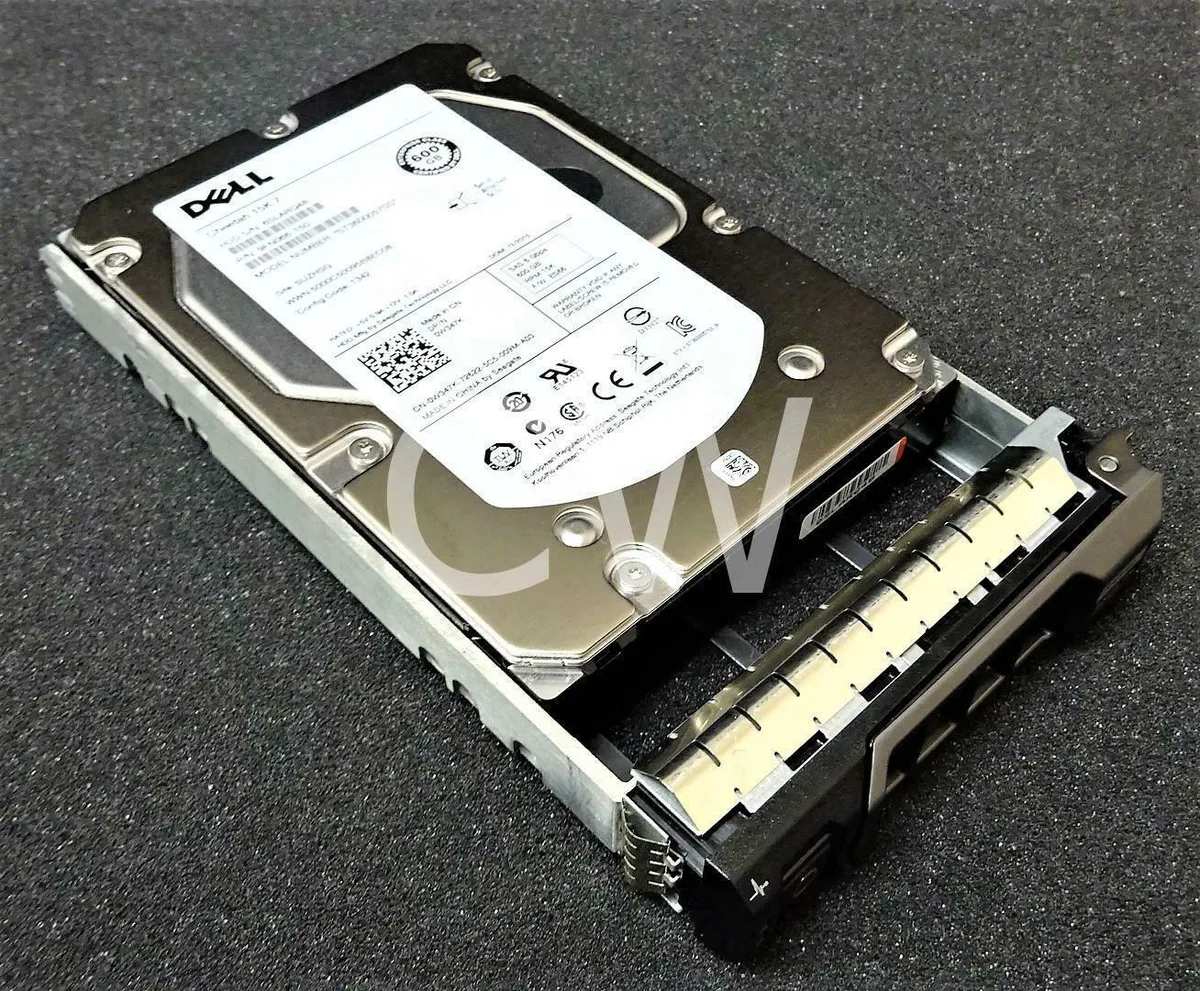

DELL
DELL ST3600057SS 600GB 15K 3.5" SAS internal hard drive
A 600 GB 15000 RPM SAS internal hard drive with a 16 MB cache for Dell PowerEdge servers
- 15,000 RPM delivers fast data access for demanding workloads
- 600 GB capacity stores large datasets on a single drive
- SAS 6 Gb/s interface provides high-throughput connectivity
- 16 MB cache buffers bursts for smoother performance
- Compatible with Dell PowerEdge T620 T630 T640 T710 servers
600 GB 15K SAS enterprise drive
This 600 GB internal hard drive spins at 15000 RPM and connects through a 3.5 inch SAS 6Gb/s interface with a 16 MB buffer. It is built for Dell PowerEdge servers that require high-throughput mechanical storage.
Suited for compatible PowerEdge servers
The drive fits the listed Dell PowerEdge models including T20 T100 T105 T110 T300 T310 T320 T330 T410 T420 T430 T440 T605 T610 T620 T630 T640 T710. It is not for SAN environments and will not work in systems that lack a SAS backplane or controller.
15000 RPM spindle speed
The 15000 RPM rotation rate is the specification that determines whether this drive meets the performance tier required by the target workload. Buyers should verify that their server chassis and controller support this speed class before purchasing.
주요 특징
- 15,000 RPM delivers fast data access for demanding workloads
- 600 GB capacity stores large datasets on a single drive
- SAS 6 Gb/s interface provides high-throughput connectivity
- 16 MB cache buffers bursts for smoother performance
- Compatible with Dell PowerEdge T620 T630 T640 T710 servers
사양
이 상품에 대해 아직 공개된 사양이 없습니다.
이 상품에 대한 질문
Will the 3.5 inch SAS drive fit in a Dell PowerEdge T620 drive bay?
Yes, the 3.5 inch form factor matches the standard drive bays in the T620 and other listed PowerEdge servers.
What is the correct way to connect the SAS data and power cables during installation?
Attach the SAS data cable to the backplane connector first, then seat the drive firmly so the power pins engage last; reversing the order can bend the power pins.
How often should the 15000 RPM drive be monitored for bearing wear or SMART errors?
Check SMART attributes monthly; the 15000 RPM spindle and 16 MB cache benefit from early detection of reallocated sectors or temperature spikes.
이 진열대의 다른 상품
고객들이 함께 비교한 상품
같은 진열대, 같은 체크아웃 — 코인 8종, 환율 잠금 30분.




Western Digital
Western Digital G-DRIVE ArmorATD 5TB portable hard drive SDPH81G005TGBA1D
US$298.99
0.00382869BTC
재고 있음
OWC
OWC Gemini Ultra X6 12TB Thunderbolt portable SSD (OWCTB3GMA6X12)
- 12TB
- Thunderbolt
US$2,645.99
0.03388298BTC
재고 있음