

SanDisk
SanDisk Cruzer Blade 8 GB USB 2.0 USB flash drive Black SDCZ50-008G-B35
US$391.99
0.00500875BTC
재고 있음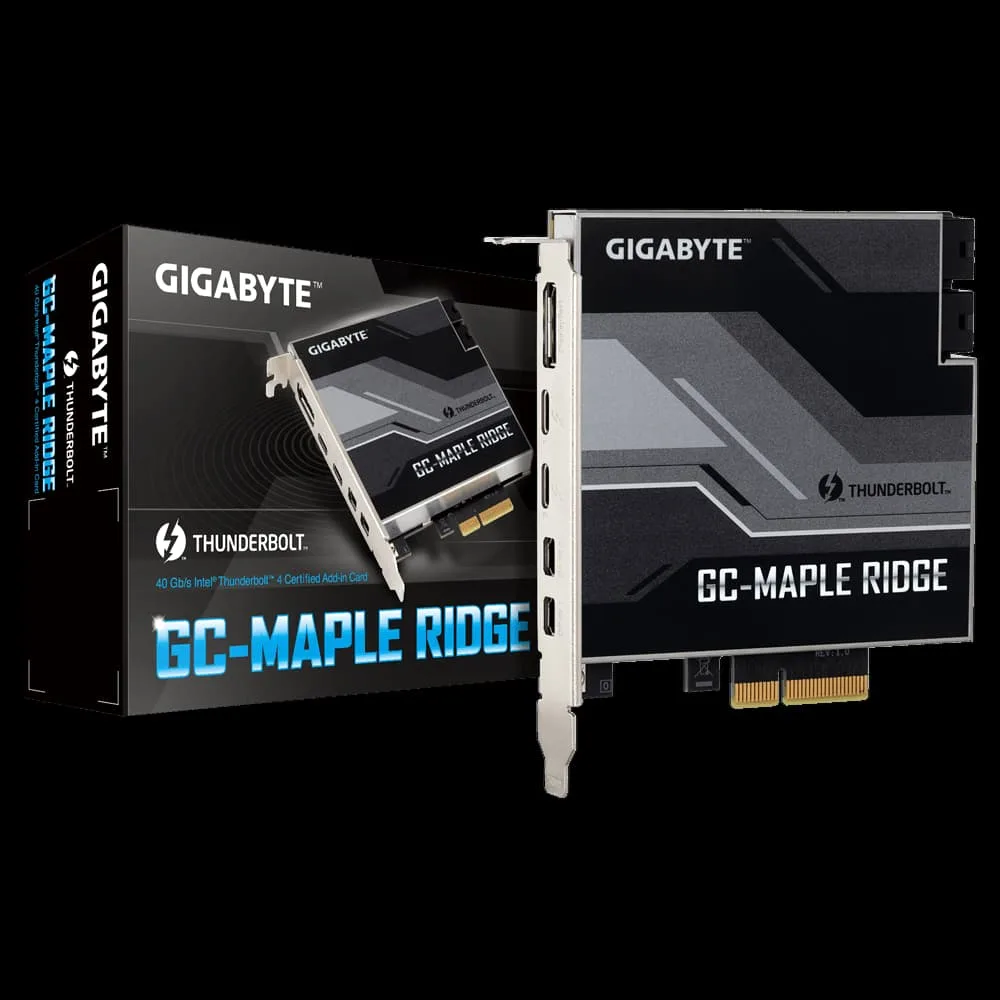


GIGABYTE
Adds dual Thunderbolt 4 ports with 40 Gb/s bandwidth, DisplayPort 1.4 video and up to 97 W power delivery to compatible motherboards
The GIGABYTE GC-MAPLE RIDGE is an Intel Thunderbolt 4 certified expansion card that uses the JHL8540 controller to bring two USB Type-C ports to compatible Z590 motherboards. It targets builders who want 40 Gb/s connectivity for docks, displays and storage without replacing their platform. Buyers whose boards lack the required Thunderbolt header cannot use this card.
The card draws power from the PCIe slot and supplies up to 97 W through the first port at 19 V and 5 A, while the second port delivers up to 15 W at 5 V and 3 A. No active cooling is fitted, so the board relies on case airflow to keep the controller within operating limits during sustained 40 Gb/s transfers.
Each Thunderbolt 4 port can daisy-chain up to five devices for a total of ten peripherals without extra hubs. DisplayPort 1.4 capability lets the card drive two 4K displays at 60 FPS through the same USB Type-C connectors. The bundled GC-MAPLE RIDGE software enables firmware updates and port configuration for the add-in card.
이 상품에 대해 아직 공개된 사양이 없습니다.
Fit the card into a free PCIe x4 slot, then connect the supplied Thunderbolt header cable to the motherboard's designated TBT_HEADER; the step most people forget is attaching that header, without which the ports remain inactive.
No scheduled maintenance is required; keep the ports free of dust with occasional compressed air and update the Thunderbolt firmware via GIGABYTE's support page when new versions appear.
The 40 Gb/s aggregate limit is reached first when combined PCIe and DisplayPort 1.4 traffic from up to 10 devices (5 per port) saturates the link, capping sustained throughput at that figure.
이 진열대의 다른 상품
같은 진열대, 같은 체크아웃 — 코인 8종, 환율 잠금 30분.
결제할 코인과 가격을 확인할 통화입니다.
체크아웃 시 지갑에서 전송됩니다.
표시 전용 — 카탈로그 가격은 달러 기준입니다.
일치하는 통화가 없습니다.
사이트에서 사용할 언어를 선택하십시오.
일치하는 언어가 없습니다.
처음 방문하셨나요?
이미 계정이 있으신가요?
자동 재설정 기능은 없습니다. 이 쇼핑몰은 어떠한 메일도 보내지 않으므로 요청할 일회용 링크 자체가 없습니다. 계정에 등록된 이메일 주소를 그대로 두시면 담당자가 직접 확인해 처리합니다.
요청 접수
받은편지함으로 오는 것은 아무것도 없습니다 — 이 쇼핑몰은 메일을 전혀 보내지 않습니다. 담당자가 직접 확인해 처리합니다.
기억나셨나요?



