


HP
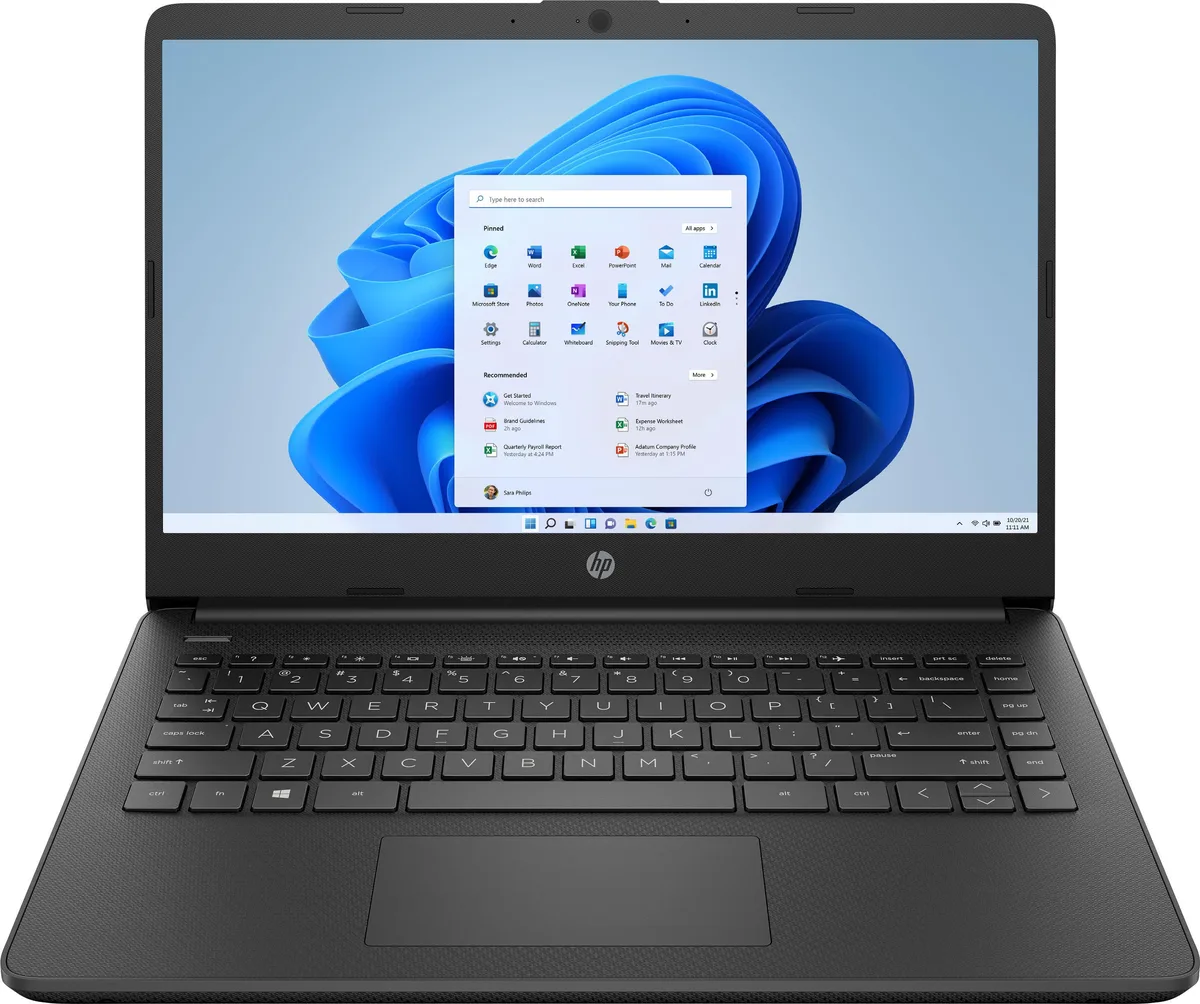
HP 14-dq0031dx 14.0" Celeron N4020 4GB 64GB eMMC Jet Black laptop
A 14-inch Windows 11 laptop with an Intel Celeron N4020 processor, 4GB memory and 64GB eMMC storage
- Screen Size14.0"
- TypeEveryday Value
- Windows 11 Home in S Mode provides a refreshed, secure experience
- 0-inch HD micro-edge display with 6.5 mm bezel and 79% screen-to-body ratio
- Dual-core Intel Celeron N4020 processor balances performance, power use and value
- 4 GB memory enables smooth basic multitasking across apps and browser tabs
- 64 GB eMMC flash storage delivers reliable everyday performance
14.0-inch HD laptop for everyday use
The HP 14-dq0031dx is a 14.0-inch laptop built for daily tasks such as web browsing, document editing and media streaming. Its Intel Celeron N4020 dual-core processor and 4 GB of memory provide sufficient performance for basic multitasking. The 64 GB eMMC storage offers fast, flash-based access to files and applications. Windows 11 Home in S Mode delivers a secure, streamlined environment out of the box.
Fanless design with long battery life
The low-power Celeron N4020 enables a fanless chassis, so the system runs silently during typical workloads. Thermal output stays modest, keeping surface temperatures comfortable for lap use. Power draw remains low, which contributes to the all-day battery life highlighted by the manufacturer. Fast-charge technology replenishes the battery quickly when an outlet is available.
Microsoft 365 subscription and fingerprint reader
A one-year Microsoft 365 subscription adds Word, Excel and PowerPoint with smart assistance features for writing, data analysis and presentations. The integrated fingerprint reader provides secure, password-free login for added convenience. The precision touchpad supports multi-touch gestures to speed up navigation. Buyers who need more local storage or heavier compute performance should consider other configurations.
주요 특징
- Windows 11 Home in S Mode provides a refreshed, secure experience
- 0-inch HD micro-edge display with 6.5 mm bezel and 79% screen-to-body ratio
- Dual-core Intel Celeron N4020 processor balances performance, power use and value
- 4 GB memory enables smooth basic multitasking across apps and browser tabs
- 64 GB eMMC flash storage delivers reliable everyday performance
사양
| Screen Size | 14.0" |
|---|---|
| Type | Everyday Value |
이 상품에 대한 질문
How do I disable Windows 11 S Mode to install apps from outside the Microsoft Store?
Open Settings, go to Activation, and select the link to switch out of S Mode. The change is free and permanent, but you cannot return to S Mode afterward.
When will the 64 GB eMMC storage need attention, and what can I do?
The 64 GB eMMC is soldered and cannot be upgraded. Free space runs low first; use Storage Sense, move files to OneDrive or a USB drive, and uninstall unused apps to keep the system responsive.
What limits battery runtime during a full day of web browsing and video playback?
The 4 GB RAM and dual-core Celeron N4020 hit capacity first, forcing the system to swap to the eMMC and increasing power draw, which shortens the usable time between charges.
이 진열대의 다른 상품
고객들이 함께 비교한 상품
같은 진열대, 같은 체크아웃 — 코인 8종, 환율 잠금 30분.


Microsoft
Microsoft Surface 3 1657 128GB CRB 2-in-1 laptop
- Silver
- Windows 10 Pro
US$244.99
0.00315713BTC
재고 있음
Microsoft
Microsoft Surface Pro FGG-2D-00001-RFB 2-in-1 laptop 16 GB 512 GB 12.0" touchscreen 2736 x 1824 refurbished
- 12.0"
- Touch Screen
US$687.99
0.00886596BTC
재고 있음
Lenovo
Lenovo Chromebook 500e Gen 5 M89 83TA0004US 12.2" MediaTek 8GB 64GB
- 12.2"
US$392.99US$420.99−7%
0.00506437BTC
재고 있음