Jansicotek
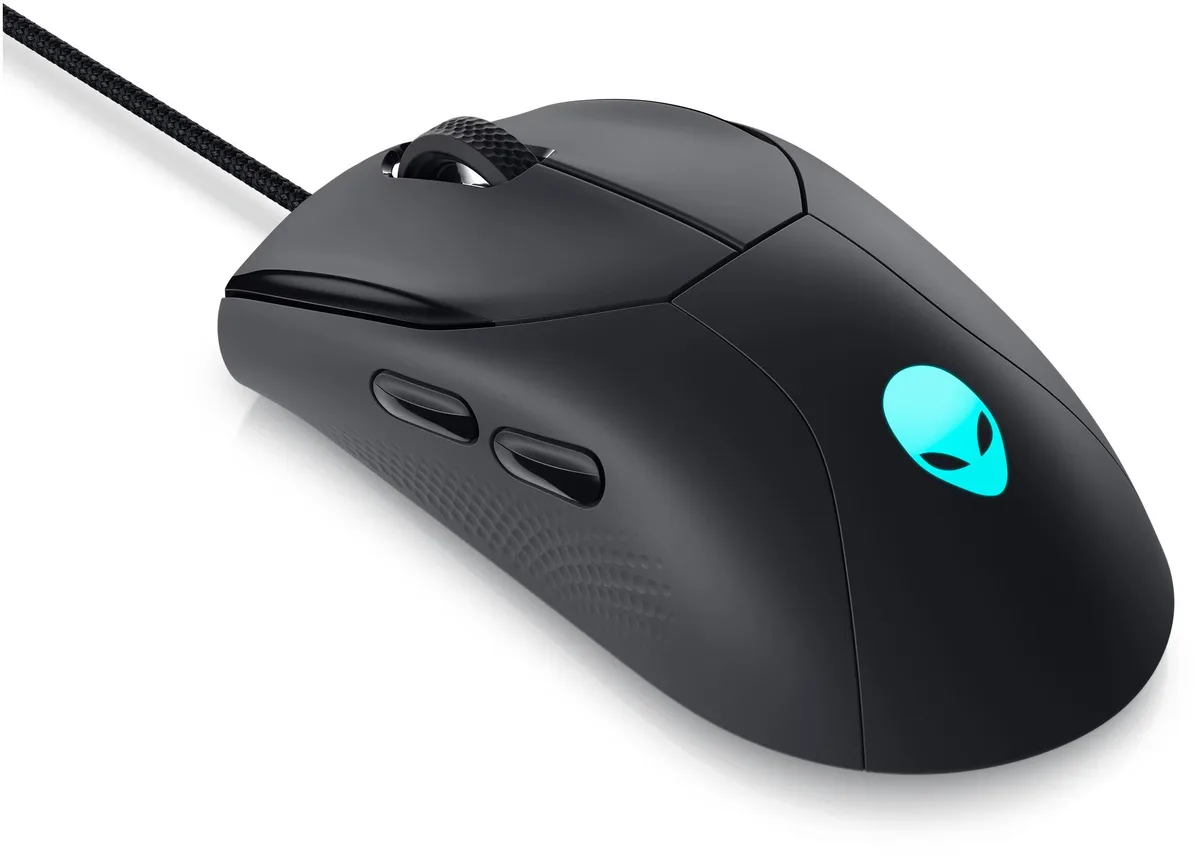
Jansicotek M10 Wireless Gaming Mouse 2400 DPI 6 Buttons Left Hand Black
Left-handed wireless gaming mouse with 2400 DPI optical sensor, six buttons and seven-colour breathing backlight
- TypeRF Wireless
- InterfaceUSB 2.0
- Mouse Grip StylePalm
- Tracking MethodOptical
- Resolution (DPI)2400 dpi
- Hand OrientationLeft Hand
- Left-handed ergonomic shape fits palm grip naturally
- 4 GHz wireless gives stable link up to 10 m
- Five DPI steps from 800 to 2400 for precise control
- Quiet clicks cut noise by half for shared spaces
- Auto-sleep after 8 minutes extends battery life
Left-hand wireless gaming mouse
The Jansicotek M10 is a left-hand optical mouse built for palm-grip users who want wireless freedom without a Bluetooth pairing step. It connects through a 2.4 GHz USB 2.0 receiver and offers six programmable buttons including a scroll ring. Five selectable DPI steps from 800 to 2400 let you match sensitivity to the task at hand.
Ergonomic shell with quiet clicks and auto-sleep
The matte black body is shaped to reduce fatigue during long sessions and the primary buttons cut click noise by roughly half compared with typical gaming mice. A 50 cm charging cable tops up the internal battery while an auto-sleep mode activates after eight minutes of inactivity; press any button to wake. A red flash on the scroll ring warns when the battery runs low.
Upgrade from a wired office mouse
This model replaces a tethered right-hand pointer when you need left-hand ergonomics, silent clicks for shared spaces and the convenience of a 10 metre wireless range. The jump is worth it if you regularly switch between work documents and fast-paced games and want on-the-fly DPI changes without installing extra software.
주요 특징
- Left-handed ergonomic shape fits palm grip naturally
- 4 GHz wireless gives stable link up to 10 m
- Five DPI steps from 800 to 2400 for precise control
- Quiet clicks cut noise by half for shared spaces
- Auto-sleep after 8 minutes extends battery life
사양
| Type | RF Wireless |
|---|---|
| Interface | USB 2.0 |
| Mouse Grip Style | Palm |
| Tracking Method | Optical |
| Resolution (DPI) | 2400 dpi |
| Hand Orientation | Left Hand |
| Buttons | 6 |
| Scrolling Capability | Scroll Ring |
| Color | Black |
| Operating System Supported | Windows 7, Windows 8, Windows 8.1, Windows 10, Windows XP, Vista, ME, 2000. Mac OS X 10.4 |
| System Requirement | USB port |
이 상품에 대한 질문
What does the USB 2.0 interface mean for the M10's connection speed?
The USB 2.0 receiver links the mouse to your PC at standard 2.0 speeds, handling the 2.4 GHz wireless signal without a bottleneck for the 2400 DPI sensor.
What physical space does the left-handed M10 need on a desk?
Shaped for a palm grip, the black chassis fits a left hand naturally and only requires a clear USB-A port for its 2.4 GHz dongle.
How do I set up the M10 and which step is often missed?
Plug the 2.4 GHz receiver into a USB port, switch the mouse on, then press the DPI button to cycle through 800, 1200, 1600, 2000 and 2400 DPI — many forget to wake it after the 8-minute sleep by clicking any button.
이 진열대의 다른 상품
고객들이 함께 비교한 상품
같은 진열대, 같은 체크아웃 — 코인 8종, 환율 잠금 30분.