Lenovo
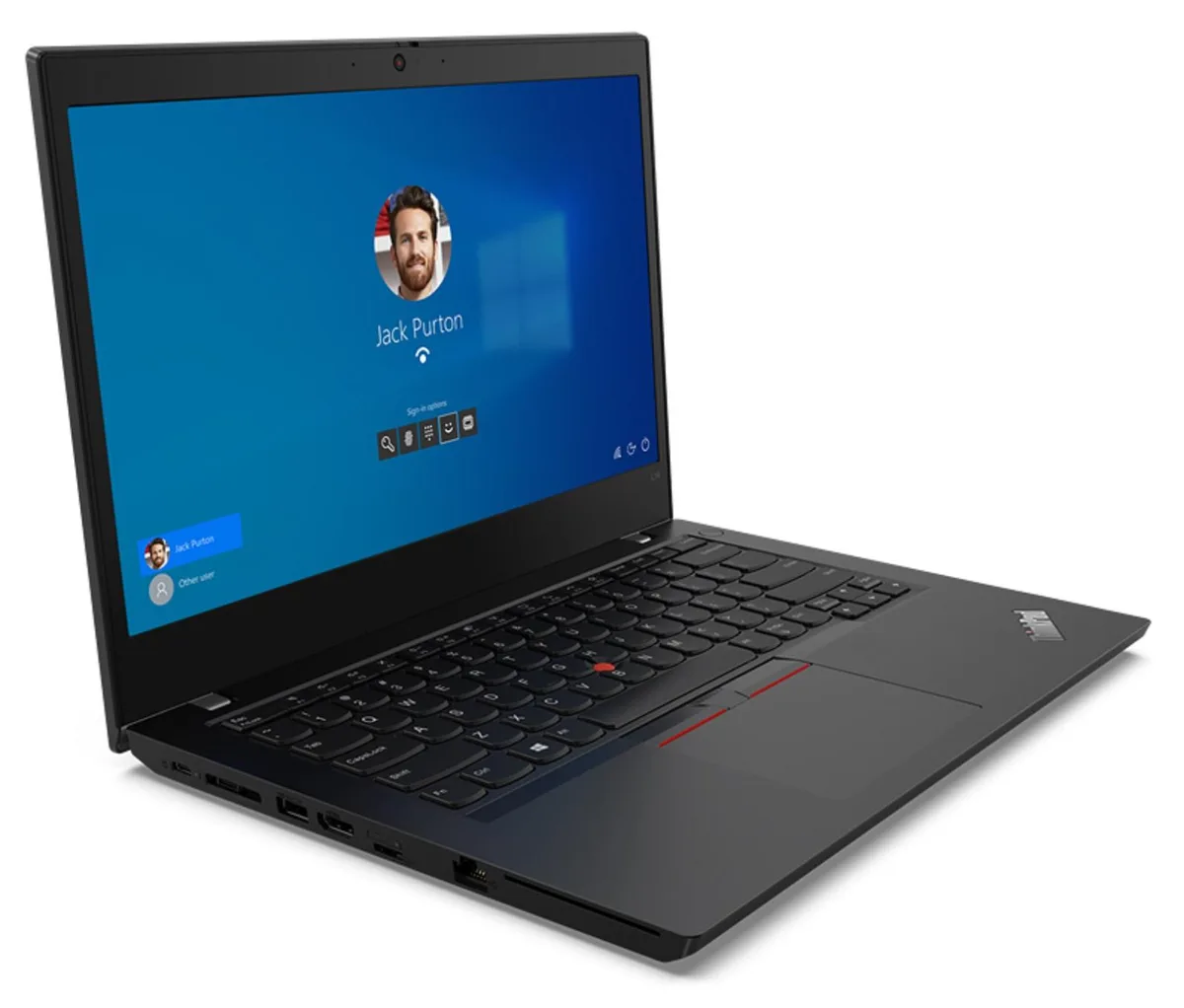
Lenovo Thinkpad L14 Gen 2 laptop i7-1165G7 16GB 500GB 14.0 FHD Linux Mint 20 Cinnamon
- Black
- Linux
US$1,180.99
0.01531347BTC
재고 있음


Lenovo
A 14.0" business laptop with an 11th Gen Intel Core i7, 32GB DDR4, 500GB PCIe SSD and dual-boot Windows 10 Pro plus Ubuntu Linux
Options 32GB/500GB
취소선으로 표시된 버전은 존재하지만, 이곳에서는 취급하지 않습니다.
The Lenovo ThinkPad L14 Gen 2 ships new with Windows 10 Pro and Ubuntu Linux installed side by side. A boot menu lets you choose either operating system at startup, though only one runs at a time. It is built for professionals who need both environments on a single 14.0 inch device without maintaining separate machines. The 32 GB DDR4 memory and 500 GB PCIe SSD support demanding workloads in either OS.
The 11th Gen Core i7-1165G7 runs at 2.80 GHz base and can reach 4.7 GHz on short bursts, but integrated Iris Xe graphics share system memory and thermal headroom. During extended compiles, video exports or heavy multitasking the 45 Whr battery and 65 W adapter limit peak performance duration. Fan noise increases under continuous load and surface temperatures rise noticeably. Buyers who need discrete GPU acceleration or all-day battery away from power should look elsewhere.
Moving from an 8 GB or 16 GB single-boot notebook gives you double or quadruple the memory and a ready-made Linux environment without partitioning hassles. The jump is worth it if you regularly switch between Windows tools and Linux development stacks. Users already running 32 GB dual-boot systems or those who require Thunderbolt 3 docks with dual 4K displays will not gain new capability from this model.
| Brand | Lenovo |
|---|---|
| Series | Thinkpad L14 Gen 2 |
| Model | Thinkpad |
| Part Number | L14 |
| Color | Black |
| Operating System | Linux |
| CPU Type | Intel Core i7 11th Gen |
| Processor Name | 2.80GHz |
| Screen Size | 14.0" |
| Touchscreen | Non-Touch Screen |
| Resolution | 1920 x 1080 |
| GPU/VPU | Intel Iris Xe Graphics |
| SSD | 500GB |
| HDD | No |
| Storage Spec | 500GB PCIe SSD |
| Memory | 32GB |
| Memory Speed | DDR4 |
| Optical Drive Type | No |
| LAN | 10/100/1000Mbps |
| WLAN | Wi-Fi 6 |
| Bluetooth | Bluetooth 5.1 |
| Video Port | 1 x HDMI |
| Audio Ports | 1 x Headphone/Microphone Combo Jack |
| Audio | Integrated Sound card |
| Speaker | Integrated Stereo Speakers |
| Keyboard | Standard |
| Backlit Keyboard | Non-backlit |
| Other Input Devices | Yes |
| Webcam | Yes |
| Card Reader | Micro SD |
| Type | Work / Business |
이 모델의 다른 버전
같은 제품군에서 메모리·쿨러·클럭이 다릅니다 — 결정 전에 비교해 보세요.
The 45 WHr battery and 65 W power supply indicate modest thermal design power; the aluminium chassis and internal fan keep surface temperatures comfortable during sustained 4-core workloads.
Any Thunderbolt 4 or USB-C cable works; the port supplies power, video and data through the single Type-C connector on the left edge.
Yes, two USB 3.2 Gen 1 Type-A ports and a full-size HDMI port are built in, so legacy peripherals connect directly.
이 진열대의 다른 상품
같은 진열대, 같은 체크아웃 — 코인 8종, 환율 잠금 30분.
결제할 코인과 가격을 확인할 통화입니다.
체크아웃 시 지갑에서 전송됩니다.
표시 전용 — 카탈로그 가격은 달러 기준입니다.
일치하는 통화가 없습니다.
사이트에서 사용할 언어를 선택하십시오.
일치하는 언어가 없습니다.
처음 방문하셨나요?
이미 계정이 있으신가요?
자동 재설정 기능은 없습니다. 이 쇼핑몰은 어떠한 메일도 보내지 않으므로 요청할 일회용 링크 자체가 없습니다. 계정에 등록된 이메일 주소를 그대로 두시면 담당자가 직접 확인해 처리합니다.
요청 접수
받은편지함으로 오는 것은 아무것도 없습니다 — 이 쇼핑몰은 메일을 전혀 보내지 않습니다. 담당자가 직접 확인해 처리합니다.
기억나셨나요?