


Lenovo
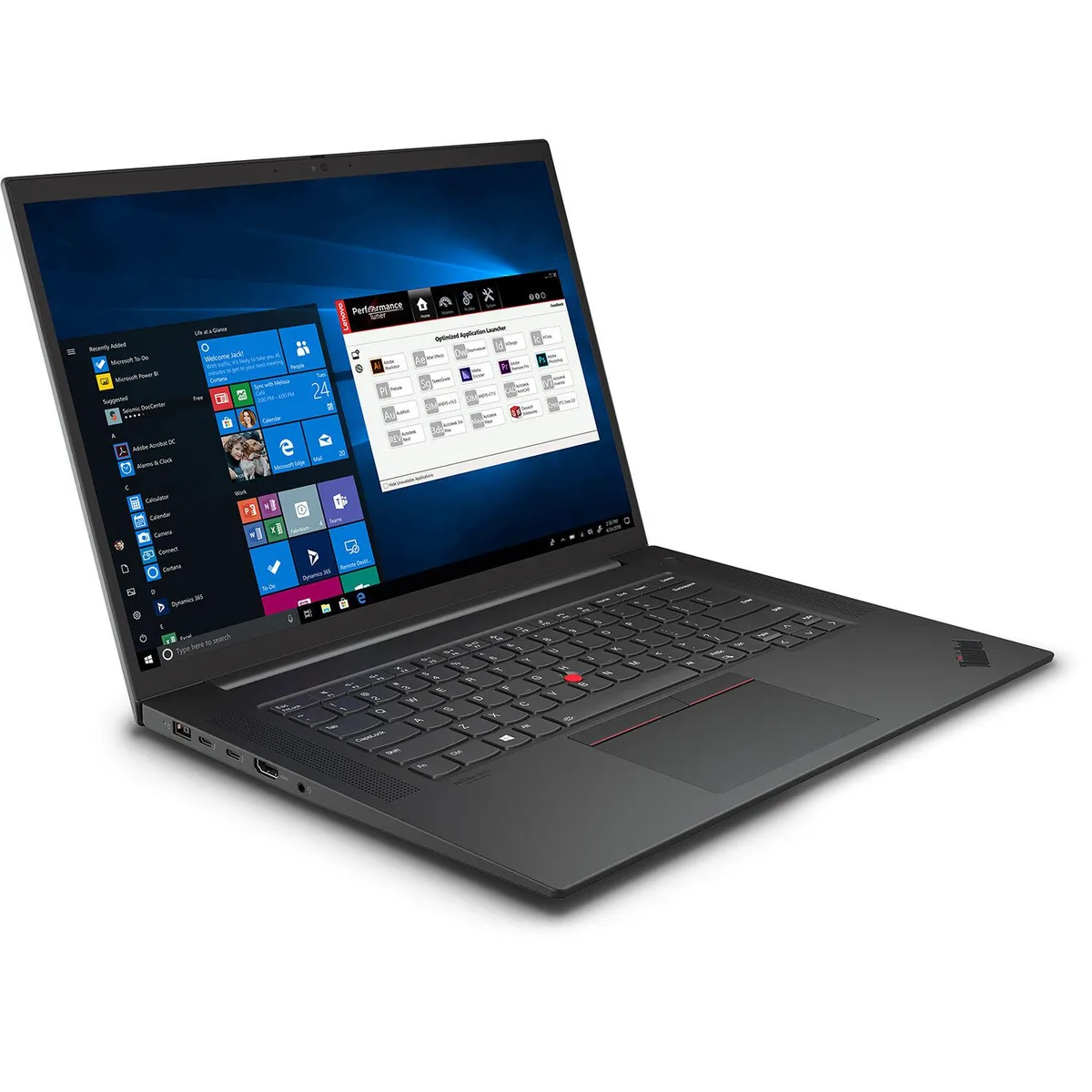
Lenovo ThinkPad P1 Gen 4 business laptop i7-11850H 32GB 1TB RTX 3070 16.0
16-inch WQXGA IPS display, Intel Core i7-11850H 8-core processor, 32GB DDR4-3200 memory, 1TB PCIe 4.0 NVMe SSD, NVIDIA RTX 3070 8GB GDDR6 graphics, Windows 10 Pro 64-bit
- ColorBlack Textured
- Other FeaturesSecurity Chip: Discrete TPM 2.0 Fingerprint Reader: Touch St
- Operating SystemWindows 10 Pro 64-bit
- CPU TypeIntel Core i7 11th Gen
- Processor NameIntel Core i7-11850H
- Number of Cores8-core Processor
- 8-core i7-11850H at 4.8GHz for heavy compute workloads
- RTX 3070 8GB GDDR6 drives professional graphics and rendering
- 32GB DDR4-3200 memory handles large datasets and multitasking
- 1TB PCIe 4.0 NVMe storage delivers fast boot and file access
- 0" 2560x1600 IPS 400-nit display gives accurate colour and detail
16-inch WQUXGA IPS Display
The 16.0 inch screen shows 2560 x 1600 pixels on an IPS panel with 400 nits brightness and anti-glare coating, giving content creators a 16:10 workspace for colour-critical editing.
Mobile Workstation for Creators
This ThinkPad P1 Gen 4 suits professionals who need an 8-core Intel Core i7-11850H, 32GB DDR4-3200 memory and a discrete GeForce RTX 3070 Laptop GPU in a thin carbon-fibre chassis. Buyers who require ECC memory, a larger GPU memory pool or a touchscreen should look elsewhere.
GeForce RTX 3070 8GB GDDR6 Decides
The dedicated GeForce RTX 3070 Laptop GPU with 8GB GDDR6 video memory is the single specification that determines fit; it provides hardware-accelerated graphics performance for 3D rendering, video production and AI workloads within the 16-inch form factor.
주요 특징
- 8-core i7-11850H at 4.8GHz for heavy compute workloads
- RTX 3070 8GB GDDR6 drives professional graphics and rendering
- 32GB DDR4-3200 memory handles large datasets and multitasking
- 1TB PCIe 4.0 NVMe storage delivers fast boot and file access
- 0" 2560x1600 IPS 400-nit display gives accurate colour and detail
사양
| Brand | Lenovo |
|---|---|
| Series | ThinkPad P1 Gen 4 |
| Color | Black Textured |
| Other Features | Security Chip: Discrete TPM 2.0 Fingerprint Reader: Touch Style, Match-on-Chip, Integrated in Power Button Physical Locks: Kensington Nano Security Slot, 2.5 x 6 mm Other Security: IR camera for Windows Hello |
| Operating System | Windows 10 Pro 64-bit |
| CPU Type | Intel Core i7 11th Gen |
| Processor Name | Intel Core i7-11850H |
| Number of Cores | 8-core Processor |
| CPU L3 Cache | 24 MB |
| Screen Size | 16.0" |
| Touchscreen | Non-Touch Screen |
| Wide Screen Support | Yes |
| Display Type | WQUXGA |
| Panel | IPS |
| Resolution | 2560 x 1600 |
| Display Features | In-plane Switching (IPS) Technology |
| GPU/VPU | GeForce RTX 3070 Laptop GPU |
| Video Memory | 8GB |
| Graphic Type | Dedicated Card |
| SSD | 1TB PCIe |
| HDD | No |
| Storage Spec | 1 TB SSD M.2 2280 PCIe 4.0 NVMe Opal2 |
| Memory | 32GB |
| Memory Speed | DDR4 3200 |
| Memory Spec | 32 GB x 1 |
| Memory Slot (Total) | 2 |
| Memory Slot (Available) | 1 |
| Max Memory Supported | 64 GB |
| Optical Drive Type | No |
| WLAN | Intel Wi-Fi 6E AX210, 11ax 2x2 |
| Bluetooth | Bluetooth 5.1 |
| USB | 2 x USB 3.2 Gen 1 (one Always On) |
| Thunderbolt | 2 x Thunderbolt 4 / USB4 40Gbps (support data transfer, Power Delivery 3.0 and DisplayPort 1.4a) |
| HDMI | 1 x HDMI 2.1 |
| Audio Ports | 1 x Headphone / microphone combo jack (3.5mm) |
| Audio | High Definition (HD) Audio, Realtek ALC3306 codec |
| Speaker | Stereo speakers, Dolby Atmos |
| Keyboard | Backlit, English |
| Backlit Keyboard | Backlit |
| Card Reader | SD Reader |
| Webcam | FHD 1080p + IR with Privacy Shutter |
| Style | Standard |
| Usage | Business |
| AC Adapter/Charger | 230W Slim Tip (3-pin) |
| Battery | Integrated 90Wh |
| Battery Life | MobileMark 2018: 10.9 hr JEITA 2.0: 13.7 hr |
| Dimensions (W x D x H) | 14.15" x 9.99" x 0.70" |
| Weight | 3.99 lbs. |
이 상품에 대한 질문
Does this laptop require any additional power adapter or docking station to run the RTX 3070 at full performance?
The system ships with a higher-wattage power adapter designed for the Intel Core i7-11850H and RTX 3070 combination, so no extra adapter is needed for full operation.
Can I keep using my older USB-A peripherals with the ports on this ThinkPad P1 Gen 4?
The chassis includes legacy USB-A ports alongside newer interfaces, so existing USB-A mice, drives and dongles will connect directly without adapters.
How can I verify the 16-inch WQUXGA panel is delivering its specified 400-nit brightness after setup?
Open the Dolby Vision calibration tool in Windows 10 Pro and run the built-in brightness test; it will confirm the IPS display reaches the rated 400 nits.
이 진열대의 다른 상품
고객들이 함께 비교한 상품
같은 진열대, 같은 체크아웃 — 코인 8종, 환율 잠금 30분.


Microsoft
Microsoft Surface 3 1657 128GB CRB 2-in-1 laptop
- Silver
- Windows 10 Pro
US$244.99
0.00317197BTC
재고 있음
Microsoft
Microsoft Surface Pro FGG-2D-00001-RFB 2-in-1 laptop 16 GB 512 GB 12.0" touchscreen 2736 x 1824 refurbished
- 12.0"
- Touch Screen
US$687.99
0.00890763BTC
재고 있음
Lenovo
Lenovo Chromebook 500e Gen 5 M89 83TA0004US 12.2" MediaTek 8GB 64GB
- 12.2"
US$392.99US$420.99−7%
0.00508817BTC
재고 있음