Logitech
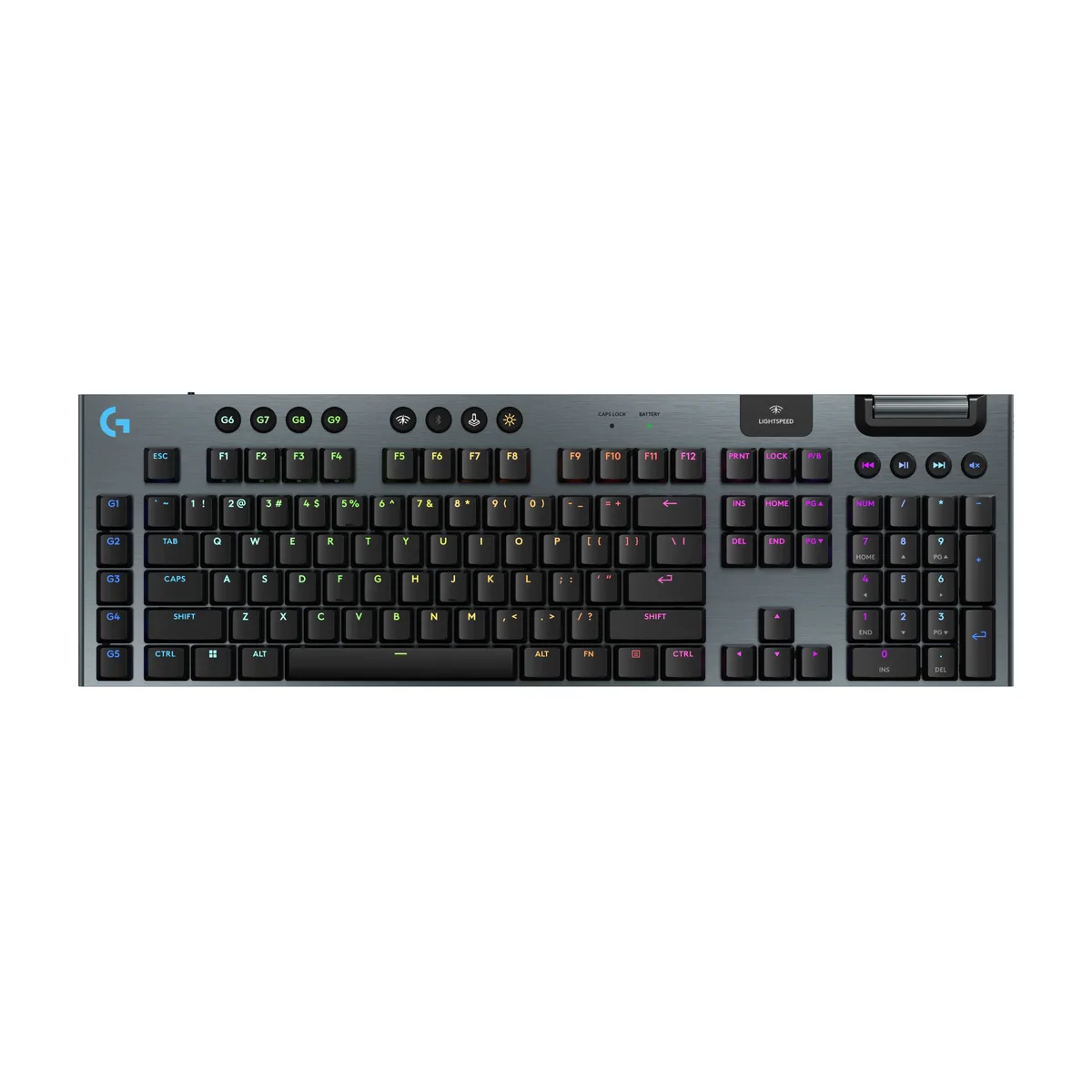
Logitech G915 X LIGHTSPEED TKL gaming keyboard 920-012743 GL Linear Black
- USB + LIGHTSPEED +…
- Low-Profile
US$161.99US$176.99−8%
0.0020857BTC
재고 있음


Logitech
Low-profile TKL gaming keyboard with GL Brown tactile switches, tri-mode connectivity, double-shot PBT keycaps and up to 1000 hours battery life
Key Switch Type Brown Switch - Tactile Quiet
Options Wireless
Size Tenkeyless
취소선으로 표시된 버전은 존재하지만, 이곳에서는 취급하지 않습니다.
The Logitech G915 X LIGHTSPEED TKL is a low-profile mechanical keyboard built for competitive play. It connects via 2.4 GHz LIGHTSPEED wireless, Bluetooth, or USB-C wired mode. GL Brown tactile switches provide a 1.3 mm actuation point and 3.2 mm total travel. The tenkeyless layout saves desk space while retaining dedicated media controls and a volume roller.
This keyboard suits gamers who need tri-mode connectivity and per-key programmability with up to 15 functions per key. The white aluminum finish and LIGHTSYNC RGB appeal to users who value a clean aesthetic. Buyers who require a palm rest or a full-size layout with a numeric keypad should look at something else. The fixed low-profile design also does not suit those who prefer taller keycaps or a wrist support.
Pairing is straightforward: plug the USB receiver for 2.4 GHz LIGHTSPEED, pair over Bluetooth, or connect the USB-C cable for wired use. KEYCONTROL software handles key remapping and lighting profiles. Battery life reaches up to 1000 hours with RGB off, up to 100 hours at 50 percent brightness, and up to 42 hours at 100 percent brightness. The most common issue is forgetting to charge when RGB is left at maximum intensity.
| Brand | Logitech |
|---|---|
| Model | G915 X LIGHTSPEED |
| Part Number | 920-012732 |
| Keyboard Interface | USB + LIGHTSPEED + Bluetooth |
| Design Style | Low-Profile |
| Layout | TKL |
| Palm Rest | No |
| Key Switch | Logitech GL Tactile |
| Key Switch Type | Tactile |
| Keyboard Color | White |
| Backlit | Yes |
| Dimensions | 14.5" x 5.9" x 0.9" |
| Type | 2.4 GHz LIGHTSPEED wireless, Bluetooth, or USB-C |
| Mouse Included | No |
| Operating Time | Up to 1000 hours |
| Features | TKL Keyboard for Gaming: The Logitech G915 X LIGHTSPEED TKL compact gaming keyboard offers the latest innovations in gaming tech; sleek design and next-gen engineering elevate every level of play Choose Your Connectivity With Tri-Mode: Connect with best-in-class 2.4 GHz LIGHTSPEED wireless, Bluetooth, or USB-C wired data mode; switch back and forth with the touch of a button Master the Game Your Way: Set up to 15 functions per key to turn your wireless keyboard into a personalized command center with KEYCONTROL Compact Control: This ultra-thin, low-profile gaming keyboard features KE |
| 배송 무게 | 1.41 kg |
| 포장 크기 | 396 × 178 × 48 mm |
이 모델의 다른 버전
같은 제품군에서 메모리·쿨러·클럭이 다릅니다 — 결정 전에 비교해 보세요.
The keyboard uses a USB-C cable for wired data mode; any USB-C or USB-A port with a compatible cable will work.
Yes, the receiver plugs into a standard USB-A port and operates independently of other USB devices on the system.
Open the Logitech G HUB software, enable the keystroke visualizer, and press a key — the on-screen indicator lights when the actuation point is reached.
이 진열대의 다른 상품
같은 진열대, 같은 체크아웃 — 코인 8종, 환율 잠금 30분.
결제할 코인과 가격을 확인할 통화입니다.
체크아웃 시 지갑에서 전송됩니다.
표시 전용 — 카탈로그 가격은 달러 기준입니다.
일치하는 통화가 없습니다.
사이트에서 사용할 언어를 선택하십시오.
처음 방문하셨나요?
이미 계정이 있으신가요?
자동 재설정 기능은 없습니다. 이 쇼핑몰은 어떠한 메일도 보내지 않으므로 요청할 일회용 링크 자체가 없습니다. 계정에 등록된 이메일 주소를 그대로 두시면 담당자가 직접 확인해 처리합니다.
요청 접수
받은편지함으로 오는 것은 아무것도 없습니다 — 이 쇼핑몰은 메일을 전혀 보내지 않습니다. 담당자가 직접 확인해 처리합니다.
기억나셨나요?