Logitech
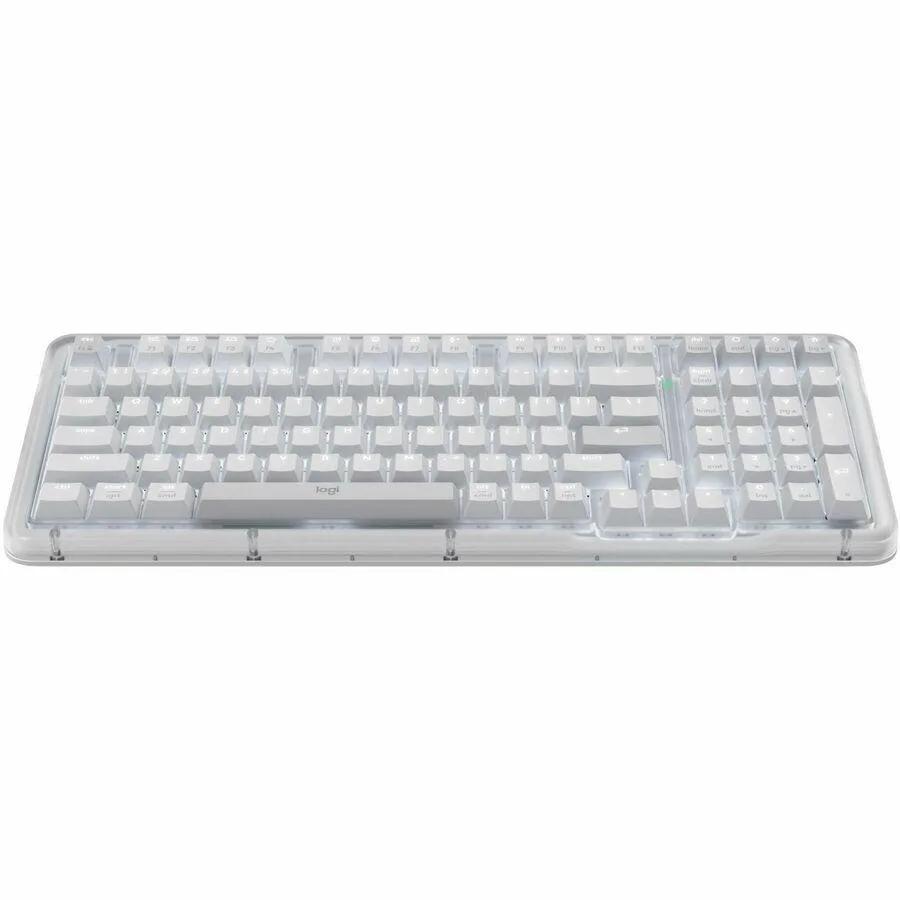
Logitech MX Creative Console Keypad & Dial 920-012660 keyboard
- USB Type-C
- MX Creative Console…
US$165.99
0.00212399BTC
재고 있음


Logitech
Bluetooth wireless keypad with a control dial, roller and 15 customizable LCD keys for creative app shortcuts, includes stand and USB-C cable
The Logitech MX Creative Console Keypad & Dial is a Bluetooth wireless keyboard designed for creative professionals who use Adobe Photoshop, Premiere Pro, Illustrator, Lightroom Classic, Final Cut Pro, Figma, Davinci Resolve, Spotify and Zoom. It provides a dedicated hardware surface with 15 programmable LCD keys, a low-friction dial and a roller. A stand and USB Type-C cable are included for flexible desk placement.
The unit runs on two included AAA batteries and connects wirelessly via Bluetooth, so no mains adapter is required during normal use. Keys are backlit for visibility in dim environments. The USB Type-C 2.0 cable supplies a wired link or recharges the device when needed. No active cooling or fan is present, keeping the device silent.
This console replaces memorised keyboard shortcuts and repetitive mouse navigation for creatives who want tactile, visual control over tools and timeline scrubbing. The jump is worth it when muscle memory for hotkeys slows you down or when on-screen menus break focus. It is not suited for users who need a full alphanumeric keyboard, a pointing device or more than 15 keypad pages per profile.
| Brand | Logitech |
|---|---|
| Name | MX Creative Console Keypad & Dial |
| Part Number | 920-012661 |
| Keyboard Interface | USB Type-C |
| Backlit | Yes |
| Keyboard Color | Pale Gray |
| Type | Bluetooth Wireless |
| Mouse Included | No |
| Package Contents | MX Creative Console Keypad & Dial 2 x AAA Batteries USB C to C High-speed 2.0 Cable Stand User Documentation |
| 배송 무게 | 0.57 kg |
| 포장 크기 | 269 × 135 × 84 mm |
이 모델의 다른 버전
같은 제품군에서 메모리·쿨러·클럭이 다릅니다 — 결정 전에 비교해 보세요.
Connect the USB Type-C cable, insert the 2 AAA batteries, pair via Bluetooth, then place the keypad on the included stand — the step people skip is pairing before the first wired connection.
The 2 AAA batteries will need replacing when they run low; the backlit keys and LCD display keys have no user-serviceable parts.
You can assign actions to 15 keypad pages per profile; once all pages are filled you must switch profiles or overwrite existing assignments.
이 진열대의 다른 상품
같은 진열대, 같은 체크아웃 — 코인 8종, 환율 잠금 30분.
결제할 코인과 가격을 확인할 통화입니다.
체크아웃 시 지갑에서 전송됩니다.
표시 전용 — 카탈로그 가격은 달러 기준입니다.
일치하는 통화가 없습니다.
사이트에서 사용할 언어를 선택하십시오.
일치하는 언어가 없습니다.
처음 방문하셨나요?
이미 계정이 있으신가요?
자동 재설정 기능은 없습니다. 이 쇼핑몰은 어떠한 메일도 보내지 않으므로 요청할 일회용 링크 자체가 없습니다. 계정에 등록된 이메일 주소를 그대로 두시면 담당자가 직접 확인해 처리합니다.
요청 접수
받은편지함으로 오는 것은 아무것도 없습니다 — 이 쇼핑몰은 메일을 전혀 보내지 않습니다. 담당자가 직접 확인해 처리합니다.
기억나셨나요?