

SanDisk
SanDisk Cruzer Blade 8 GB USB 2.0 USB flash drive Black SDCZ50-008G-B35
US$391.99
0.00503293BTC
재고 있음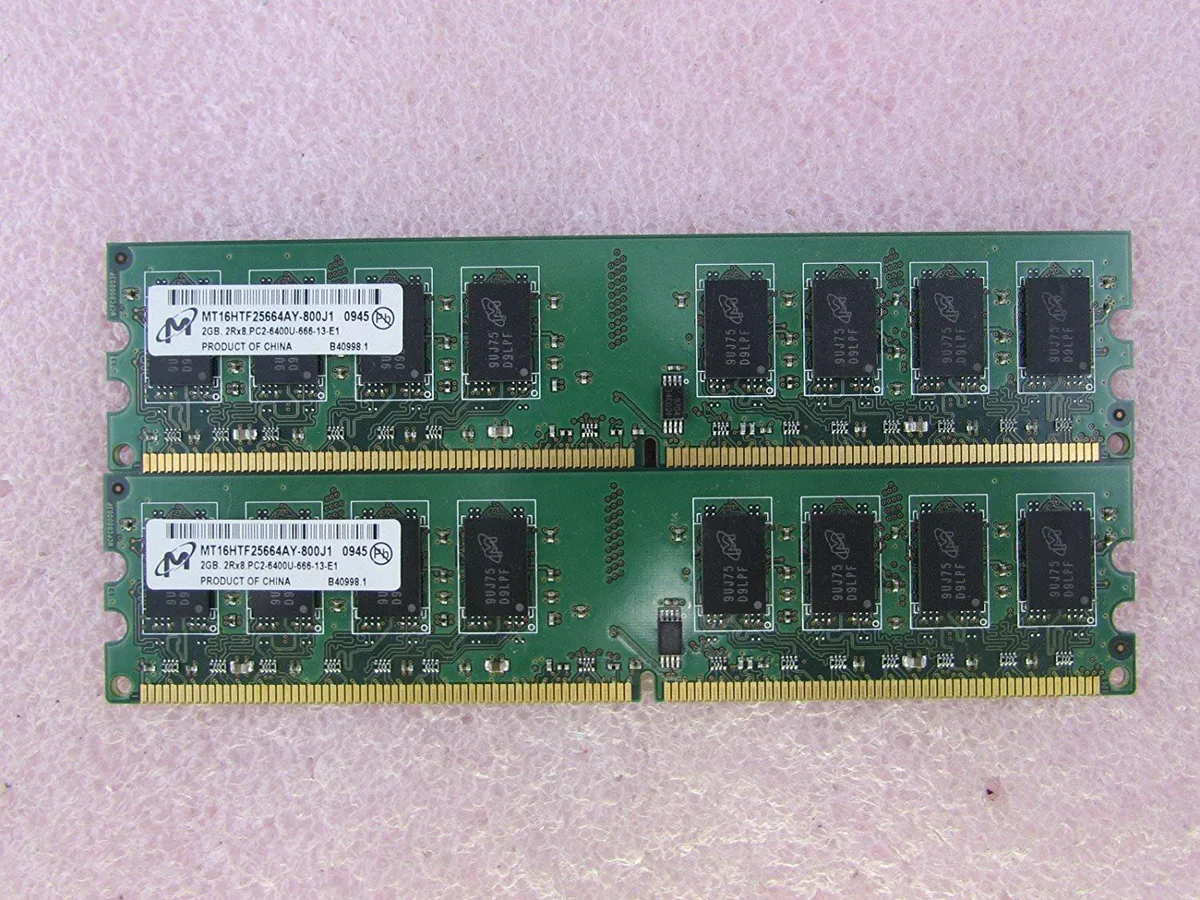
Micron Technology, Inc.
A 4GB desktop memory kit with two 2GB DDR2 modules running at 800MHz with CL6 latency
This Micron kit provides four gigabytes of DDR2 memory in a matched pair of two‑gigabyte modules. It is intended for desktop computers that use 240‑pin DDR2 slots and require PC2‑6400U 800 MHz operation with CL6 timing.
Standard DDR2 modules run at low voltage and generate modest heat during typical office or web workloads. The memory draws little power, so system fan curves remain quiet and case temperatures stay stable without extra cooling.
Each stick uses the 240‑pin DDR2 form factor, so installation is a simple press‑into‑slot action on compatible motherboards. The non‑ECC design suits consumer desktop boards, and the matched pair enables dual‑channel bandwidth where the platform supports it.
| Capacity | 4GB (2 x 2GB) |
|---|---|
| CAS Latency | CL6 |
Align the notch on each 240-pin stick with the motherboard slot key, press down firmly until both side clips click shut, then verify the BIOS reports 800 MHz operation.
Dust the gold contacts with compressed air if the system becomes unstable; the modules have no moving parts or batteries, so replacement is only needed if a stick fails.
The CAS latency of CL6 at 800 MHz sets the timing ceiling; prolonged heavy workloads will hit this latency bound before bandwidth saturates.
이 진열대의 다른 상품
같은 진열대, 같은 체크아웃 — 코인 8종, 환율 잠금 30분.
결제할 코인과 가격을 확인할 통화입니다.
체크아웃 시 지갑에서 전송됩니다.
표시 전용 — 카탈로그 가격은 달러 기준입니다.
일치하는 통화가 없습니다.
사이트에서 사용할 언어를 선택하십시오.
일치하는 언어가 없습니다.
처음 방문하셨나요?
이미 계정이 있으신가요?
자동 재설정 기능은 없습니다. 이 쇼핑몰은 어떠한 메일도 보내지 않으므로 요청할 일회용 링크 자체가 없습니다. 계정에 등록된 이메일 주소를 그대로 두시면 담당자가 직접 확인해 처리합니다.
요청 접수
받은편지함으로 오는 것은 아무것도 없습니다 — 이 쇼핑몰은 메일을 전혀 보내지 않습니다. 담당자가 직접 확인해 처리합니다.
기억나셨나요?



