

SanDisk
SanDisk Cruzer Blade 8 GB USB 2.0 USB flash drive Black SDCZ50-008G-B35
US$391.99
0.00502152BTC
재고 있음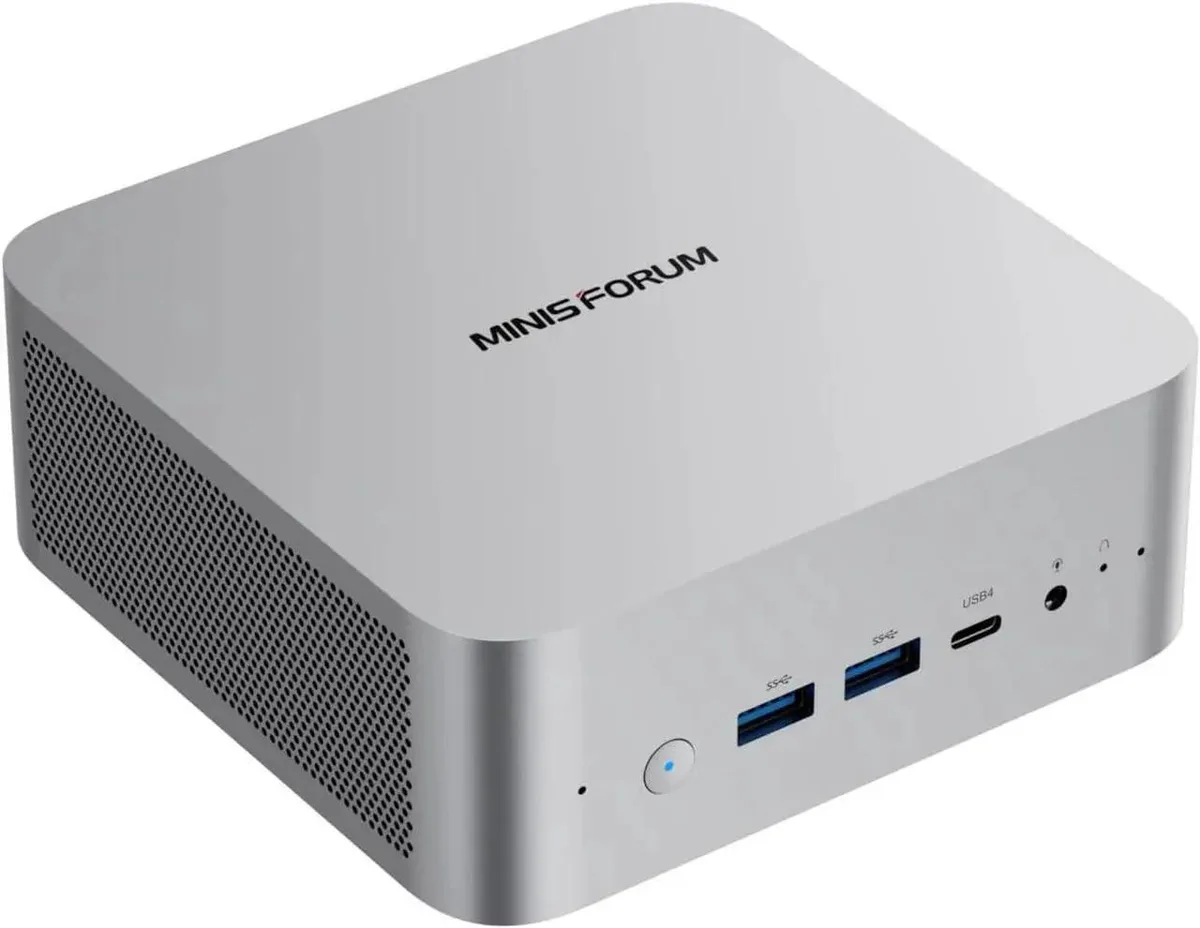


minisforum
Barebone mini PC with Intel Core Ultra 9 285H, 32 GB DDR5, 1 TB storage, Intel Arc 140T graphics, four video outputs, OCuLink, 2.5 Gbps LAN, Wi-Fi 7 and Bluetooth 5.4
Option M1 Pro-285H · 32+1T
취소선으로 표시된 버전은 존재하지만, 이곳에서는 취급하지 않습니다.
The Minisforum M1 Pro is a barebone mini PC built around the Intel Core Ultra 9 285H processor with 16 cores and 16 threads. It ships with 32 GB of DDR5 5600 memory and a 1 TB PCIe 4.0 SSD installed. Integrated Intel Arc 140T graphics handle display output and light compute workloads.
Memory and storage use standard SO-DIMM and M.2 slots accessible after removing the bottom panel. The CPU is soldered in an FCBGA2049 socket so it cannot be upgraded. Wireless antennas attach to the rear; ensure they are seated firmly or WiFi 7 and Bluetooth 5.4 range will suffer.
This unit suits users who need a small silent box for multi-monitor productivity, software routing or light rendering with four video outputs and OCuLink for an external GPU. Buyers who want internal discrete graphics, more than 64 GB RAM or a user-replaceable processor should look at a larger chassis.
| Brand | MINISFORUM |
|---|---|
| Model | DeskMini |
| Color | Silver |
| CPU Type | Intel Core Ultra 9 Processor 285H |
| CPU Socket | FCBGA2049 |
| CPU Cores | 16-Core (6P+8E+2LP) |
| Memory installed | 32GB |
| Memory slot | 2 |
| Memory Type Supported | DDR5 5600 |
| Max Memory Supported | 64GB |
| Dual Channel Memory Supported | Yes |
| Other | 2x PCIe4.0x4 |
| Storage Installed | 1TB |
| Integrated Graphics | Intel Arc 140T GPU |
| Max LAN Speed | 2.5Gbps |
| Wireless LAN | 802.11ax |
| WiFi Generation | Wi-Fi 7 |
| Bluetooth | Bluetooth 5.4 |
| Front USB | 2 |
| HDMI | 1 |
| DisplayPort | 1 |
| Rear USB | 1 |
| RJ45 | 1 |
| Power Supply | 19V/6.32A 120W |
| 배송 무게 | 1.36 kg |
| 포장 크기 | 183 × 159 × 114 mm |
Open Task Manager to confirm 16 cores and 32GB DDR5 5600 are detected, then run a GPU stress tool to see the Arc 140T reach its 2.35 GHz boost clock.
The 32GB DDR5 memory and 1TB PCIe 4.0 SSD are pre-installed; only a second M.2 SSD for the empty PCIe 4.0 x4 slot needs to be bought if extra storage is wanted.
The 32 GB dual-channel kit handles gaming, 3D rendering and video editing well; add a second 32 GB DDR5 5600 kit only if workloads regularly exceed that amount.
이 진열대의 다른 상품
같은 진열대, 같은 체크아웃 — 코인 8종, 환율 잠금 30분.
결제할 코인과 가격을 확인할 통화입니다.
체크아웃 시 지갑에서 전송됩니다.
표시 전용 — 카탈로그 가격은 달러 기준입니다.
일치하는 통화가 없습니다.
사이트에서 사용할 언어를 선택하십시오.
일치하는 언어가 없습니다.
처음 방문하셨나요?
이미 계정이 있으신가요?
자동 재설정 기능은 없습니다. 이 쇼핑몰은 어떠한 메일도 보내지 않으므로 요청할 일회용 링크 자체가 없습니다. 계정에 등록된 이메일 주소를 그대로 두시면 담당자가 직접 확인해 처리합니다.
요청 접수
받은편지함으로 오는 것은 아무것도 없습니다 — 이 쇼핑몰은 메일을 전혀 보내지 않습니다. 담당자가 직접 확인해 처리합니다.
기억나셨나요?



