MSI
MSI B850 GAMING PLUS WIFI6E AMD motherboard
- AM5
- Ryzen 7000 Series /…
US$128.99US$138.99−7%
0.00165552BTC
재고 있음


MSI
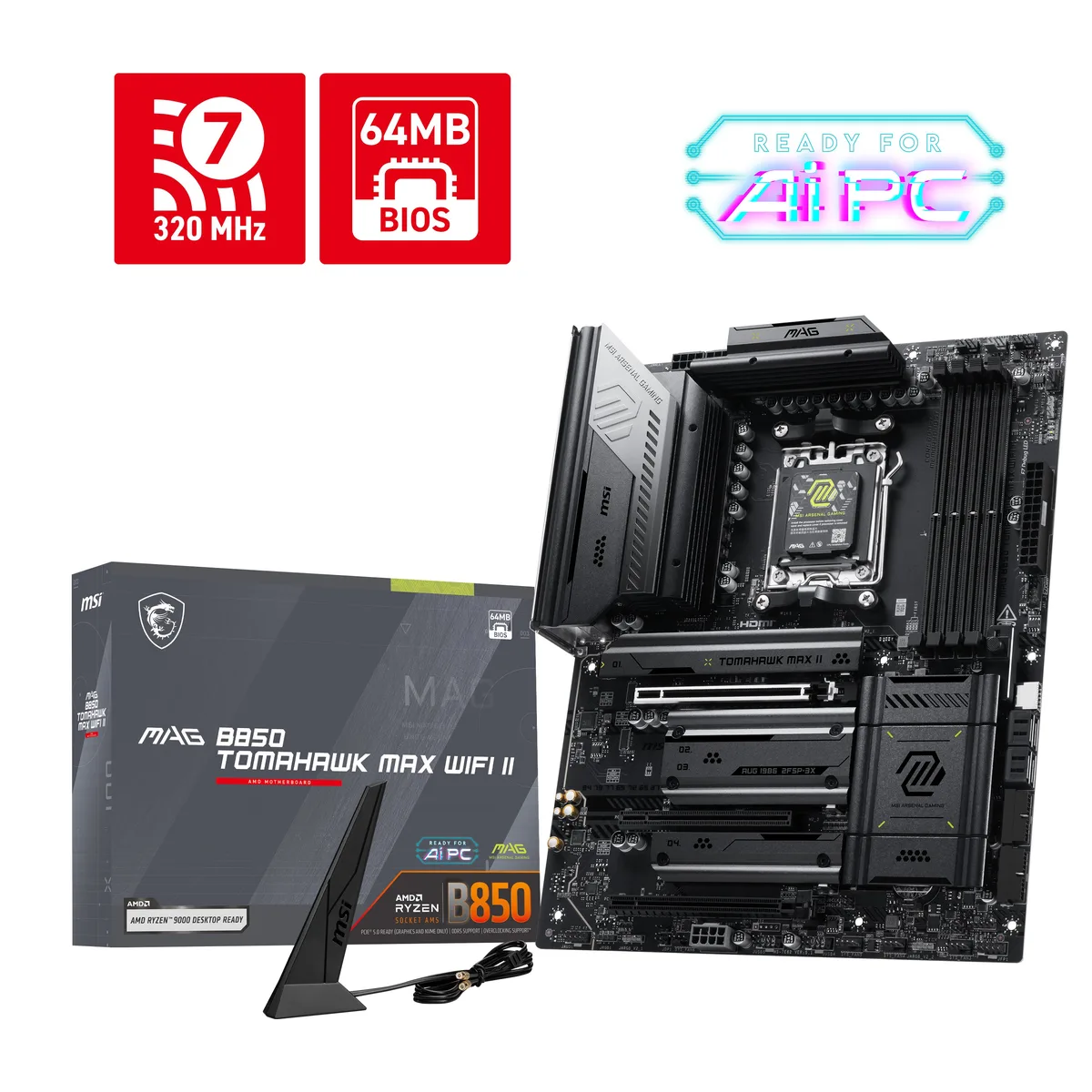
ATX board for AM5 Ryzen 7000, 8000 and 9000 CPUs with 80 A VRM, DDR5 up to 8400 MT/s, PCIe 5.0 x16, dual Gen5 M.2 slots, Wi-Fi 7, 5G LAN and 7.1 audio
Option MAG B850 TOMAHAWK MAX WIFI
취소선으로 표시된 버전은 존재하지만, 이곳에서는 취급하지 않습니다.
This ATX board uses the AMD B850 chipset and AM5 socket to support Ryzen 7000, 8000 and 9000 series processors. It provides an 80A SPS VRM design and four DDR5 slots with a maximum capacity of 256GB. The board targets builders who want PCIe 5.0 graphics and storage plus Wi-Fi 7 and 5G LAN connectivity.
A press button unlocks the PCIe 5.0 x16 slot so graphics cards can be swapped without fumbling with a latch. M.2_1 and M.2_2 use tool-less shields that snap into place for 22110, 2280 and 2260 drives. Installing a device in M2_3 forces PCI_E3 to run at x2 speed unless the slot is switched to x4 in BIOS, which then disables M2_3.
With Ryzen 9000 the board reaches 8400+ MT/s in 1DPC 1R configuration, 6400+ MT/s in 1DPC 2R and 5600 MT/s JEDEC baseline. M.2_1 and M.2_2 connect directly to the CPU at PCIe 5.0 x4 for the fastest NVMe drives. M.2_3 runs at PCIe 4.0 x2 from the chipset. Four SATA 6Gb/s ports and RAID 0, 1, 10 for M.2 NVMe complete the storage options.
| Brand | MSI |
|---|---|
| Model | MAG B850 TOMAHAWK MAX WIFI |
| CPU Socket Type | AM5 |
| CPU Type | Ryzen 7000 Series / Ryzen 8000 Series / Ryzen 9000 Series |
| Chipset | AMD B850 |
| Number of Memory Slots | 4x288pin (DDR5) |
| Memory Standard | Up to DDR5 8400+ MT/s (OC) |
| Maximum Memory Supported | 256GB |
| Channel Supported | Dual Channel |
| Memory Performance Profile | AMD EXPO |
| ECC Supported | Non-ECC |
| Memory Feature | Memory Support DDR5 8400 - 5600 (OC) MT/s / 5600 - 4800 (JEDEC) MT/s Ryzen 9000 Series Processors max. overclocking frequency: - 1DPC 1R Max speed up to 8400+ MT/s - 1DPC 2R Max speed up to 6400+ MT/s - 2DPC 1R Max speed up to 6400+ MT/s - 2DPC 2R Max speed up to 4800+ MT/s Supports AMD POR Speed and JEDEC Speed Supports Memory Overclocking and AMD EXPO Supports Dual-Channel mode Supports Non-ECC, Un-buffered memory Supports CUDIMM, Clock Driver bypass mode only |
| PCI Express 5.0 x16 | PCI_E1 Gen PCIe 5.0 supports up to x16 (From CPU) |
| PCI Express x4 | PCI_E3 Gen PCIe 4.0 supports up to x4 (From Chipset) *PCI_E3 slot will run at x2 speed when installing device in the M2_3 slot. You can switch PCI_E3 slot to x4 in the BIOS, but this will disable the M2_3 slot |
| PCI Express x1 | PCI_E2 Gen PCIe 3.0 supports up to x1 (From Chipset) |
| Serial ATA (SATA) | 4 x SATA 6Gb/s |
| M.2 | M.2_1 Source (From CPU) supports up to PCIe 5.0 x4 , supports 22110/2280 devices M.2_2 Source (From CPU) supports up to PCIe 5.0 x4 , supports 2280/2260 devices M.2_3 Source (From Chipset) supports up to PCIe 4.0 x2 , supports 2280/2260 devices M.2_4 Source (From Chipset) supports up to PCIe 4.0 x4 , supports 2280/2260 devices *PCI_E3 slot will run at x2 speed when installing device in the M2_3 slot. You can switch PCI_E3 slot to x4 in the BIOS, but this will disable the M2_3 slot. ** Please refer to the manual for M.2 SSD heatsink restrictions |
| SATA RAID | Supports RAID 0, RAID 1 and RAID 10 for M.2 NVMe storage devices |
| Audio Chipset | Realtek ALC4080 |
| Audio Channels | 7.1 Channels |
| LAN Chipset | Realtek 8126VB |
| Max LAN Speed | 5Gbps |
| Wireless LAN | Wi-Fi 802.11 be |
| Bluetooth | Bluetooth 5.4 |
| Back I/O Ports | 1 x Clear CMOS Button / 1 x Flash BIOS Button / 1 x LAN (RJ45) / 2 x Antenna Bracket / 2 x Audio Jacks / 2 x USB 3.2 Gen 2 Type-A / 3 x USB 3.2 Gen 2 Type-C / 4 x USB 2.0/1.1 |
| Onboard USB | 4 x USB 2.0 ports 4 x USB 5Gbps Type A ports 1 x USB 20Gbps Type C ports |
| Other Connectors | 1 x CPU Fan 1 x Combo Fan (Pump_Sys Fan) 6 x System Fan 1 x EZ Conn-header (JAF_2) 2 x Front Panel (JFP) 1 x Chassis Intrusion (JCI) 1 x Front Audio (JAUD) 3 x Addressable V2 RGB LED connector (JARGB_V2) 1 x RGB LED connector(JRGB) 1 x TPM pin header(Support TPM 2.0) |
| Form Factor | ATX |
| LED Lighting | 4 x EZ Debug LED 1 x EZ Memory Detection LED |
| Dimensions (W x L) | 12.0" x 9.6" |
| Power Pin | 1 x Power Connector(ATX_PWR) 2 x Power Connector(CPU_PWR) 1 x Power Connector(PCIE_PWR 8pin) |
| Windows 11 | Windows 11 64-bit |
| 배송 무게 | 2.13 kg |
| 포장 크기 | 343 × 273 × 72 mm |
이 모델의 다른 버전
같은 제품군에서 메모리·쿨러·클럭이 다릅니다 — 결정 전에 비교해 보세요.
Enter the BIOS, load the EXPO profile for your kit, save and reboot, then open the memory tab or a tool such as CPU-Z to verify the DRAM frequency reads 8400 MT/s.
The box contains the motherboard, I/O shield, Wi-Fi 7 antennas, SATA cables and M.2 screws; you still need a Ryzen 7000/8000/9000 CPU, DDR5 UDIMM modules, a graphics card, storage drives and an ATX power supply.
Use M.2_1 or M.2_2 — both are wired to the CPU and support PCIe 5.0 x4; M.2_3 runs from the chipset at PCIe 4.0 x2.
이 진열대의 다른 상품
같은 진열대, 같은 체크아웃 — 코인 8종, 환율 잠금 30분.
결제할 코인과 가격을 확인할 통화입니다.
체크아웃 시 지갑에서 전송됩니다.
표시 전용 — 카탈로그 가격은 달러 기준입니다.
일치하는 통화가 없습니다.
사이트에서 사용할 언어를 선택하십시오.
일치하는 언어가 없습니다.
처음 방문하셨나요?
이미 계정이 있으신가요?
자동 재설정 기능은 없습니다. 이 쇼핑몰은 어떠한 메일도 보내지 않으므로 요청할 일회용 링크 자체가 없습니다. 계정에 등록된 이메일 주소를 그대로 두시면 담당자가 직접 확인해 처리합니다.
요청 접수
받은편지함으로 오는 것은 아무것도 없습니다 — 이 쇼핑몰은 메일을 전혀 보내지 않습니다. 담당자가 직접 확인해 처리합니다.
기억나셨나요?