


Panasonic
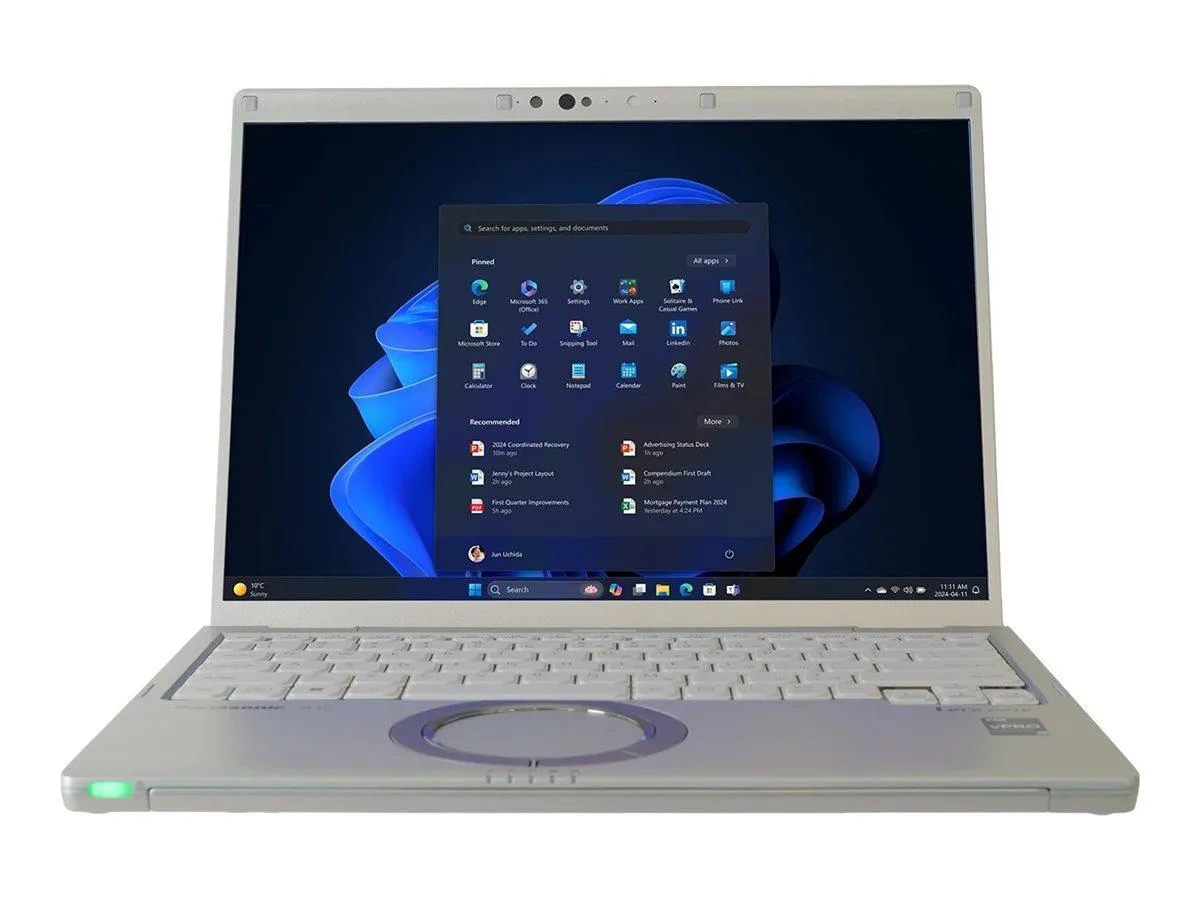
Panasonic CF-FV4SDHMBM laptop i7-1370P vPro 32GB 512GB 14" QHD Windows 11 Pro
A 14-inch QHD laptop with a Core i7-1370P vPro processor, 32GB memory, 512GB SSD and 10-hour battery life
- Screen Size14.0"
- TypeHome / Personal
- Intel Core i7-1370P vPro reaches 5.2 GHz for demanding workloads
- 14-inch QHD display at 2160 x 1440 gives sharp visuals
- 32 GB memory and 512 GB OPAL SSD handle large projects
- Wi-Fi 6 and 10-hour battery support mobile productivity
14-inch QHD business notebook
The Panasonic CF-FV4SDHMBM is a 14-inch QHD notebook built around an Intel Core i7-1370P vPro processor reaching 5.2 GHz. It ships with 32 GB of memory and a 512 GB OPAL SSD running Windows 11 Pro. Intel Iris Xe graphics drive the 2160 x 1440 display, while Wi-Fi 6 handles wireless connectivity. The system is TAA compliant and rated for 10 hours of battery run time.
Upgrade from lower-spec ultraportables
This configuration replaces machines limited to 16 GB of memory or slower processors when workloads demand vPro manageability and sustained multi-core speed. The jump is worth it for fleets requiring hardware encryption on the SSD and a 3-year parts-and-labour warranty. Buyers who need discrete graphics or more storage capacity should look elsewhere.
주요 특징
- Intel Core i7-1370P vPro reaches 5.2 GHz for demanding workloads
- 14-inch QHD display at 2160 x 1440 gives sharp visuals
- 32 GB memory and 512 GB OPAL SSD handle large projects
- Wi-Fi 6 and 10-hour battery support mobile productivity
사양
| Brand | Panasonic |
|---|---|
| Screen Size | 14.0" |
| Type | Home / Personal |
| 배송 무게 | 2.72 kg |
| 포장 크기 | 406 × 305 × 127 mm |
이 상품에 대한 질문
What screw size secures the 512 GB SSD inside the 14.0 inch chassis?
The SSD is held by a single M2×3 mm screw accessible after removing the bottom cover.
Which BIOS setting must be enabled before Windows 11 Pro recognises the Intel vPro features on the i7-1370P?
Enable Intel AMT in the Security tab, then save and reboot so the ME firmware initialises correctly.
이 진열대의 다른 상품
고객들이 함께 비교한 상품
같은 진열대, 같은 체크아웃 — 코인 8종, 환율 잠금 30분.


Microsoft
Microsoft Surface 3 1657 128GB CRB 2-in-1 laptop
- Silver
- Windows 10 Pro
US$244.99
0.00318119BTC
재고 있음
Microsoft
Microsoft Surface Pro FGG-2D-00001-RFB 2-in-1 laptop 16 GB 512 GB 12.0" touchscreen 2736 x 1824 refurbished
- 12.0"
- Touch Screen
US$687.99
0.00893354BTC
재고 있음
Lenovo
Lenovo Chromebook 500e Gen 5 M89 83TA0004US 12.2" MediaTek 8GB 64GB
- 12.2"
US$392.99US$420.99−7%
0.00510297BTC
재고 있음