
SAMSUNG
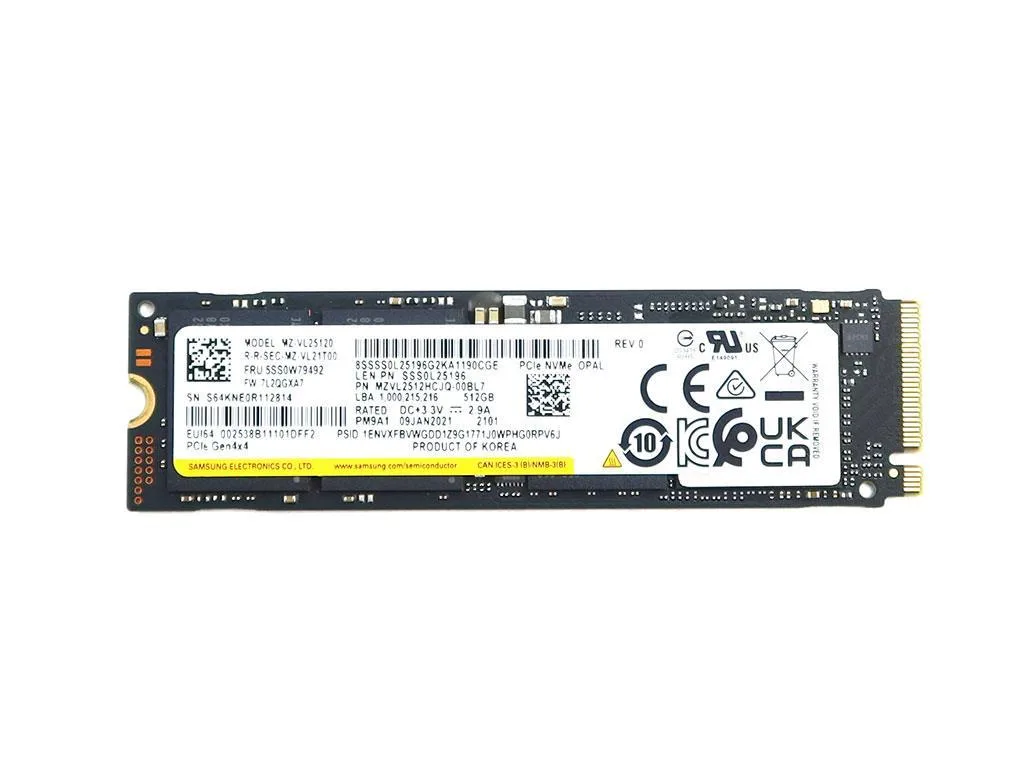
SAMSUNG MZ-VL25120 512GB PCIe 4.0 x4 NVMe M.2 2280 internal SSD
512 GB internal NVMe SSD with PCIe 4.0 x4 interface in M.2 2280 form factor
- 512GB capacity for files and applications
- PCIe 4.0 x4 interface enables fast data transfer
- M.2 2280 form factor fits compatible slots
- TLC NAND technology provides reliable storage performance
- PM9A1 series designed for OEM system integration
Samsung PM9A1 512GB NVMe SSD
This Samsung PM9A1 drive delivers 512GB of NVMe storage for laptops and desktops with an M.2 2280 slot. It targets system builders and upgraders who need a PCIe 4.0 x4 boot or data drive.
Build quality and daily use
The drive uses TLC NAND and a single-sided M.2 2280 form factor that fits standard motherboard and laptop slots. No cables or brackets are included so installation relies on the host device's own mounting screw.
Deciding specification
The PCIe 4.0 x4 interface sets the performance ceiling and determines motherboard compatibility. Buyers whose systems only support PCIe 3.0 will not reach the drive's rated throughput.
주요 특징
- 512GB capacity for files and applications
- PCIe 4.0 x4 interface enables fast data transfer
- M.2 2280 form factor fits compatible slots
- TLC NAND technology provides reliable storage performance
- PM9A1 series designed for OEM system integration
사양
이 상품에 대해 아직 공개된 사양이 없습니다.
이 상품에 대한 질문
What does the PCIe 4.0 x4 interface cap in practice?
The PCIe 4.0 x4 interface caps theoretical bandwidth at 8 GB/s, so real-world sequential speeds will not exceed that ceiling.
What physical slot and length does the M.2 2280 form factor require?
It needs an M-key M.2 slot that accepts 2280-length modules, which is the standard 80 mm length for most desktop and laptop motherboards.
How is the drive installed and which step do people often miss?
Insert the drive at an angle into the M.2 socket, press it flat and secure it with the single retention screw; the step often missed is fastening that screw so the drive stays firmly seated.
이 진열대의 다른 상품
고객들이 함께 비교한 상품
같은 진열대, 같은 체크아웃 — 코인 8종, 환율 잠금 30분.


Lenovo
Lenovo 4XB0F28690 ThinkServer RAID 110i RAID 5 Upgrade Key
US$66.99US$73.99−9%
0.00085083BTC
재고 있음
