


Seagate
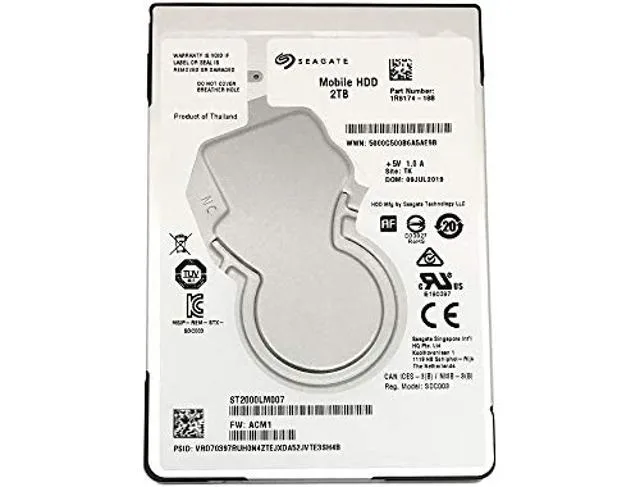
Seagate ST2000LM007 2TB SATA 5400rpm 32MB 2.5in internal hard drive
2 TB 2.5-inch SATA internal hard drive spinning at 5400 rpm with 32 MB cache
- 2 TB capacity stores large media libraries
- 5400 rpm spindle speed balances performance with quiet operation
- 32 MB buffer accelerates frequent read and write tasks
- SATA 600 interface provides broad desktop compatibility
- 5 inch form factor fits compact drive bays
2 TB SATA 2.5-inch internal drive
This Seagate internal hard drive provides 2 TB of storage on a SATA 600 interface. The 2.5-inch form factor fits standard laptop bays and small-form-factor desktops. It spins at 5 400 rpm with a 32 MB buffer for everyday read and write tasks.
Suited for capacity upgrades in laptops
Users who need a large, affordable volume for documents, media libraries or secondary storage will find this drive a direct fit. Builders who require faster access times or higher sustained transfer rates for intensive workloads should consider other drive types.
SATA 600 interface determines compatibility
The drive connects through a standard SATA 600 port, so the host system must provide a matching SATA data and power connection. Verify that your laptop or motherboard has an available 2.5-inch SATA bay before purchase.
주요 특징
- 2 TB capacity stores large media libraries
- 5400 rpm spindle speed balances performance with quiet operation
- 32 MB buffer accelerates frequent read and write tasks
- SATA 600 interface provides broad desktop compatibility
- 5 inch form factor fits compact drive bays
사양
이 상품에 대해 아직 공개된 사양이 없습니다.
이 상품에 대한 질문
Will the 2.5in form factor fit my laptop drive bay?
The drive is 2.5in wide, the standard size for laptop internal bays and most 2.5in desktop trays.
How do I connect the SATA/600 interface, and what step is often missed?
Plug the SATA data cable into the motherboard SATA port and the SATA power cable from the PSU; the step often missed is securing both connectors firmly so they do not work loose.
When should I plan to replace the 5400rpm mechanism?
Mechanical drives with a 5400rpm spindle typically last several years; replace it if SMART tools report reallocated sectors or unusual noise.
이 진열대의 다른 상품
고객들이 함께 비교한 상품
같은 진열대, 같은 체크아웃 — 코인 8종, 환율 잠금 30분.




Western Digital
Western Digital G-DRIVE ArmorATD 5TB portable hard drive SDPH81G005TGBA1D
US$298.99
0.00383016BTC
재고 있음
OWC
OWC Gemini Ultra X6 12TB Thunderbolt portable SSD (OWCTB3GMA6X12)
- 12TB
- Thunderbolt
US$2,645.99
0.03389601BTC
재고 있음