


TP-Link
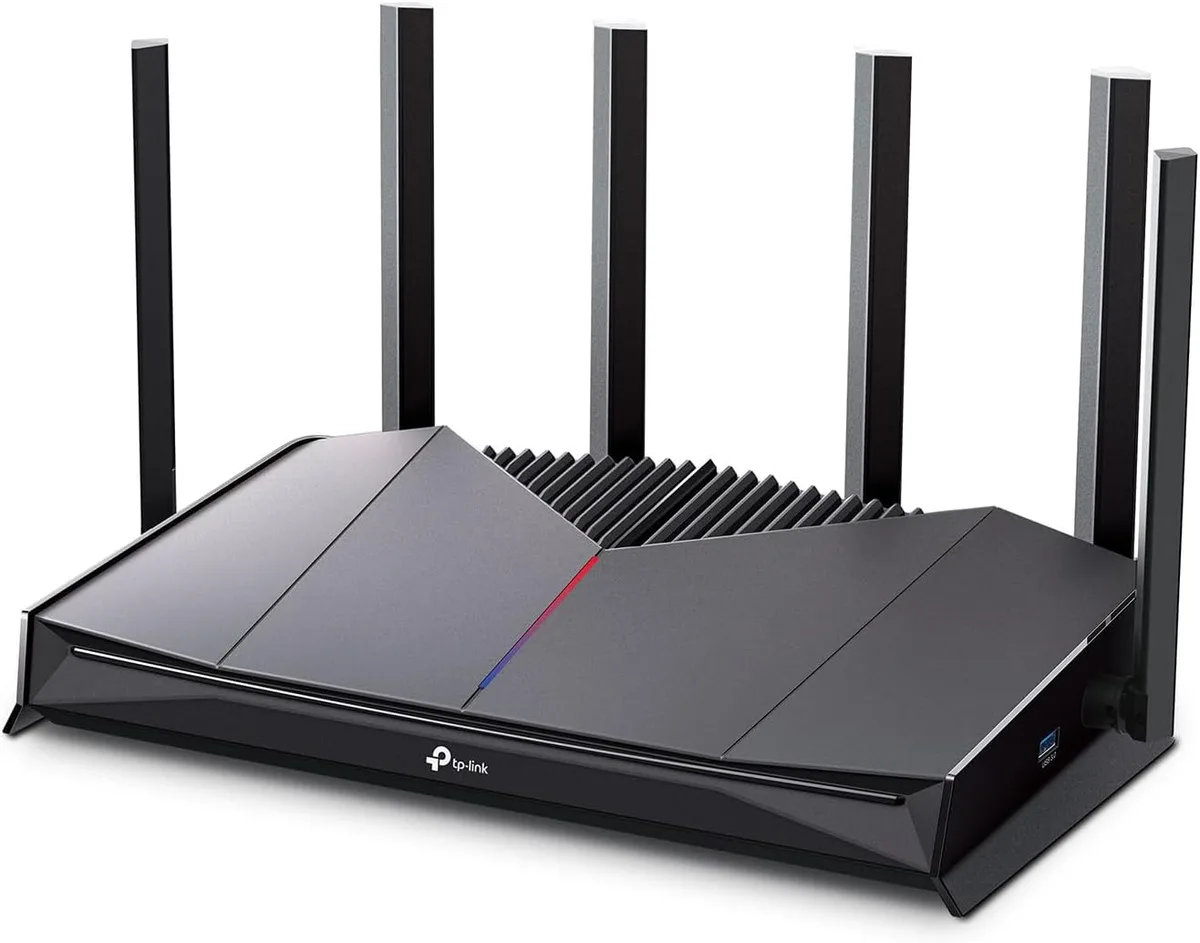
TP-Link Archer GE400 BE6500 Wi-Fi 7 wireless router
Dual-band Wi-Fi 7 router delivering up to 6.5 Gbps with six antennas and dual 2.5 Gbps ports
- WiFi GenerationWi-Fi 7
- Wireless StandardIEEE 802.11a / IEEE 802.11ac / IEEE 802.11ax / IEEE 802.11b
- Network ProtocolsIPv4 IPv6
- SecurityNetwork Security - SPI Firewall - Access Control - IP & MAC
- WPAWPA3
- WAN Ports1 x 10/100/1000M
- Wi-Fi 7 reaches up to 6.5 Gbps total throughput
- Dual 2.5 Gbps ports plus three 1 Gbps LAN ports for wired speed
- Six external antennas with beamforming extend reliable coverage
- HomeShield suite blocks malicious sites and prevents DDoS attacks
- VPN server and client support OpenVPN, WireGuard, PPTP and L2TP
Gaming router for Wi-Fi 7 homes
The TP-Link Archer GE400 is a dual-band wireless router built around the Wi-Fi 7 standard. It targets gamers and power users who need high throughput and low latency across the 2.4 GHz and 5 GHz bands. Six external antennas with beamforming extend reliable coverage throughout larger homes. The router also includes a USB 3.1 Gen 1 port for network storage or printer sharing.
Thermals and power in daily use
A quad-core processor drives the networking stack while an engineered heatsink dissipates heat without active cooling. The 12 V 2.5 A power adapter supplies enough headroom for sustained 6.5 Gbps aggregate throughput. Operating temperature is rated from 0 °C to 40 °C with humidity up to 90 % non-condensing. Silent operation means no fan noise in living spaces or bedrooms.
Build, ports and mounting reality
The chassis carries six adjustable external antennas and subtle RGB lighting accents. Wired connectivity centres on two 2.5 Gbps Ethernet ports — one WAN and one LAN — plus three additional 1 Gbps LAN ports. A dedicated power button, Wi-Fi/WPS button, LED toggle and recessed reset button sit on the rear panel. Desktop placement is the primary mounting option; no wall-mount hardware is mentioned in the specifications.
주요 특징
- Wi-Fi 7 reaches up to 6.5 Gbps total throughput
- Dual 2.5 Gbps ports plus three 1 Gbps LAN ports for wired speed
- Six external antennas with beamforming extend reliable coverage
- HomeShield suite blocks malicious sites and prevents DDoS attacks
- VPN server and client support OpenVPN, WireGuard, PPTP and L2TP
사양
| Brand | TP-Link |
|---|---|
| Model | Archer GE400 |
| WiFi Generation | Wi-Fi 7 |
| Wireless Standard | IEEE 802.11a / IEEE 802.11ac / IEEE 802.11ax / IEEE 802.11b / IEEE 802.11be / IEEE 802.11g / IEEE 802.11n |
| Network Protocols | IPv4 IPv6 |
| Security | Network Security - SPI Firewall - Access Control - IP & MAC Binding - Application Layer Gateway HomeShield Security - Real-Time IoT Protection - Malicious Site Blocker - Intrusion Prevention System - DDoS Attack Prevention - Home Network Scanner Guest Network - 1 x 5 GHz Guest Network - 1 x 2.4 GHz Guest Network |
| WPA | WPA3 |
| WAN Ports | 1 x 10/100/1000M |
| LAN Ports | 1 x 10/100/1000M |
| Buttons | Power Button Wi-Fi/WPS Button LED Button Reset Button |
| Wireless Data Rates | BE6500 / Up to 6.5Gbps |
| Frequency Band | 2.4 GHz / 5 GHz |
| Antenna | 6 x External Antennas |
| Operation Mode | Access Point Mode / Wireless Router Mode |
| VPN support | VPN Server - OpenVPN Server - PPTP VPN Server - L2TP VPN Server - WireGuard VPN Server VPN Client - Open VPN Client - PPTP VPN Client - L2TP VPN Client - WireGuard VPN Client |
| Power Supply | 12 V, 2.5 A |
| System Requirements | Internet Explorer 11+, Firefox 12.0+, Chrome 20.0+, Safari 4.0+, or other JavaScript-enabled browser Cable or DSL Modem (if needed) Subscription with an internet service provider (for internet access) |
| Temperature | Operating Temperature: 0°C~40°C (32°F ~104°F) |
| Humidity | Operating Humidity: 10%~90% non-condensing |
| Special Features | VPN |
| 배송 무게 | 1.50 kg |
| 포장 크기 | 335 × 267 × 117 mm |
이 상품에 대한 질문
How do I connect the Archer GE400 to my modem using the 2.5 Gbps WAN port?
Connect the supplied Ethernet cable from the modem to the 2.5G WAN port, then power the router with the 12 V 2.5 A adapter; the step often missed is logging into the web UI to set the WAN port to 2.5 Gbps mode before testing speed.
What ongoing care does the router need and which parts might wear out first?
Keep the six external antennas upright and dust the vents every few months so the quad-core CPU stays within the 0 °C–40 °C operating range; the 12 V 2.5 A power adapter is the component most likely to need replacement after several years.
At what point does sustained throughput hit a ceiling during heavy gaming traffic?
The dual 2.5 Gbps Ethernet ports and BE6500 Wi-Fi 7 radio top out at 6.5 Gbps combined wireless throughput, so aggregated LAN and WLAN traffic beyond that rate will queue at the router.
이 진열대의 다른 상품
고객들이 함께 비교한 상품
같은 진열대, 같은 체크아웃 — 코인 8종, 환율 잠금 30분.

Ubiquiti Networks
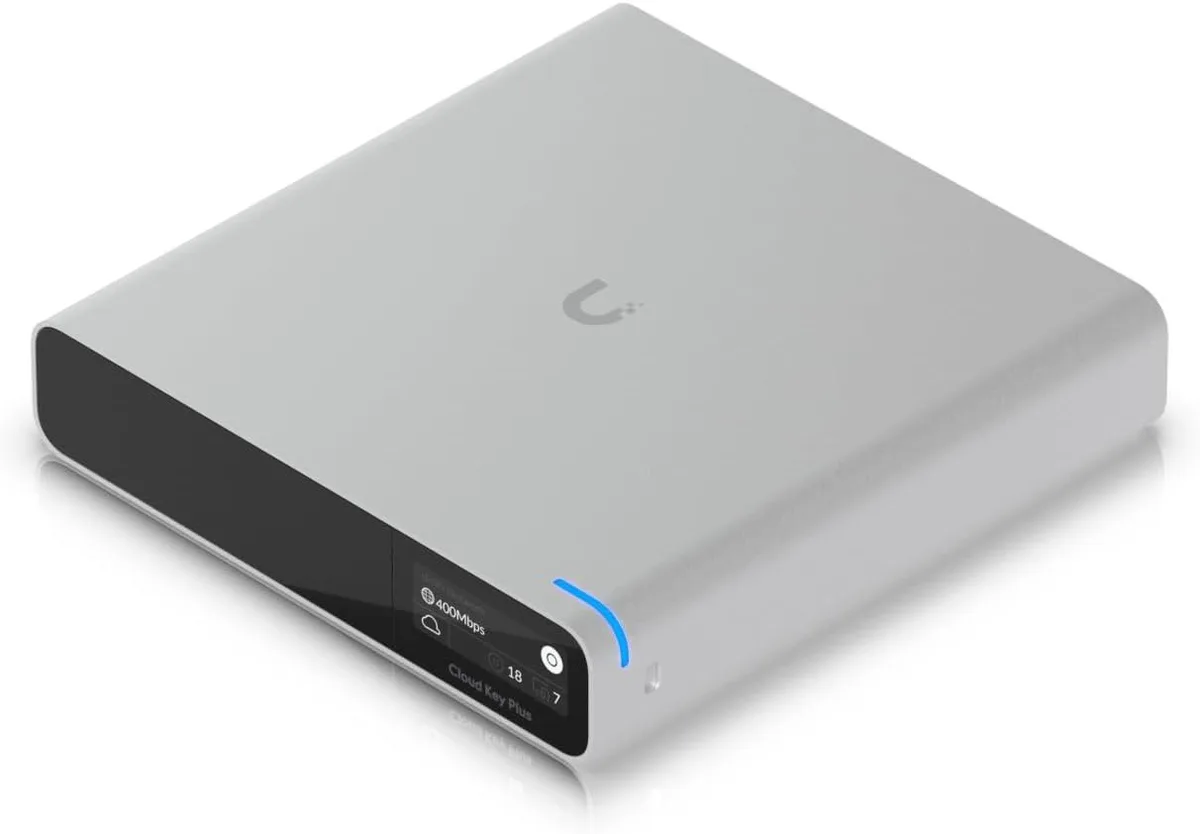
Ubiquiti Networks Cloud Key Gen2 UCK-G2-SSD wireless router
US$400.99
0.00513215BTC
재고 있음
