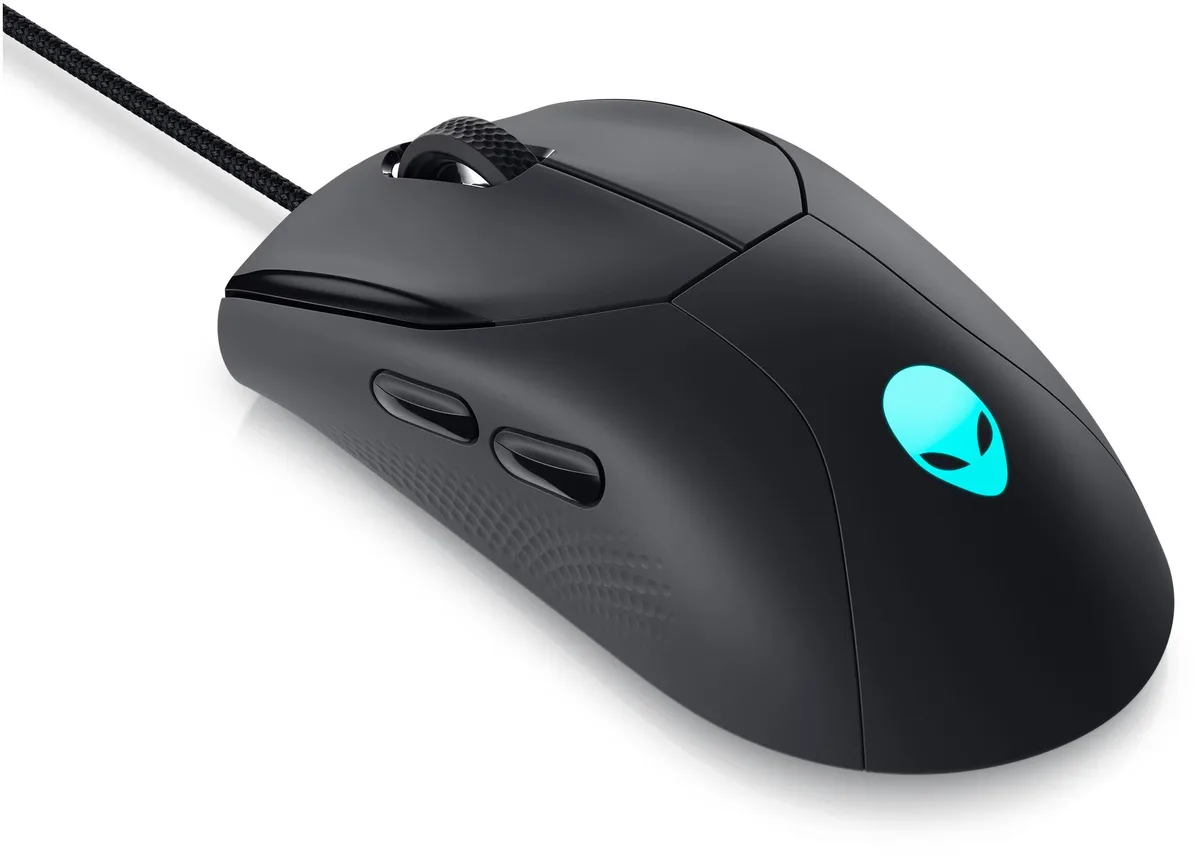
Uiosmuph G12 White Silent Wireless Gaming Mouse 1600 DPI
Slim rechargeable wireless mouse with silent clicks, 1600 DPI optical tracking and random 7-colour LEDs
- NameG12 Uiosmuph
- TypeBluetooth Wireless
- ColorWhite
- InterfaceWireless
- Mouse Grip StyleLED Lights
- Tracking MethodOptical
- Silent clicks let you work without disturbing others
- Rechargeable battery removes the need for disposable cells
- Seven shifting LED colours add ambient lighting
- Slim 4.4 x 2.2 x .79 in design fits in any laptop bag
- USB-A receiver plus USB-C adapter works with both port types
Uiosmuph G12 White Silent Wireless Gaming Mouse
The Uiosmuph G12 is a slim, ambidextrous wireless mouse with a 1600 DPI optical sensor and four buttons. It connects via a USB receiver stored in the base and includes a USB-C adapter for modern ports. The rechargeable battery removes the need for disposable cells. It suits office workers and casual gamers wanting a quiet, portable pointer.
Silent clicks and automatic sleep mode
Left and right buttons use a soundless design that avoids disturbing others in shared spaces. After eight minutes of inactivity the mouse enters sleep mode to conserve power. The LED lighting can be disabled with a bottom switch when not desired. A blue indicator beside the scroll wheel shows charging status and turns off when full.
USB-C adapter and multi-OS support included
The box provides a USB receiver plus a USB-C adapter so the dongle fits both USB-A and USB-C sockets on laptops from 2016 onward. Compatibility spans Windows 7 through 10, Vista, XP, Linux, Mac OS and Chrome OS. The mouse charges from any computer USB port in roughly two hours. No extra software is required for basic operation.
주요 특징
- Silent clicks let you work without disturbing others
- Rechargeable battery removes the need for disposable cells
- Seven shifting LED colours add ambient lighting
- Slim 4.4 x 2.2 x .79 in design fits in any laptop bag
- USB-A receiver plus USB-C adapter works with both port types
사양
| Brand | Uiosmuph |
|---|---|
| Series | G12 |
| Name | G12 Uiosmuph |
| Model | G12 |
| Type | Bluetooth Wireless |
| Color | White |
| Interface | Wireless |
| Mouse Grip Style | LED Lights |
| Tracking Method | Optical |
| Sensor | Optical |
| Resolution (DPI) | 1600 dots_per_inch |
| Hand Orientation | Ambidextrous |
| Buttons | 4 |
| Scrolling Capability | Wireless |
| Acceleration | Optical |
| Dimension | 3.7 cm x 7.9 cm x 12.1 cm |
| Weight | 2.4 ounces |
| Operating System Supported | Windows, Linux, Mac, PC |
| System Requirement | Wireless |
| Package Contents | 1 x LED Wireless Mouse, 1 x USB Receiver (stored at the mouse bottom) |
이 상품에 대한 질문
How do I install the USB receiver and USB-C adapter for the G12 mouse?
Remove the USB receiver from the bottom storage slot, plug it directly into a USB-A port, or insert it into the included USB-C adapter first for USB-C ports, then switch on the mouse and wait a few seconds for automatic driver installation.
What maintenance will the rechargeable battery need over time?
The built-in battery is recharged via the computer's USB port; a full charge takes about two hours, and the blue light beside the scroll wheel turns off when charging is complete.
At what point does the 1600 DPI sensor show its limit during long sessions?
The cursor will move slowly or stop entirely when the battery runs low, which is the first limitation you will notice under sustained use.
이 진열대의 다른 상품
고객들이 함께 비교한 상품
같은 진열대, 같은 체크아웃 — 코인 8종, 환율 잠금 30분.