Western Digital
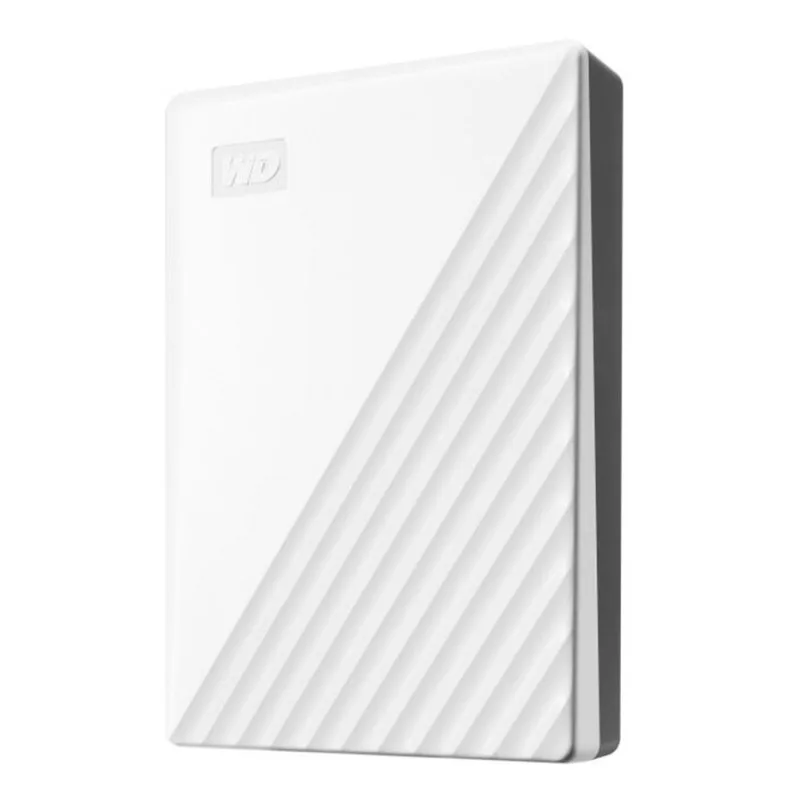
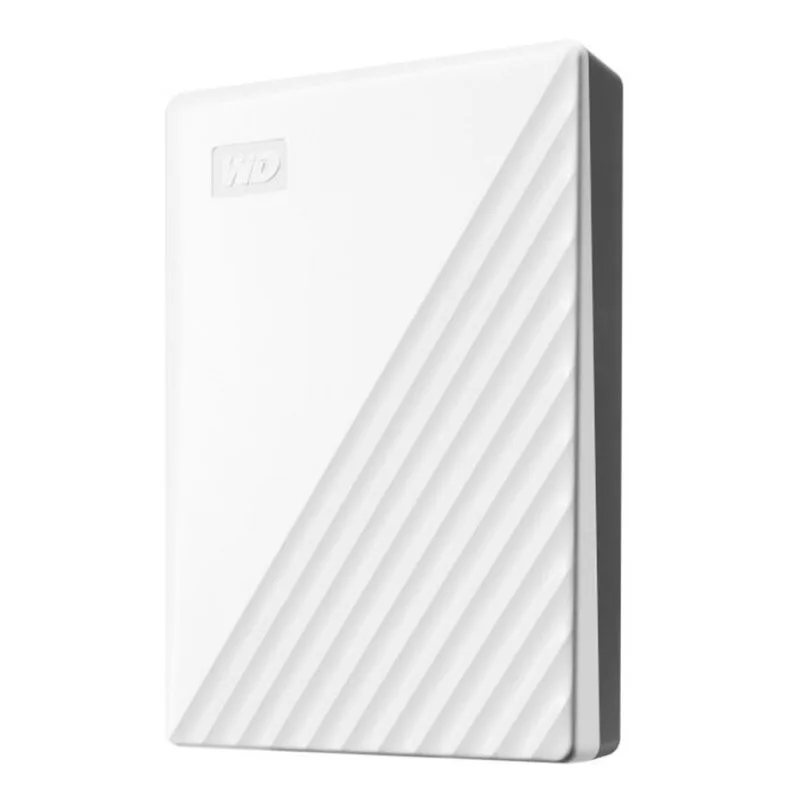
Western Digital My Passport 1TB portable hard drive White WDBYVG0010BWT-WESN
- White
- USB 3.2 Gen 1
US$105.99
0.00134425BTC
재고 있음
Western Digital
A slim 4 TB portable hard drive with USB 3.2 Gen 1, automatic backup software and 256-bit AES hardware encryption
This Western Digital My Passport provides 4 TB of storage in a slim white enclosure. It connects through a USB 3.2 Gen 1 port and works with Windows 10 or Windows 8.1 out of the box. The drive includes WD Discovery software for automatic backup scheduling and 256-bit AES hardware encryption with password protection. It is suited for users who want a simple, portable backup solution for photos, videos and documents.
The drive measures .75 by 2.95 by 4.22 inches and features a slim style that slides easily into a bag. A SuperSpeed USB cable is included in the package, so no separate cable purchase is required. The USB 3.2 Gen 1 interface is backward compatible with USB 2.0 ports, though transfer rates will be limited on older ports. Built-in 256-bit AES encryption secures data once a password is set through WD Discovery.
The drive is pre-formatted for Windows 10 and Windows 8.1; macOS and other systems will require reformatting before use. Verify that your device has an available USB-A port or a suitable adapter for the supplied cable. No external power adapter is needed, as the drive draws power directly from the USB connection. Buyers who need hardware encryption without software setup or who require a ruggedised, water-resistant enclosure should consider other options.
| Brand | WD |
|---|---|
| Series | My Passport |
| Model | WDBPKJ0040BWT-WESN |
| Color | White |
| Interface | USB 3.2 Gen 1 |
| Capacity | 4TB |
| Features | Slim style Make the most of your journey with style that suits you. The new My Passport has been redesigned to feature a convenient, slim form factor and is available in a range of vibrant colors. Backed up Make sure everything you create while on your own life journey - photos, videos, music, and documents - doesn't get lost. The My Passport drive comes equipped with WD Backup software that can be set to run automatically to your schedule. Just pick the time and frequency to back up important files from your system onto your My Passport drive. Locked down Keep your digital life's co |
| System Requirements | Windows 10 or Windows 8.1 operating systems. Requires reformatting for other operating systems. |
| Dimensions | 0.75" x 2.95" x 4.22" |
| Package Contents | Portable hard drive SuperSpeed USB cable WD Discovery software Quick install guide |
이 모델의 다른 버전
같은 제품군에서 메모리·쿨러·클럭이 다릅니다 — 결정 전에 비교해 보세요.
The USB 3.2 Gen 1 connection limits transfer rates to 5 Gbps, though actual throughput depends on the host controller and file sizes.
At under an inch thick and just over four inches long, the slim white chassis slides easily into most laptop sleeves or small bag compartments.
Install WD Discovery, launch the security tab, set a personal password, then confirm the lock icon appears — skipping the confirmation leaves the drive unencrypted.
이 진열대의 다른 상품
같은 진열대, 같은 체크아웃 — 코인 8종, 환율 잠금 30분.
결제할 코인과 가격을 확인할 통화입니다.
체크아웃 시 지갑에서 전송됩니다.
표시 전용 — 카탈로그 가격은 달러 기준입니다.
일치하는 통화가 없습니다.
사이트에서 사용할 언어를 선택하십시오.
일치하는 언어가 없습니다.
처음 방문하셨나요?
이미 계정이 있으신가요?
자동 재설정 기능은 없습니다. 이 쇼핑몰은 어떠한 메일도 보내지 않으므로 요청할 일회용 링크 자체가 없습니다. 계정에 등록된 이메일 주소를 그대로 두시면 담당자가 직접 확인해 처리합니다.
요청 접수
받은편지함으로 오는 것은 아무것도 없습니다 — 이 쇼핑몰은 메일을 전혀 보내지 않습니다. 담당자가 직접 확인해 처리합니다.
기억나셨나요?