

EN-Labs
EN-Labs 11-001-366 PCIe x4 USB 3.2 10Gbps 5-port card
- no
- 12CM Case fan,screw…
USD 31.99
0.0004098BTC
Ada stokKami menerima kripto — jadi koin yang anda simpan boleh membeli perkakasan sebenar.Bayar dengan kripto, belanjakannya untuk perkakasan sebenar. Penghantaran berinsurans percuma ke seluruh dunia untuk belian melebihi USD 399. Kotak biasa tanpa jenama, dihantar dari Jerman.Penghantaran berinsurans percuma untuk belian melebihi USD 399. Kadar anda dikunci selama 30 minit sebaik sahaja proses pesanan bermula.Kadar dikunci selama 30 minit. Setiap item disegel, nombor sirinya disemak, dan dilindungi waranti 24 bulan.Disegel, waranti 24 bulan.


DELL
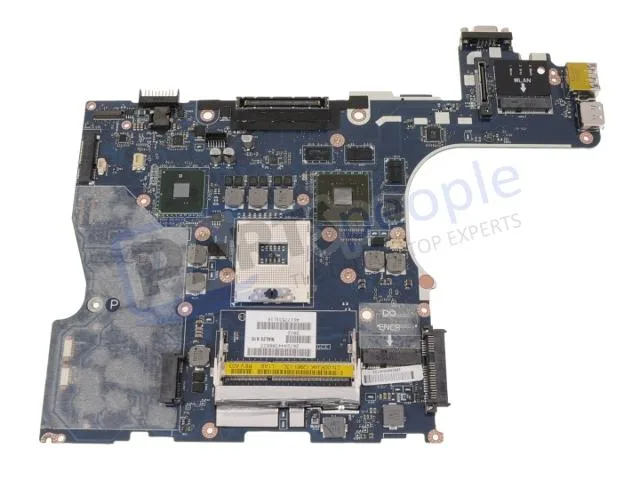
Genuine Dell Precision M4500 laptop motherboard with discrete Nvidia graphics, CPU and memory not included
This is a genuine Dell OEM system board built for the Precision M4500 laptop. It arrives with discrete Nvidia graphics already integrated on the board. The processor and memory modules are not included and must be sourced separately.
The board relies on the laptop's original cooling assembly to manage heat from the CPU and discrete GPU. Power draw follows the factory specification for the M4500 platform. Acoustic output matches the standard fan profile designed for this chassis.
| Brand | DELL |
|---|
Remove the battery, disconnect all cables, unscrew the old board, transfer the CPU and heat sink, seat the new board, reconnect cables, and refit screws. The step most often missed is reapplying thermal paste on the CPU and GPU dies before mounting the heat sink.
The CMOS coin cell will eventually lose charge and should be replaced when the system loses date or BIOS settings. The discrete Nvidia graphics chip is soldered to the board, so a GPU failure means replacing the entire motherboard.
Juga di rak ini
Rak yang sama, checkout yang sama — lapan koin kripto dan kunci kadar 30 minit.
Apa yang anda hantar untuk membayar, dan mata wang yang anda guna untuk membaca harga.
Dihantar daripada dompet anda semasa semak keluar
Untuk paparan sahaja — katalog diberi harga dalam USD
Tiada mata wang yang sepadan.
Pilih bahasa yang digunakan oleh laman web ini.
Tiada bahasa yang sepadan.
Pengguna baharu?
Sudah mempunyai akaun?
Tiada set semula automatik: kedai ini tidak menghantar sebarang e-mel, jadi tiada pautan sekali guna untuk diminta. Biarkan alamat pada akaun tersebut, ia akan diuruskan secara manual.
Permintaan direkodkan
Tiada apa-apa akan sampai ke peti masuk anda — kedai ini tidak menghantar sebarang e-mel. Seseorang akan menguruskannya secara manual.
Sudah teringat?



