

EVESKY
EVESKY MW4500 Wireless Vertical Ergonomic Mouse 1200 DPI 6 Buttons
US$ 157,99
0.00196804BTC
Op voorraadWij accepteren cryptovaluta — zo kunnen de munten die u bezit echte hardware kopen.Betaal in crypto, besteed het aan echte hardware. Gratis verzekerde verzending wereldwijd vanaf $399. Neutrale dozen zonder merk, verzonden vanuit Duitsland.Gratis verzekerde verzending vanaf $399. Uw koers wordt 30 minuten vastgezet zodra het afrekenen begint.Koers 30 minuten vastgezet. Elk artikel is verzegeld, het serienummer wordt gecontroleerd, en het valt onder 24 maanden garantie.Verzegeld, 24 maanden garantie.
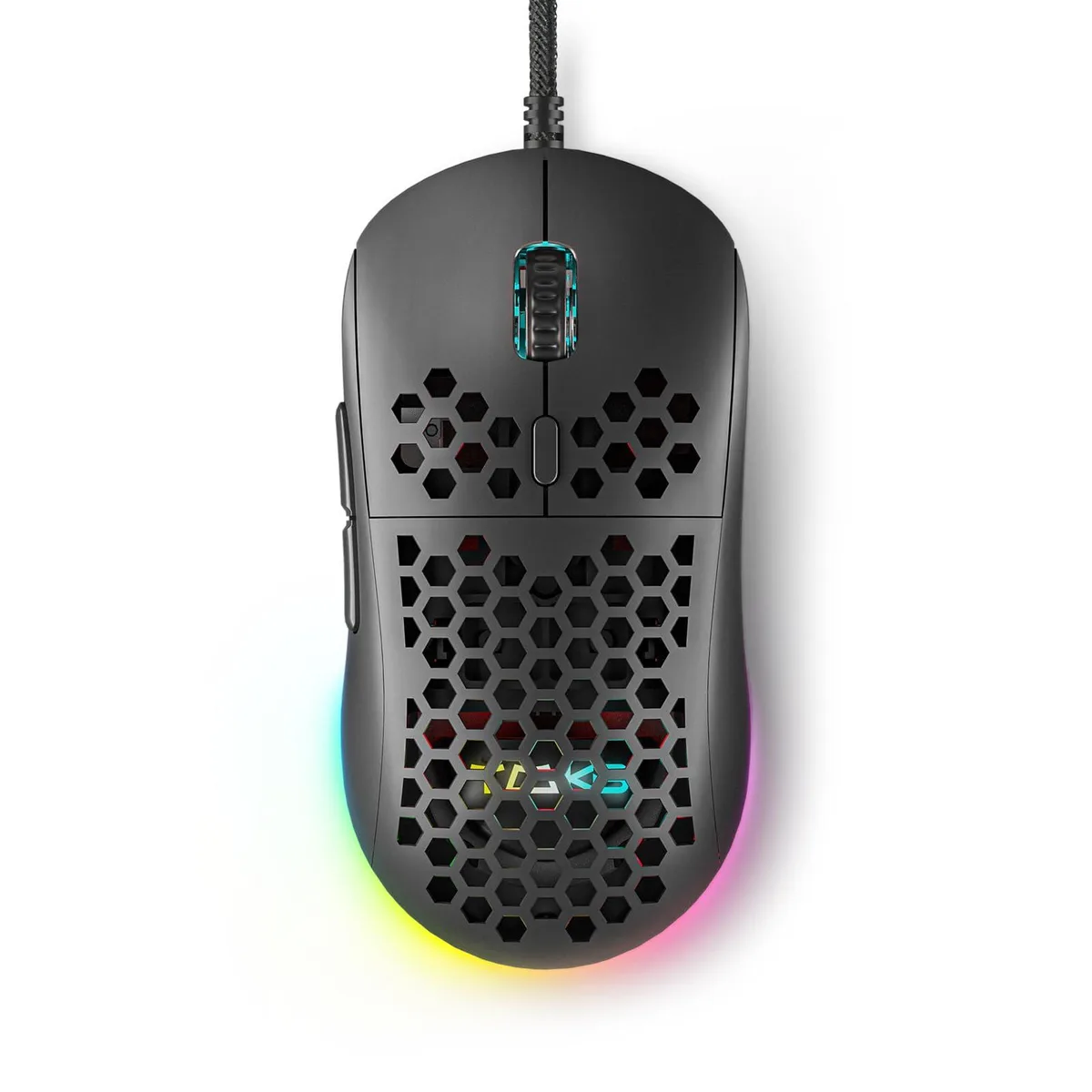


Wired gaming mouse with honeycomb shell, 75 g weight, 12800 DPI optical sensor, six programmable buttons, 16.8 million colour RGB lighting and driver software for macro recording
The ASUS DIERYA M1SE is a wired gaming mouse with a honeycomb shell that weighs 75 grams. It uses an optical sensor adjustable from 200 to 12800 DPI and offers six programmable buttons. The device connects via USB and includes RGB lighting with 16.8 million colours. It is built for right-handed players who want a lightweight, customisable pointer for competitive titles.
Plug the 180 cm braided cable into a USB port and the mouse works immediately on Windows 7, 8, 10, XP, Vista or Linux. For button remapping, macro recording and RGB profile editing you must download the TMKB driver from the supplied link. The software is the only way to access the 23 adjustable DPI levels and four memory profiles. Some users report that the driver must be run as administrator for settings to persist after reboot.
The sensor tops out at 12800 DPI with a polling rate up to 1000 Hz. If your play style demands higher sensitivity or faster report rates, this model will not meet that need. Buyers who require a wireless connection or a left-handed shape should look elsewhere.
| Brand | ASUS |
|---|---|
| Name | DIERYA |
| Part Number | M1SE |
| Type | 2.4GHz / Wired |
| Color | Black |
| Interface | Bluetooth |
| Mouse Grip Style | Adjustable |
| Tracking Method | Optical |
| Sensor | Optical |
| Hand Orientation | Right Hand |
| Buttons | 16 |
| Scrolling Capability | Touch Scroll |
| Weight | 105 grams |
| System Requirement | USB port |
| Package Contents | Honeycomb Gaming Mouse *1, User Manual *1 |
Move the mouse and confirm the cursor responds smoothly; then open the DIERYA driver software and check that the polling rate shows 1000Hz and the DPI level matches one of the 23 adjustable steps between 200 and 12800.
The package includes the honeycomb gaming mouse and a user manual; you must supply a free USB port for the 180cm cable and download the driver from kemove.com to unlock button remapping, macros and RGB control.
Begin at 800 DPI — a common mid-range value within the 200-12800 range — then use the DPI adjustment button to cycle through the 23 levels until the sensitivity feels right for your play style.
Ook in deze afdeling
Dezelfde afdeling, dezelfde kassa — acht munten en een koers die 30 minuten vaststaat.
Waarmee u betaalt, en waarin u de prijzen leest.
Verzonden vanuit uw wallet bij het afrekenen
Alleen ter weergave — de catalogus is geprijsd in USD
Geen valuta gevonden.
Kies de taal waarin de site met u spreekt.
Nieuw hier?
Al een account?
Er is geen automatisch herstel: deze winkel verstuurt geen e-mail, dus er is geen eenmalige link om aan te vragen. Laat het adres op het account achter en het wordt handmatig opgepakt.
Verzoek genoteerd
Er is niets onderweg naar uw inbox — deze winkel verstuurt helemaal geen e-mail. Iemand pakt dit handmatig op.
Weet u het weer?


