Buffalo Technology
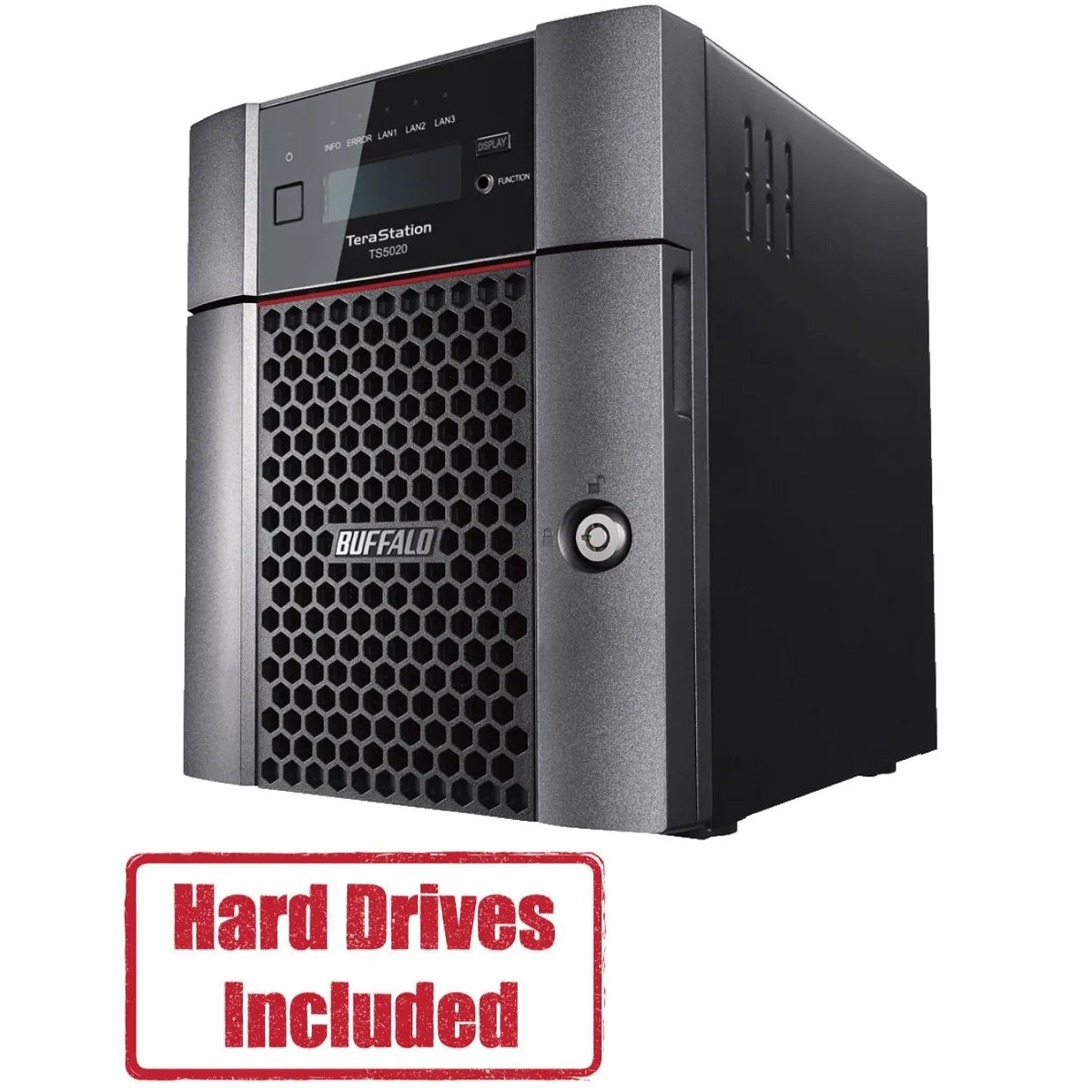
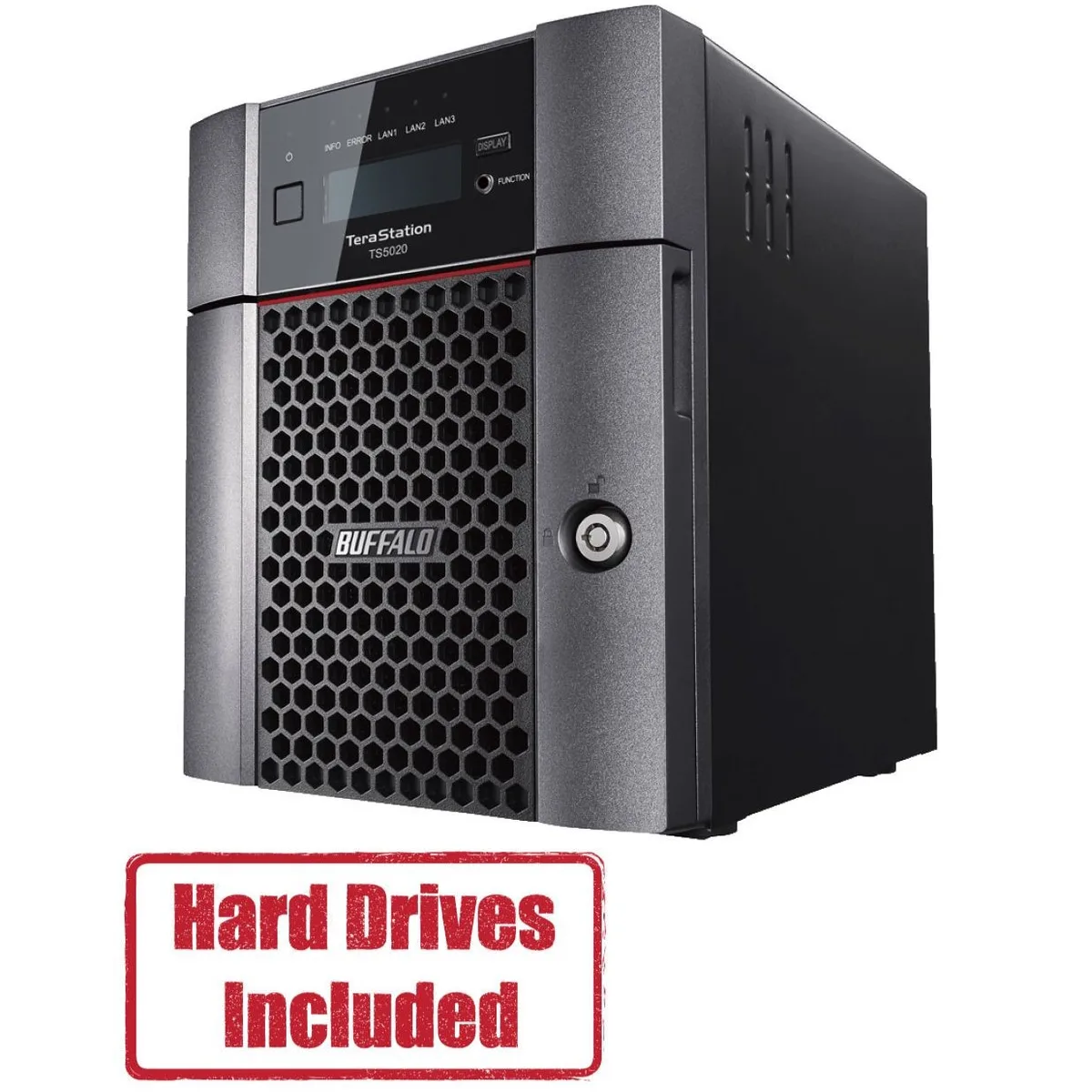
Buffalo Technology TS5420DN2402 4-Bay 24TB Desktop NAS
- Desktop NAS
- IEEE 802.3, IEEE 80…
US$ 1.202,99
0.01494026BTC
Op voorraadWij accepteren cryptovaluta — zo kunnen de munten die u bezit echte hardware kopen.Betaal in crypto, besteed het aan echte hardware. Gratis verzekerde verzending wereldwijd vanaf $399. Neutrale dozen zonder merk, verzonden vanuit Duitsland.Gratis verzekerde verzending vanaf $399. Uw koers wordt 30 minuten vastgezet zodra het afrekenen begint.Koers 30 minuten vastgezet. Elk artikel is verzegeld, het serienummer wordt gecontroleerd, en het valt onder 24 maanden garantie.Verzegeld, 24 maanden garantie.


Buffalo Technology
A four-bay desktop NAS with 40 TB of pre-configured storage, a 10 GbE port, and quad-core processor for business file sharing
Included HDD Capacity 40TB (2 x 20TB)
Option Partially Populated
The Buffalo TeraStation 5420 arrives with two pre-tested 20TB NAS-grade drives installed and RAID pre-configured. A quad-core Annapurna Labs Alpine AL524 processor at 2.04 GHz and 8GB of DDR4 memory handle file serving, backup and virtualization workloads for small offices.
The single 10GbE port plus two 1GbE links suit workgroups that move large datasets without upgrading cabling. Buyers who require more than four drive bays, a second 10GbE port or GPU-accelerated applications should consider a larger platform.
Two 20TB drives and the pre-built RAID array eliminate initial setup time. The Remote Management System lets administrators monitor multiple TeraStations from one console, while AES-256 encryption, snapshots and two-factor authentication secure stored data.
| Brand | BUFFALO |
|---|---|
| Series | TeraStation 5020 |
| Model | TS5420DN4002 |
| Part Number | TS5420DN4002 |
| Type | Desktop NAS |
| Standards | IEEE 802.3, IEEE 802.3u, IEEE 802.3ab |
| Ports | 1 x 10GbE |
| Port RJ-45 | 1 x 10GbE + 2 x 1GbE |
| Port USB | 2 x USB3.0 + 2 x USB2.0 |
| HDD Interface | 4 x SATA (4 x Bay) |
| Form Factor | 4-Bay |
| Processor | Annapurna Labs Alpine Processor AL524 (2.04 GHz Quad-Core) |
| Installed Memory | 8GB DDR4 |
| Included HDD Capacity | 40TB (2 x 20TB) |
| RAID | RAID 0, 1, 5, 6, 10, and JBOD |
| Drive Compatibility | OP-HD20.0N |
| Supported Protocols | TCP/IP |
| LEDs | Power, HDD (Hard Disk Drive), LAN (10/100) |
| Power | 100-240 VAC 50/60Hz |
| Power Consumption | 60W |
| Temperature | 0°C - 40 °C |
| Humidity | 0-80% RH non-condensing |
| Usage | High read/write performance with RAID |
| Dimensions | 9.1 x 6.7 x 8.5 in |
| Weight | 18.1 lbs |
| Package Contents | TeraStation, Quick Setup Guide, AC Cable, Front Panel Key, and Warranty Statement |
| Verzendgewicht | 7.26 kg |
| Pakketafmetingen | 363 × 358 × 305 mm |
Andere versies van dit model
Dezelfde familie, met ander geheugen, andere koeler of kloksnelheid — vergelijk voordat u beslist.
Connect the 10GbE RJ-45 port with Cat6a or better cabling to a switch port that supports 10GBASE-T. The unit also includes two 1GbE RJ-45 ports for standard Gigabit links.
Yes. The NAS provides one 10GbE and two 1GbE RJ-45 ports simultaneously, so it will operate on your current Gigabit infrastructure while also offering a 10GbE uplink for faster clients.
Check the front-panel LEDs: the Power LED should be solid on, each installed drive shows a steady HDD LED, and the LAN LEDs indicate link speed. Then log into the web UI to confirm RAID status and drive health.
Ook in deze afdeling
Dezelfde afdeling, dezelfde kassa — acht munten en een koers die 30 minuten vaststaat.
Waarmee u betaalt, en waarin u de prijzen leest.
Verzonden vanuit uw wallet bij het afrekenen
Alleen ter weergave — de catalogus is geprijsd in USD
Geen valuta gevonden.
Kies de taal waarin de site met u spreekt.
Nieuw hier?
Al een account?
Er is geen automatisch herstel: deze winkel verstuurt geen e-mail, dus er is geen eenmalige link om aan te vragen. Laat het adres op het account achter en het wordt handmatig opgepakt.
Verzoek genoteerd
Er is niets onderweg naar uw inbox — deze winkel verstuurt helemaal geen e-mail. Iemand pakt dit handmatig op.
Weet u het weer?