
Buffalo Technology
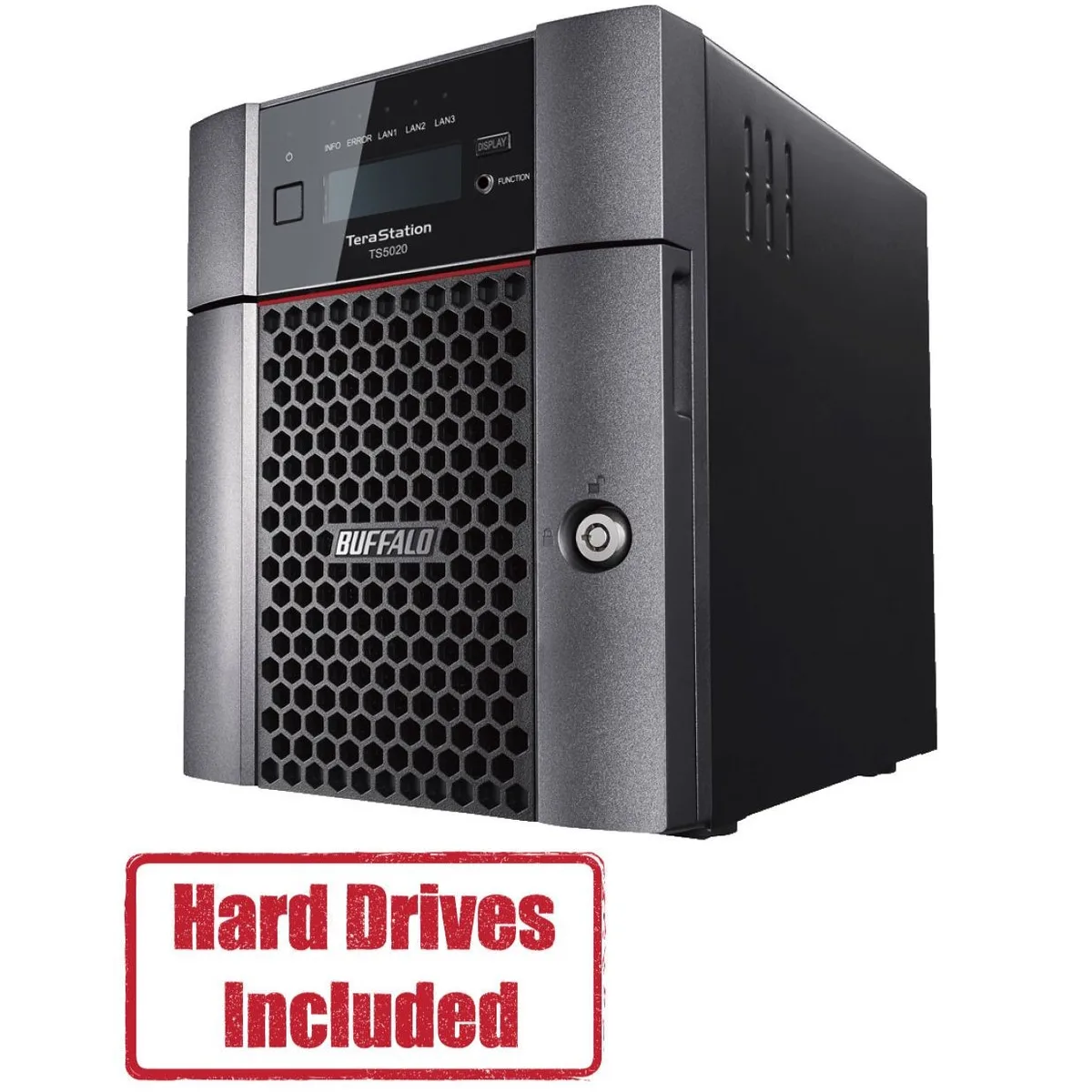
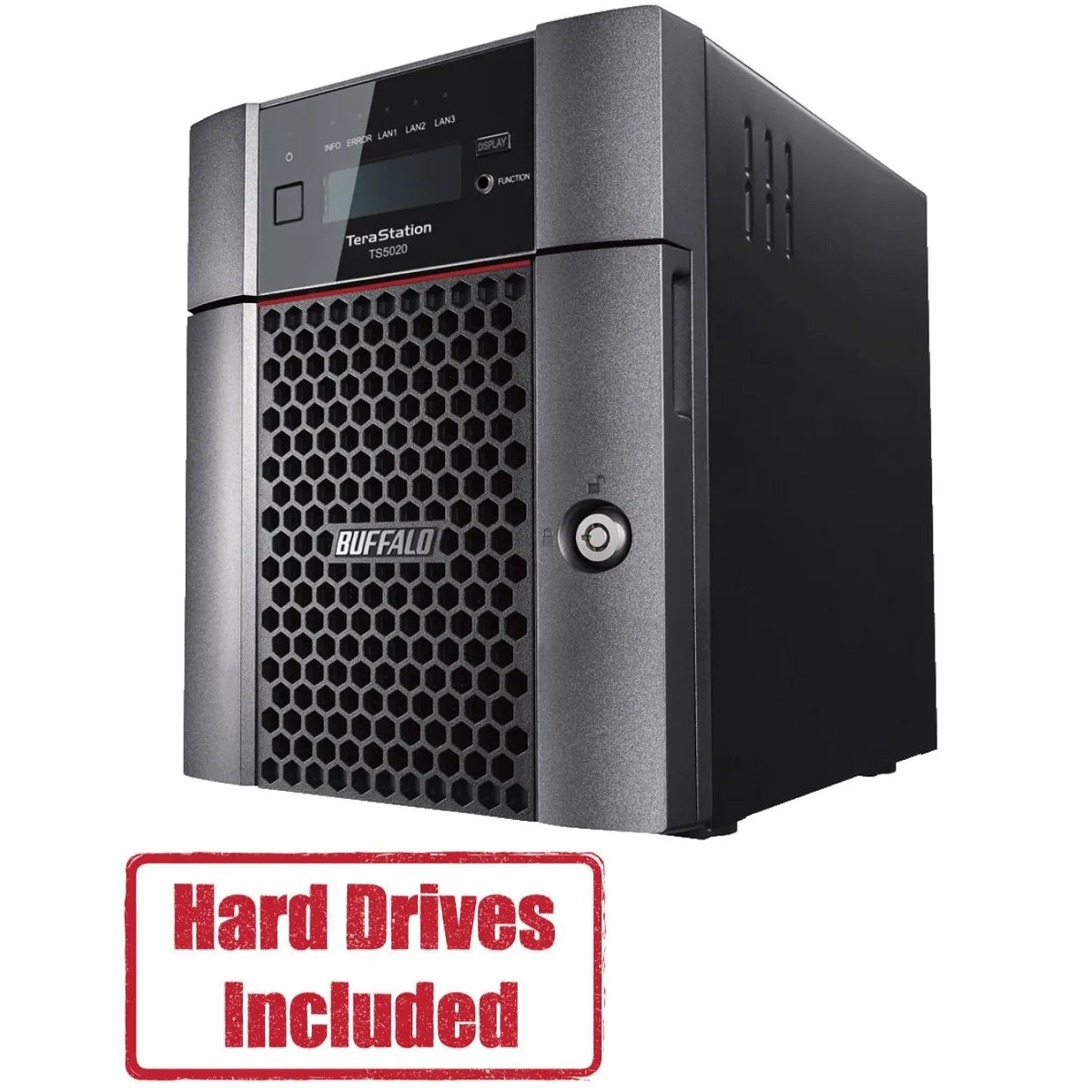
Buffalo Technology TS5420DN1602 4-Bay 16TB Desktop NAS
- Desktop NAS
- IEEE 802.3, IEEE 80…
US$ 870,99
0.01083968BTC
Op voorraadWij accepteren cryptovaluta — zo kunnen de munten die u bezit echte hardware kopen.Betaal in crypto, besteed het aan echte hardware. Gratis verzekerde verzending wereldwijd vanaf $399. Neutrale dozen zonder merk, verzonden vanuit Duitsland.Gratis verzekerde verzending vanaf $399. Uw koers wordt 30 minuten vastgezet zodra het afrekenen begint.Koers 30 minuten vastgezet. Elk artikel is verzegeld, het serienummer wordt gecontroleerd, en het valt onder 24 maanden garantie.Verzegeld, 24 maanden garantie.


Buffalo Technology
A four-bay desktop NAS pre-loaded with 32 TB across two 16 TB drives and RAID-ready, driven by a quad-core 2.04 GHz processor with 8 GB DDR4 and a native 10 GbE port
Included HDD Capacity 32TB (2 x 16TB)
Option Partially Populated
The Buffalo TeraStation 5420 arrives with two 16 TB NAS-grade drives installed and RAID pre-configured, so it serves files the moment it is powered on. An Annapurna Labs AL524 quad-core processor and 8 GB of DDR4 memory handle concurrent access from multiple workstations without a separate server.
Moving from a single-drive share or a 1 GbE appliance to this unit adds a native 10 GbE port and RAID 5 or 6 redundancy, cutting backup windows and protecting against two simultaneous drive failures. The jump is worth it when daily transfer volumes exceed what a gigabit link can sustain.
The single 10GBASE-T port reaches full speed only with Cat6a or better runs under the 100 m channel limit, and the four-bay chassis caps raw capacity at the installed 32 TB unless drives are swapped for larger compatible models. USB 3.0 ports add external expansion but do not extend the internal RAID array.
| Brand | BUFFALO |
|---|---|
| Series | TeraStation 5020 |
| Model | TS5420DN3202 |
| Part Number | TS5420DN3202 |
| Type | Desktop NAS |
| Standards | IEEE 802.3, IEEE 802.3u, IEEE 802.3ab |
| Ports | 1 x 10GbE |
| Port RJ-45 | 1 x 10GbE + 2 x 1GbE |
| Port USB | 2 x USB3.0 + 2 x USB2.0 |
| HDD Interface | 4 x SATA (4 x Bay) |
| Form Factor | 4-Bay |
| Processor | Annapurna Labs Alpine Processor AL524 (2.04 GHz Quad-Core) |
| Installed Memory | 8GB DDR4 |
| Included HDD Capacity | 32TB (2 x 16TB) |
| RAID | RAID 0, 1, 5, 6, 10, and JBOD |
| Drive Compatibility | OP-HD16.0N |
| Supported Protocols | TCP/IP |
| LEDs | Power, HDD (Hard Disk Drive), LAN (10/100) |
| Power | 100-240 VAC 50/60Hz |
| Power Consumption | 60W |
| Temperature | 0°C - 40 °C |
| Humidity | 0-80% RH non-condensing |
| Usage | High read/write performance with RAID |
| Dimensions | 9.1 x 6.7 x 8.5 in |
| Weight | 18.1 lbs |
| Package Contents | TeraStation, Quick Setup Guide, AC Cable, Front Panel Key, and Warranty Statement |
| Verzendgewicht | 6.99 kg |
| Pakketafmetingen | 366 × 363 × 318 mm |
Andere versies van dit model
Dezelfde familie, met ander geheugen, andere koeler of kloksnelheid — vergelijk voordat u beslist.
The unit measures 9.1 inches wide, 6.7 inches deep and 8.5 inches high. Allow extra clearance at the rear for the AC cable, two USB 3.0, two USB 2.0, one 10GbE and two 1GbE RJ-45 ports.
Insert the included 16TB drives into the lowest-numbered bays, then power on. The RAID volume is pre-configured so the array builds automatically; skipping the bay order is the common mistake.
Replace a drive when the front HDD LED shows amber or the management console reports a SMART error. Use only OP-HD16.0N modules to keep RAID compatibility and the original 32TB capacity.
Ook in deze afdeling
Dezelfde afdeling, dezelfde kassa — acht munten en een koers die 30 minuten vaststaat.
Waarmee u betaalt, en waarin u de prijzen leest.
Verzonden vanuit uw wallet bij het afrekenen
Alleen ter weergave — de catalogus is geprijsd in USD
Geen valuta gevonden.
Kies de taal waarin de site met u spreekt.
Nieuw hier?
Al een account?
Er is geen automatisch herstel: deze winkel verstuurt geen e-mail, dus er is geen eenmalige link om aan te vragen. Laat het adres op het account achter en het wordt handmatig opgepakt.
Verzoek genoteerd
Er is niets onderweg naar uw inbox — deze winkel verstuurt helemaal geen e-mail. Iemand pakt dit handmatig op.
Weet u het weer?





