
Buffalo Technology
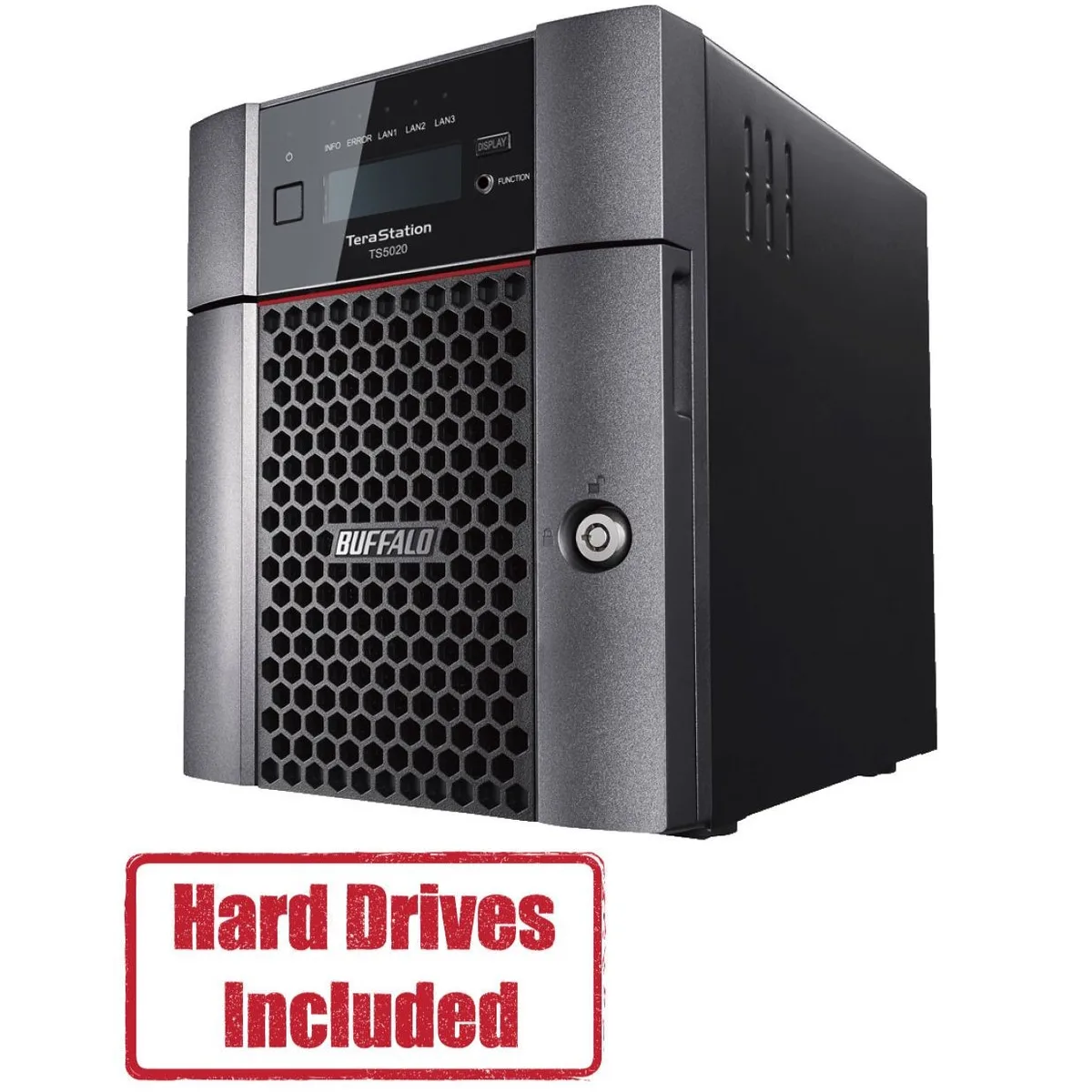
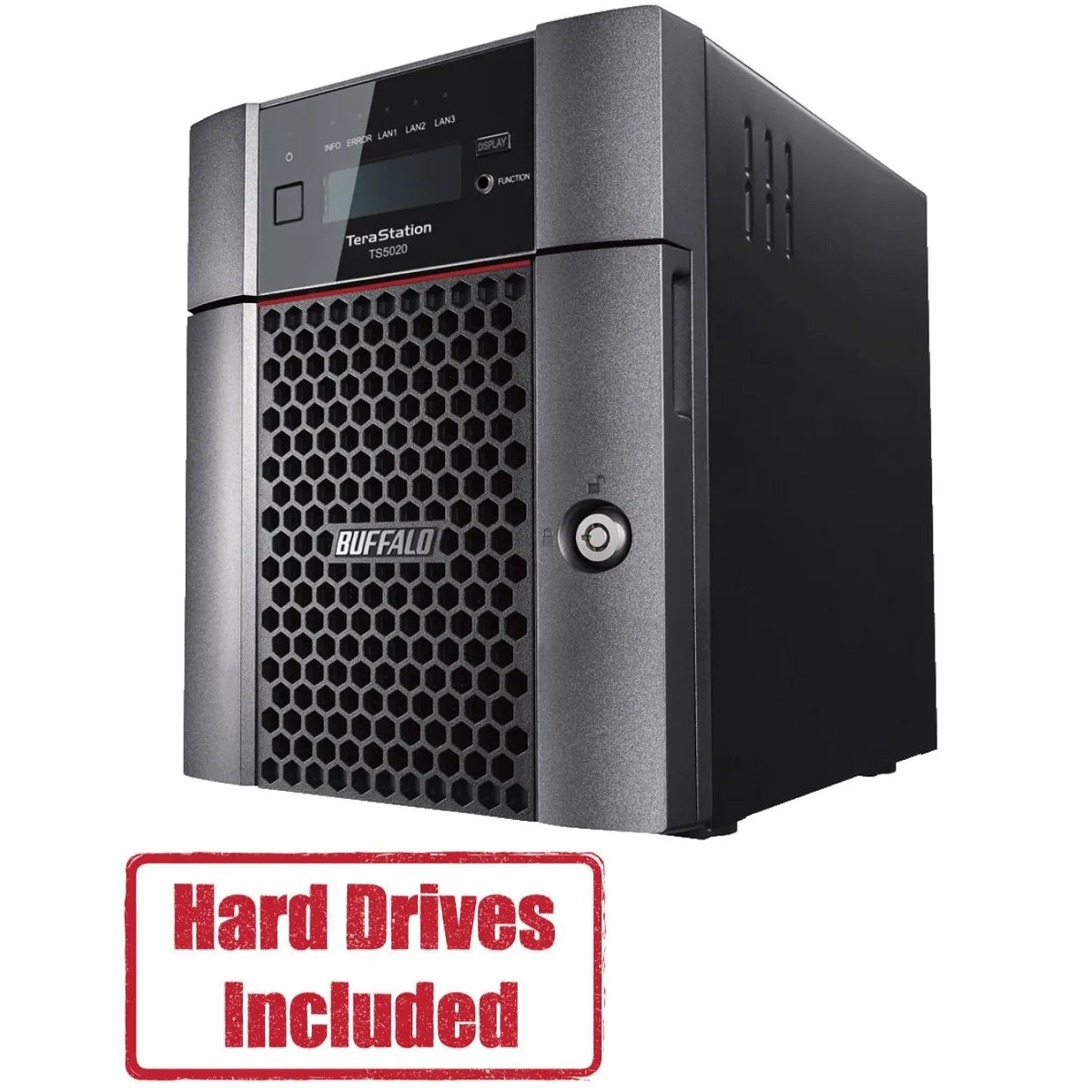
Buffalo Technology TS5420DN1602 4-Bay 16TB Desktop NAS
- Desktop NAS
- IEEE 802.3, IEEE 80…
870,99 USD
0.0108544BTC
DisponibileAccettiamo criptovalute — così le crypto che Lei possiede possono comprare hardware reale.Paghi in crypto, la spenda in hardware reale. Spedizione assicurata gratuita in tutto il mondo oltre i 399 $. Cartoni neutri, senza marchio, spediti dalla Germania.Spedizione assicurata gratuita oltre i 399 $. Il Suo tasso resta bloccato per 30 minuti dall’apertura del checkout.Tasso bloccato 30 minuti. Ogni articolo è sigillato, il numero di serie è verificato, ed è coperto da una garanzia di 24 mesi.Sigillato, garantito 24 mesi.


Buffalo Technology
A four-bay desktop NAS pre-loaded with 32 TB across two 16 TB drives and RAID-ready, driven by a quad-core 2.04 GHz processor with 8 GB DDR4 and a native 10 GbE port
Included HDD Capacity 32TB (2 x 16TB)
Option Partially Populated
The Buffalo TeraStation 5420 arrives with two 16 TB NAS-grade drives installed and RAID pre-configured, so it serves files the moment it is powered on. An Annapurna Labs AL524 quad-core processor and 8 GB of DDR4 memory handle concurrent access from multiple workstations without a separate server.
Moving from a single-drive share or a 1 GbE appliance to this unit adds a native 10 GbE port and RAID 5 or 6 redundancy, cutting backup windows and protecting against two simultaneous drive failures. The jump is worth it when daily transfer volumes exceed what a gigabit link can sustain.
The single 10GBASE-T port reaches full speed only with Cat6a or better runs under the 100 m channel limit, and the four-bay chassis caps raw capacity at the installed 32 TB unless drives are swapped for larger compatible models. USB 3.0 ports add external expansion but do not extend the internal RAID array.
| Brand | BUFFALO |
|---|---|
| Series | TeraStation 5020 |
| Model | TS5420DN3202 |
| Part Number | TS5420DN3202 |
| Type | Desktop NAS |
| Standards | IEEE 802.3, IEEE 802.3u, IEEE 802.3ab |
| Ports | 1 x 10GbE |
| Port RJ-45 | 1 x 10GbE + 2 x 1GbE |
| Port USB | 2 x USB3.0 + 2 x USB2.0 |
| HDD Interface | 4 x SATA (4 x Bay) |
| Form Factor | 4-Bay |
| Processor | Annapurna Labs Alpine Processor AL524 (2.04 GHz Quad-Core) |
| Installed Memory | 8GB DDR4 |
| Included HDD Capacity | 32TB (2 x 16TB) |
| RAID | RAID 0, 1, 5, 6, 10, and JBOD |
| Drive Compatibility | OP-HD16.0N |
| Supported Protocols | TCP/IP |
| LEDs | Power, HDD (Hard Disk Drive), LAN (10/100) |
| Power | 100-240 VAC 50/60Hz |
| Power Consumption | 60W |
| Temperature | 0°C - 40 °C |
| Humidity | 0-80% RH non-condensing |
| Usage | High read/write performance with RAID |
| Dimensions | 9.1 x 6.7 x 8.5 in |
| Weight | 18.1 lbs |
| Package Contents | TeraStation, Quick Setup Guide, AC Cable, Front Panel Key, and Warranty Statement |
| Peso di spedizione | 6.99 kg |
| Dimensioni del pacco | 366 × 363 × 318 mm |
Altre versioni di questo modello
Stessa famiglia, con memoria, dissipatore o frequenza diversi — confronti prima di decidere.
The unit measures 9.1 inches wide, 6.7 inches deep and 8.5 inches high. Allow extra clearance at the rear for the AC cable, two USB 3.0, two USB 2.0, one 10GbE and two 1GbE RJ-45 ports.
Insert the included 16TB drives into the lowest-numbered bays, then power on. The RAID volume is pre-configured so the array builds automatically; skipping the bay order is the common mistake.
Replace a drive when the front HDD LED shows amber or the management console reports a SMART error. Use only OP-HD16.0N modules to keep RAID compatibility and the original 32TB capacity.
Anche in questo reparto
Stesso reparto, stessa cassa — otto monete e un cambio bloccato per 30 minuti.
Cosa invia per pagare, e in quale valuta legge i prezzi.
Inviato dal Suo portafoglio alla cassa
Solo a titolo indicativo — il catalogo è espresso in dollari
Nessuna valuta corrisponde.
Scelga la lingua in cui il sito Le parla.
Prima visita?
Ne ha già uno?
Non esiste un ripristino automatico: questo negozio non invia e-mail, quindi non esiste alcun link monouso da richiedere. Lasci l’indirizzo sull’account: verrà gestito manualmente.
Richiesta registrata
Non arriverà nulla nella Sua casella di posta — questo negozio non invia e-mail. Qualcuno se ne occupa manualmente.
L’ha ritrovata?





