

NEMIX RAM
NEMIX RAM DDR5-5600 2TB (16x128GB) ECC RDIMM CL46 1.1V Supermicro H14SST-G memory upgrade
- 2TB (16 x 128GB)
- 288-Pin DDR5 RDIMM
US$ 62.908,99
0.80848453BTC
Op voorraadWij accepteren cryptovaluta — zo kunnen de munten die u bezit echte hardware kopen.Betaal in crypto, besteed het aan echte hardware. Gratis verzekerde verzending wereldwijd vanaf $399. Neutrale dozen zonder merk, verzonden vanuit Duitsland.Gratis verzekerde verzending vanaf $399. Uw koers wordt 30 minuten vastgezet zodra het afrekenen begint.Koers 30 minuten vastgezet. Elk artikel is verzegeld, het serienummer wordt gecontroleerd, en het valt onder 24 maanden garantie.Verzegeld, 24 maanden garantie.


HP
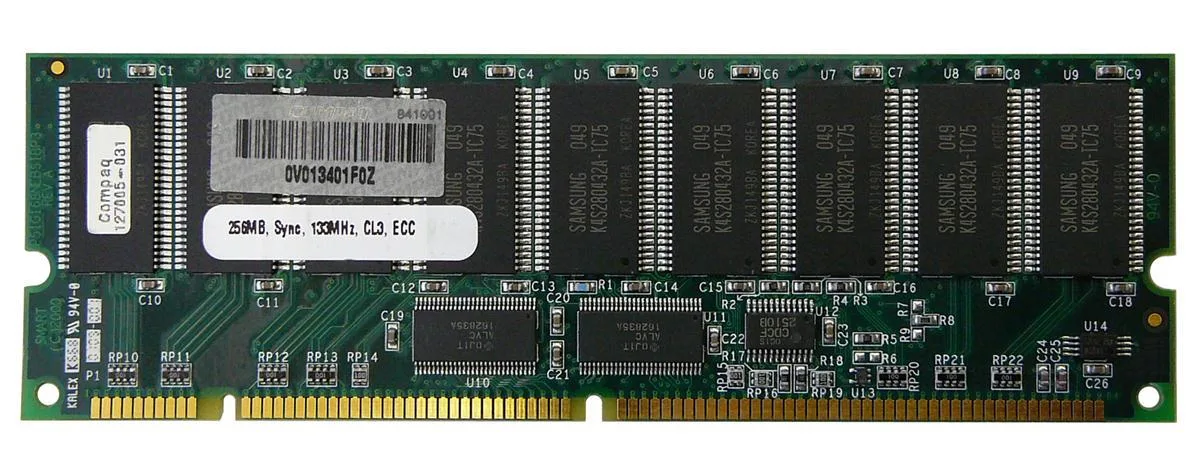
256 MB SDRAM desktop memory module with 168-pin DIMM form factor for legacy system upgrades
The HP 127005-031 is a 256MB SDRAM DIMM built for desktop systems that use 168-pin memory slots. It provides a basic capacity upgrade for older machines running legacy operating systems or applications that require this specific form factor and pin count.
As a standard SDRAM module without active cooling, it operates silently and draws only the minimal power required by the memory technology itself. No additional case airflow or power budget considerations are needed beyond what the motherboard slot supplies.
Under continuous memory workloads the module maintains its rated specification without thermal throttling because it generates negligible heat. Stability depends on the host system memory controller and the quality of the power delivery to the DIMM slots.
| Brand | HP |
|---|
Align the notch on the 168-pin edge connector with the key in the motherboard slot, press down firmly until both side clips snap shut, and verify the module sits evenly; the most common error is stopping before the clips engage fully.
No scheduled maintenance is required; keep the gold contacts clean and ensure the system cooling keeps the DIMM within normal operating temperature, replacing the module only if memory errors appear or capacity becomes insufficient.
The 256MB capacity ceiling is reached before any thermal or timing limit, causing the operating system to swap to disk once active workloads exceed the installed memory size.
Ook in deze afdeling
Dezelfde afdeling, dezelfde kassa — acht munten en een koers die 30 minuten vaststaat.
Waarmee u betaalt, en waarin u de prijzen leest.
Verzonden vanuit uw wallet bij het afrekenen
Alleen ter weergave — de catalogus is geprijsd in USD
Geen valuta gevonden.
Kies de taal waarin de site met u spreekt.
Nieuw hier?
Al een account?
Er is geen automatisch herstel: deze winkel verstuurt geen e-mail, dus er is geen eenmalige link om aan te vragen. Laat het adres op het account achter en het wordt handmatig opgepakt.
Verzoek genoteerd
Er is niets onderweg naar uw inbox — deze winkel verstuurt helemaal geen e-mail. Iemand pakt dit handmatig op.
Weet u het weer?


