

SanDisk
SanDisk Cruzer Blade 8 GB USB 2.0 USB flash drive Black SDCZ50-008G-B35
US$ 391,99
0.00499579BTC
Op voorraadWij accepteren cryptovaluta — zo kunnen de munten die u bezit echte hardware kopen.Betaal in crypto, besteed het aan echte hardware. Gratis verzekerde verzending wereldwijd vanaf $399. Neutrale dozen zonder merk, verzonden vanuit Duitsland.Gratis verzekerde verzending vanaf $399. Uw koers wordt 30 minuten vastgezet zodra het afrekenen begint.Koers 30 minuten vastgezet. Elk artikel is verzegeld, het serienummer wordt gecontroleerd, en het valt onder 24 maanden garantie.Verzegeld, 24 maanden garantie.
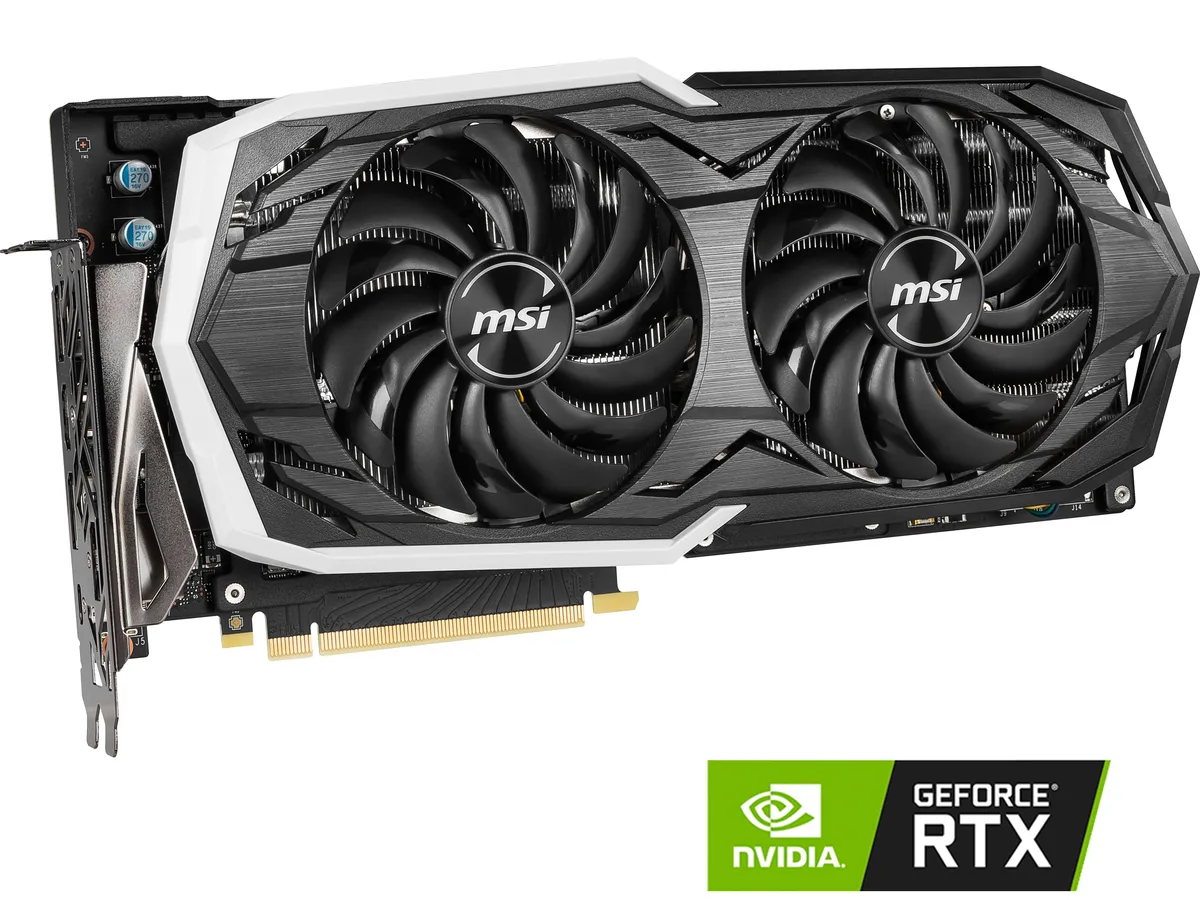


MSI
Refurbished GPU with 8GB GDDR6 memory, 256-bit bus, 2304 CUDA cores and 1740 MHz boost clock for 1440p gaming
The MSI GeForce RTX 2070 ARMOR 8G OC is a graphics card built on the NVIDIA Turing architecture for 1440p gaming. It delivers a 1740 MHz boost clock and 2304 CUDA cores through a PCI Express 3.0 x16 interface. The 8GB GDDR6 frame buffer runs at 14 Gbps across a 256-bit bus.
This card suits players who want high-refresh 1440p performance in current titles using DirectX 12 or OpenGL 4.5. It also drives up to four displays via HDMI 2.0b, three DisplayPort 1.4 outputs and a USB Type-C port. Buyers needing newer RTX features or more VRAM should consider a different tier.
The 8GB GDDR6 memory capacity is the spec that determines whether this model fits a build. It sets the texture ceiling for modern engines at 1440p and limits 4K texture packs. If a workload regularly exceeds 8GB, a card with a larger frame buffer is required.
| Brand | MSI |
|---|---|
| Model | RTX 2070 ARMOR 8G OC |
| Interface | PCI Express 3.0 x16 |
| Chipset Manufacturer | NVIDIA |
| GPU Series | NVIDIA GeForce RTX 20 Series |
| GPU | GeForce RTX 2070 |
| Core Clock | 1410 MHz |
| Boost Clock | 1740 MHz |
| CUDA Cores | 2304 |
| Effective Memory Clock | 14 Gbps |
| Memory Size | 8GB |
| Memory Interface | 256-Bit |
| Memory Type | GDDR6 |
| DirectX | DirectX 12 |
| OpenGL | OpenGL 4.5 |
| Multi-Monitor Support | 4 |
| HDMI | 1 x HDMI 2.0b |
| DisplayPort | 3 x DisplayPort 1.4 |
| Other Ports | 1 x USB Type-C |
| Max Resolution | 7680 x 4320 |
| Virtual Reality Ready | Yes |
| Cooler | Double Fans |
| Thermal Design Power | 185W |
| System Requirements | Recommended PSU: 550W |
| Recommended PSU Wattage | 550W |
| Power Connector | 1 x 8-pin, 1 x 6-pin |
| HDCP Ready | 2.2 |
| Features | Armor Thermal Design TORX Fan 2.0 with Double Ball Bearings - Dispersion fan blade: Steep curved blade accelerating the airflow - Traditional fan blade: Provides steady airflow to massive heat sink below Mastery of Aerodynamics: The heatsink is optimized for efficient heat dissipation, keeping your temperatures low and performance high Zero Frozr technology: Stopping the fan in low-load situations, keeping a noise-free environment RGB Mystic Light Customize colors and LED effects with exclusive MSI software and synchronize the look & feel with other components |
| Max GPU Length | 309 mm |
| Card Dimensions (L x H) | 12.17" x 6.10" |
| Verzendgewicht | 1.74 kg |
| Pakketafmetingen | 381 × 264 × 81 mm |
The ARMOR cooler uses a dual-slot design, so it occupies two expansion brackets and fits standard ATX cases with that clearance.
Connect both the 8-pin and 6-pin PCIe power cables from the PSU; the card will not start if either is missing.
Replacing the paste every two to three years keeps temperatures stable, especially after heavy gaming sessions.
Ook in deze afdeling
Dezelfde afdeling, dezelfde kassa — acht munten en een koers die 30 minuten vaststaat.
Waarmee u betaalt, en waarin u de prijzen leest.
Verzonden vanuit uw wallet bij het afrekenen
Alleen ter weergave — de catalogus is geprijsd in USD
Geen valuta gevonden.
Kies de taal waarin de site met u spreekt.
Geen taal gevonden.
Nieuw hier?
Al een account?
Er is geen automatisch herstel: deze winkel verstuurt geen e-mail, dus er is geen eenmalige link om aan te vragen. Laat het adres op het account achter en het wordt handmatig opgepakt.
Verzoek genoteerd
Er is niets onderweg naar uw inbox — deze winkel verstuurt helemaal geen e-mail. Iemand pakt dit handmatig op.
Weet u het weer?



