

Micron Technology, Inc.
Micron Technology, Inc. MT4JTF12864AZ-1G4D1 1GB DDR3 1333 Desktop RAM
- 1GB
- DDR3 1333 (PC3 1060…
$28.99
0.00037462BTC
In stockWe take cryptocurrency — so the coins you hold can buy real hardware.Pay in crypto, spend it on real hardware. Free insured shipping worldwide over $399. Plain, unbranded boxes, sent from Germany.Free insured shipping over $399. Your rate is locked for 30 minutes once checkout opens.Rate locked 30 minutes. Every item sealed, serial-checked and covered by a 24-month warranty.Sealed, 24-month warranty.
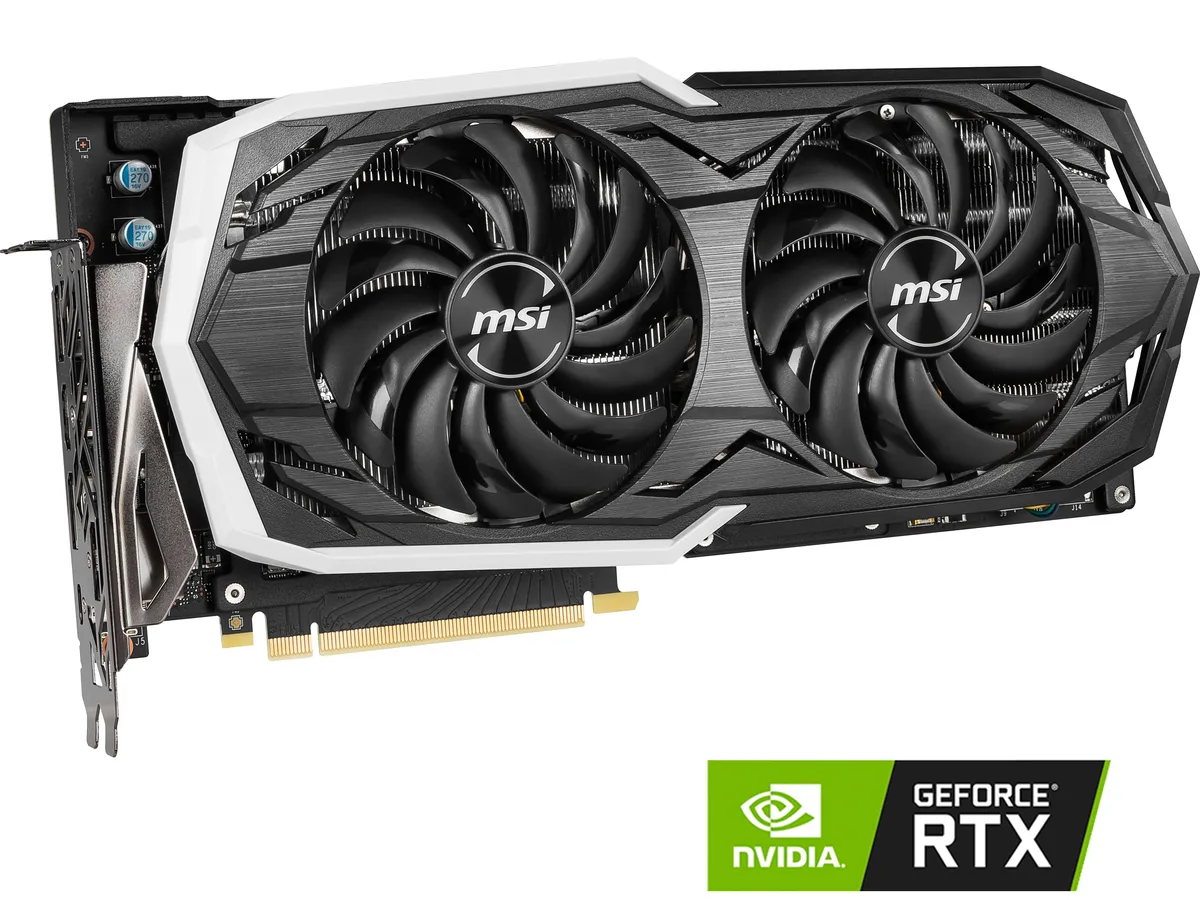


MSI
Refurbished GPU with 8GB GDDR6 memory, 256-bit bus, 2304 CUDA cores and 1740 MHz boost clock for 1440p gaming
The MSI GeForce RTX 2070 ARMOR 8G OC is a graphics card built on the NVIDIA Turing architecture for 1440p gaming. It delivers a 1740 MHz boost clock and 2304 CUDA cores through a PCI Express 3.0 x16 interface. The 8GB GDDR6 frame buffer runs at 14 Gbps across a 256-bit bus.
This card suits players who want high-refresh 1440p performance in current titles using DirectX 12 or OpenGL 4.5. It also drives up to four displays via HDMI 2.0b, three DisplayPort 1.4 outputs and a USB Type-C port. Buyers needing newer RTX features or more VRAM should consider a different tier.
The 8GB GDDR6 memory capacity is the spec that determines whether this model fits a build. It sets the texture ceiling for modern engines at 1440p and limits 4K texture packs. If a workload regularly exceeds 8GB, a card with a larger frame buffer is required.
| Brand | MSI |
|---|---|
| Model | RTX 2070 ARMOR 8G OC |
| Interface | PCI Express 3.0 x16 |
| Chipset Manufacturer | NVIDIA |
| GPU Series | NVIDIA GeForce RTX 20 Series |
| GPU | GeForce RTX 2070 |
| Core Clock | 1410 MHz |
| Boost Clock | 1740 MHz |
| CUDA Cores | 2304 |
| Effective Memory Clock | 14 Gbps |
| Memory Size | 8GB |
| Memory Interface | 256-Bit |
| Memory Type | GDDR6 |
| DirectX | DirectX 12 |
| OpenGL | OpenGL 4.5 |
| Multi-Monitor Support | 4 |
| HDMI | 1 x HDMI 2.0b |
| DisplayPort | 3 x DisplayPort 1.4 |
| Other Ports | 1 x USB Type-C |
| Max Resolution | 7680 x 4320 |
| Virtual Reality Ready | Yes |
| Cooler | Double Fans |
| Thermal Design Power | 185W |
| System Requirements | Recommended PSU: 550W |
| Recommended PSU Wattage | 550W |
| Power Connector | 1 x 8-pin, 1 x 6-pin |
| HDCP Ready | 2.2 |
| Features | Armor Thermal Design TORX Fan 2.0 with Double Ball Bearings - Dispersion fan blade: Steep curved blade accelerating the airflow - Traditional fan blade: Provides steady airflow to massive heat sink below Mastery of Aerodynamics: The heatsink is optimized for efficient heat dissipation, keeping your temperatures low and performance high Zero Frozr technology: Stopping the fan in low-load situations, keeping a noise-free environment RGB Mystic Light Customize colors and LED effects with exclusive MSI software and synchronize the look & feel with other components |
| Max GPU Length | 309 mm |
| Card Dimensions (L x H) | 12.17" x 6.10" |
| Shipping weight | 1.74 kg |
| Package size | 381 × 264 × 81 mm |
The ARMOR cooler uses a dual-slot design, so it occupies two expansion brackets and fits standard ATX cases with that clearance.
Connect both the 8-pin and 6-pin PCIe power cables from the PSU; the card will not start if either is missing.
Replacing the paste every two to three years keeps temperatures stable, especially after heavy gaming sessions.
Also in this aisle
Same shelf, same checkout — eight coins and a 30-minute rate lock.
What you pay in, and what you read prices in.
Sent from your wallet at checkout
Display only — the catalogue is priced in USD
No currency matches that.
Pick the language the site speaks to you in.
New here?
Already have one?
There is no automatic reset: this shop sends no mail, so there is no one-time link to ask for. Leave the address on the account and it gets picked up by hand.
Request noted
Nothing is on its way to your inbox — this shop sends no mail at all. Someone picks these up by hand.
Remembered it?



