

SanDisk
SanDisk Cruzer Blade 8 GB USB 2.0 USB flash drive Black SDCZ50-008G-B35
US$ 391,99
0.00497696BTC
Op voorraadWij accepteren cryptovaluta — zo kunnen de munten die u bezit echte hardware kopen.Betaal in crypto, besteed het aan echte hardware. Gratis verzekerde verzending wereldwijd vanaf $399. Neutrale dozen zonder merk, verzonden vanuit Duitsland.Gratis verzekerde verzending vanaf $399. Uw koers wordt 30 minuten vastgezet zodra het afrekenen begint.Koers 30 minuten vastgezet. Elk artikel is verzegeld, het serienummer wordt gecontroleerd, en het valt onder 24 maanden garantie.Verzegeld, 24 maanden garantie.


MSI
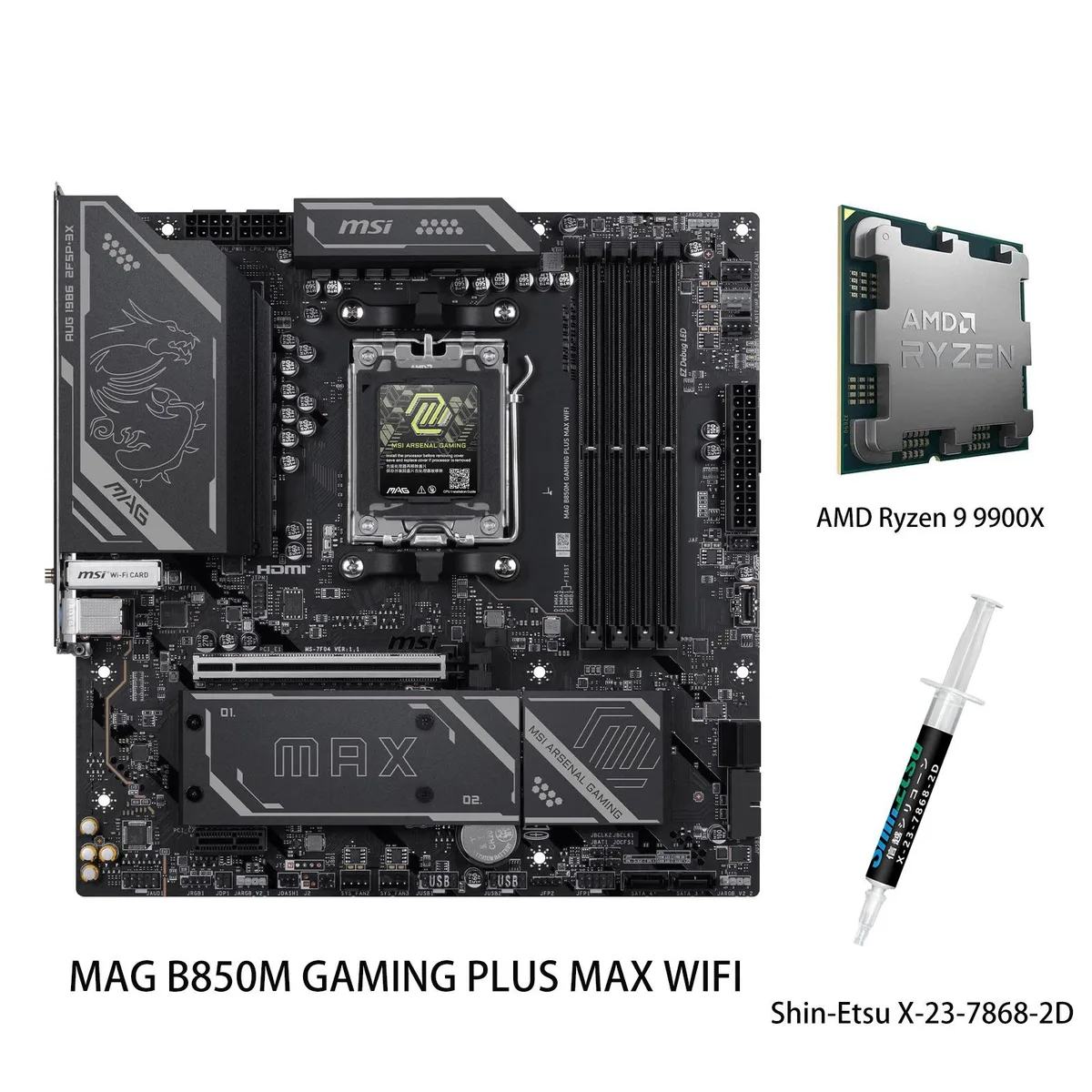
AM5 motherboard and 12-core Ryzen 9 9900X CPU combo with DDR5 memory support up to 8200 MT/s, PCIe 5.0 M.2, Wi-Fi 7 and 5G LAN
This bundle pairs the MSI MAG B850 GAMING PLUS MAX WIFI motherboard with the AMD Ryzen 9 9900X processor. The board supports DDR5 memory up to 8200+ MT/s when overclocked across four slots. It provides PCIe 5.0 x4 M.2 storage, 5G LAN, and Wi-Fi 7 connectivity. The CPU delivers 12 cores and 24 threads with a 5.6 GHz maximum boost clock.
The 12-core Zen 5 CPU suits gaming, streaming, and content creation workloads that benefit from high clock rates. Builders wanting more than 256 GB memory capacity or additional PCIe lanes for multiple add-in cards should consider a different platform. The B850 chipset provides one PCIe 4.0 x16 and one PCIe 3.0 x16 slot for expansion.
The motherboard's Memory Boost design enables DDR5 operation up to 8200+ MT/s when overclocked, which defines the platform's peak memory bandwidth. This figure determines whether the board matches your performance targets for latency-sensitive applications. The CPU's native DDR5-5600 support sets the baseline without manual tuning.
| Brand | MSI |
|---|---|
| Model | MAG B850 GAMING PLUS MAX WIFI+R9 9900X |
| CPU Socket Type | AM5 |
| Chipset | AMD B850 |
| Number of Memory Slots | 4x288pin (DDR5) |
| Maximum Memory Supported | 256GB |
| Channel Supported | Dual Channel |
| ECC Supported | Non-ECC |
| Buffer Supported | Un-buffered |
| PCI Express 4.0 x16 | 1 x PCI Express 4.0 x16 |
| PCI Express 3.0 x16 | 1 x PCI Express 3.0 x16 |
| M.2 | 3 x M.2 (Support PCIe 5.0 x4, PCIe 4.0 x4, PCIe 4.0 x2) |
| Onboard Video Chipset | Depends on installed processor |
| Audio Chipset | Realtek ALC897 |
| Audio Channels | 7.1 Channels |
| LAN Chipset | Realtek 8126 |
| Max LAN Speed | 5Gbps |
| Bluetooth | Yes |
| Back I/O Ports | 4 x USB 2.0 1 x USB 5Gbps Type-A 1 x USB 10Gbps Type-A 2 x USB 10Gbps Type-C 1 x DisplayPort |
| COM | 1 |
| DisplayPort | 1 x DisplayPort |
| Onboard USB | 4 x USB 5Gbps + 4 x USB 2.0 + 1 x USB Type-C header, with USB 5Gbps |
| Form Factor | ATX |
| LED Lighting | RGB |
| Dimensions (W x L) | 243.84mm x 304.8mm |
Yes. The board has four 288-pin DDR5 slots supporting up to 256 GB in dual channel, and the CPU is rated for DDR5-5600 with overclocking up to 8200+ MT/s.
The primary slot is wired for PCIe 4.0 x16, so a PCIe 4.0 GPU will run at its native speed; a second x16 slot is wired for PCIe 3.0 x16 if you need it.
Open Windows Settings > Network & Internet > Wi-Fi, click the connected network, and verify the link speed shows values approaching 2.9 Gbps on a 160 MHz channel.
Ook in deze afdeling
Dezelfde afdeling, dezelfde kassa — acht munten en een koers die 30 minuten vaststaat.
Waarmee u betaalt, en waarin u de prijzen leest.
Verzonden vanuit uw wallet bij het afrekenen
Alleen ter weergave — de catalogus is geprijsd in USD
Geen valuta gevonden.
Kies de taal waarin de site met u spreekt.
Geen taal gevonden.
Nieuw hier?
Al een account?
Er is geen automatisch herstel: deze winkel verstuurt geen e-mail, dus er is geen eenmalige link om aan te vragen. Laat het adres op het account achter en het wordt handmatig opgepakt.
Verzoek genoteerd
Er is niets onderweg naar uw inbox — deze winkel verstuurt helemaal geen e-mail. Iemand pakt dit handmatig op.
Weet u het weer?



