

Micron Technology, Inc.
Micron Technology, Inc. MT4JTF12864AZ-1G4D1 1GB DDR3 1333 Desktop RAM
- 1GB
- DDR3 1333 (PC3 1060…
$28.99
0.00037462BTC
In stockWe take cryptocurrency — so the coins you hold can buy real hardware.Pay in crypto, spend it on real hardware. Free insured shipping worldwide over $399. Plain, unbranded boxes, sent from Germany.Free insured shipping over $399. Your rate is locked for 30 minutes once checkout opens.Rate locked 30 minutes. Every item sealed, serial-checked and covered by a 24-month warranty.Sealed, 24-month warranty.


MSI
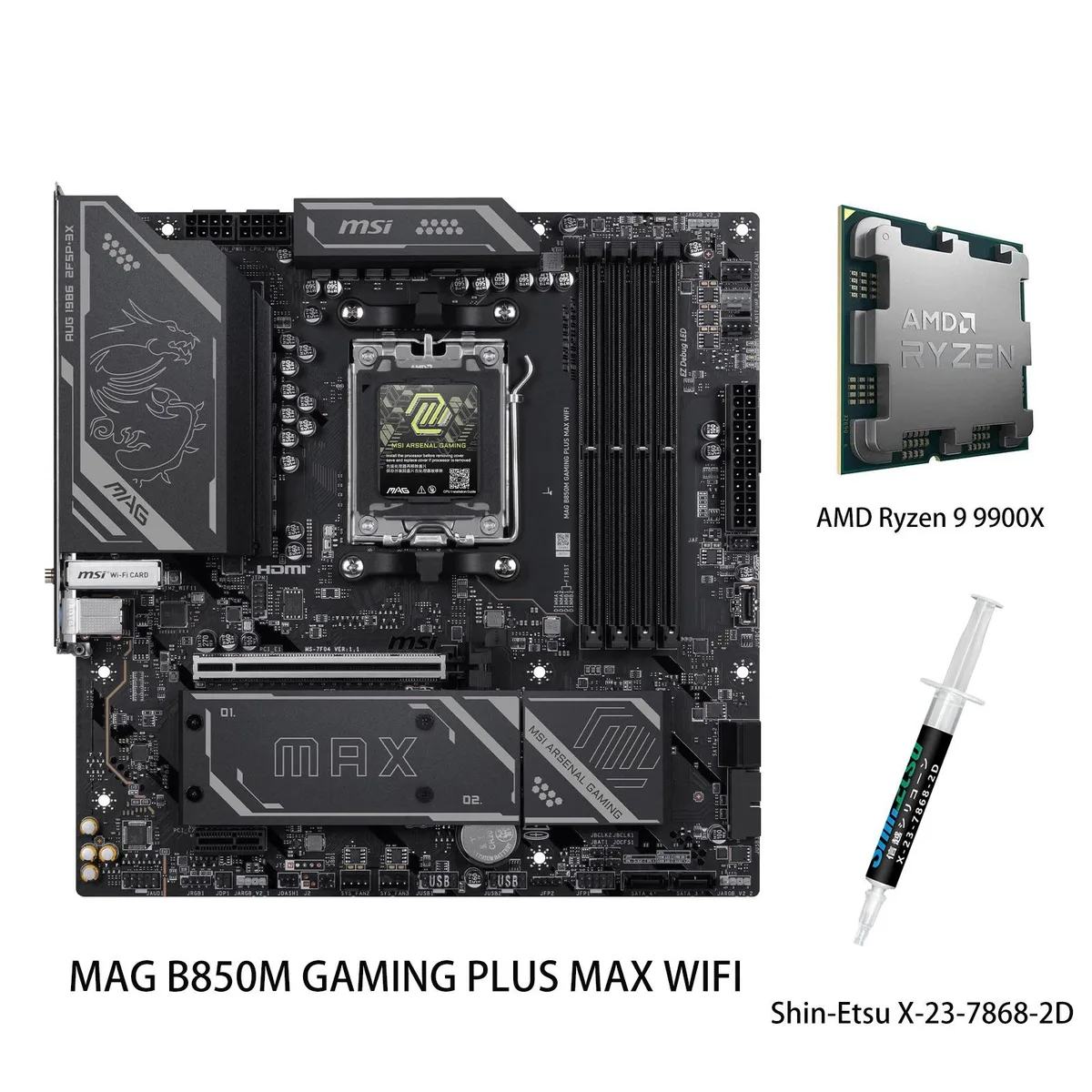
AM5 motherboard and 12-core Ryzen 9 9900X CPU combo with DDR5 memory support up to 8200 MT/s, PCIe 5.0 M.2, Wi-Fi 7 and 5G LAN
This bundle pairs the MSI MAG B850 GAMING PLUS MAX WIFI motherboard with the AMD Ryzen 9 9900X processor. The board supports DDR5 memory up to 8200+ MT/s when overclocked across four slots. It provides PCIe 5.0 x4 M.2 storage, 5G LAN, and Wi-Fi 7 connectivity. The CPU delivers 12 cores and 24 threads with a 5.6 GHz maximum boost clock.
The 12-core Zen 5 CPU suits gaming, streaming, and content creation workloads that benefit from high clock rates. Builders wanting more than 256 GB memory capacity or additional PCIe lanes for multiple add-in cards should consider a different platform. The B850 chipset provides one PCIe 4.0 x16 and one PCIe 3.0 x16 slot for expansion.
The motherboard's Memory Boost design enables DDR5 operation up to 8200+ MT/s when overclocked, which defines the platform's peak memory bandwidth. This figure determines whether the board matches your performance targets for latency-sensitive applications. The CPU's native DDR5-5600 support sets the baseline without manual tuning.
| Brand | MSI |
|---|---|
| Model | MAG B850 GAMING PLUS MAX WIFI+R9 9900X |
| CPU Socket Type | AM5 |
| Chipset | AMD B850 |
| Number of Memory Slots | 4x288pin (DDR5) |
| Maximum Memory Supported | 256GB |
| Channel Supported | Dual Channel |
| ECC Supported | Non-ECC |
| Buffer Supported | Un-buffered |
| PCI Express 4.0 x16 | 1 x PCI Express 4.0 x16 |
| PCI Express 3.0 x16 | 1 x PCI Express 3.0 x16 |
| M.2 | 3 x M.2 (Support PCIe 5.0 x4, PCIe 4.0 x4, PCIe 4.0 x2) |
| Onboard Video Chipset | Depends on installed processor |
| Audio Chipset | Realtek ALC897 |
| Audio Channels | 7.1 Channels |
| LAN Chipset | Realtek 8126 |
| Max LAN Speed | 5Gbps |
| Bluetooth | Yes |
| Back I/O Ports | 4 x USB 2.0 1 x USB 5Gbps Type-A 1 x USB 10Gbps Type-A 2 x USB 10Gbps Type-C 1 x DisplayPort |
| COM | 1 |
| DisplayPort | 1 x DisplayPort |
| Onboard USB | 4 x USB 5Gbps + 4 x USB 2.0 + 1 x USB Type-C header, with USB 5Gbps |
| Form Factor | ATX |
| LED Lighting | RGB |
| Dimensions (W x L) | 243.84mm x 304.8mm |
Yes. The board has four 288-pin DDR5 slots supporting up to 256 GB in dual channel, and the CPU is rated for DDR5-5600 with overclocking up to 8200+ MT/s.
The primary slot is wired for PCIe 4.0 x16, so a PCIe 4.0 GPU will run at its native speed; a second x16 slot is wired for PCIe 3.0 x16 if you need it.
Open Windows Settings > Network & Internet > Wi-Fi, click the connected network, and verify the link speed shows values approaching 2.9 Gbps on a 160 MHz channel.
Also in this aisle
Same shelf, same checkout — eight coins and a 30-minute rate lock.
What you pay in, and what you read prices in.
Sent from your wallet at checkout
Display only — the catalogue is priced in USD
No currency matches that.
Pick the language the site speaks to you in.
New here?
Already have one?
There is no automatic reset: this shop sends no mail, so there is no one-time link to ask for. Leave the address on the account and it gets picked up by hand.
Request noted
Nothing is on its way to your inbox — this shop sends no mail at all. Someone picks these up by hand.
Remembered it?



