


Corn Electronics
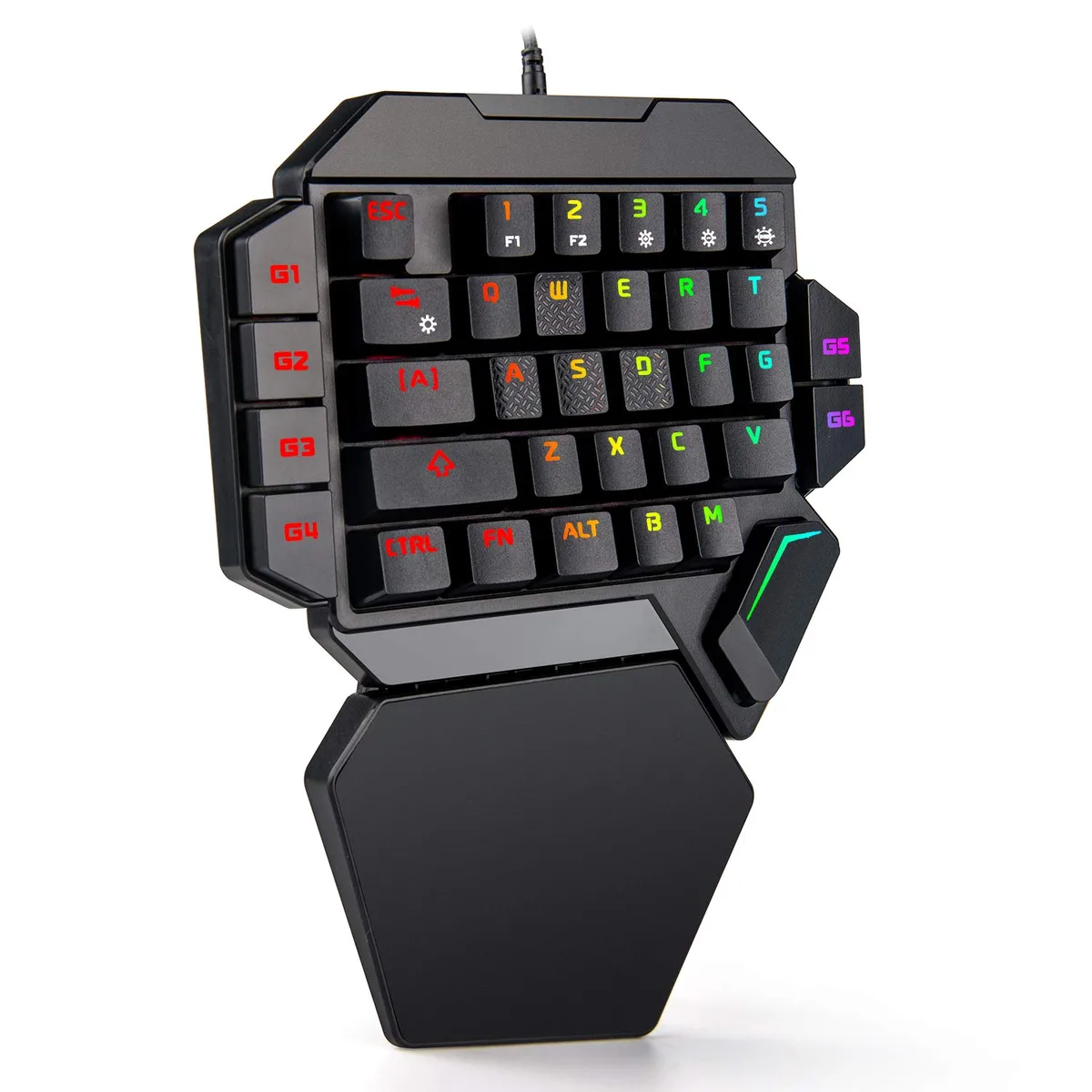
Corn Electronics 35-Key One-Handed Mechanical Gaming Keyboard Blue Switches RGB Macro Keys
A compact 35-key mechanical keypad with blue switches, six macro keys and RGB backlighting for one-handed gaming control
- 35-key portable layout saves desk space and travels easily
- Blue mechanical switches give audible click feedback for precise actuation
- Six dedicated macro keys record complex commands without software
- Nine RGB colours and five lighting modes customise the look
- Driver-free operation works instantly on PC, Mac, PS4 and Xbox One
One-Handed Gaming Keypad
The Corn Electronics 35-key keypad is built for gamers who want a compact mechanical controller for PC, Mac, PS4 or Xbox One. Blue switches deliver an audible click and tactile feedback with medium resistance. A large integrated wrist rest supports comfort during long sessions. Six dedicated macro keys let you record complex command sequences on the fly.
Upgrade from Standard Keyboards
This keypad replaces a full-size keyboard when desk space is tight or when a portable setup is needed for LAN events. The 35-key layout removes unused keys while keeping essential movement and action clusters. The jump is worth it if you play with one hand and need faster access to macros without stretching across a full board.
Sustained Session Behaviour
Reinforced blue switch joints keep key stability consistent over extended play. The wrist rest reduces fatigue so performance does not drop off after the first hour. Nine RGB colours and five lighting modes remain configurable without driver software. Macro recordings stay stored on the device, so they survive system restarts or platform changes.
Najważniejsze cechy
- 35-key portable layout saves desk space and travels easily
- Blue mechanical switches give audible click feedback for precise actuation
- Six dedicated macro keys record complex commands without software
- Nine RGB colours and five lighting modes customise the look
- Driver-free operation works instantly on PC, Mac, PS4 and Xbox One
Specyfikacja
Na razie brak opublikowanej specyfikacji tego produktu.
Pytania dotyczące tego produktu
What type of USB connector does the 35-key keypad use?
The keypad connects via a standard USB Type-A plug; no adapter or hub is required for PC, Mac, PS4 or Xbox One.
How do I record a macro on the G1–G6 keys?
Press FN + the desired G key to start recording, type the sequence, then press FN + the same G key again to save; press FN + G key once more to erase and revert to F-key function.
Will the blue mechanical switches need lubrication or replacement over time?
The reinforced blue switches are rated for tens of millions of actuations and require no lubrication; only occasional dust removal with compressed air is recommended.
Także w tym dziale
Klienci porównywali też te produkty
Ten sam dział, ta sama kasa — osiem kryptowalut i 30-minutowa blokada kursu.



Cherry
Cherry MX 3.1 Mechanical Wired Gaming Keyboard White MX2A Silent Red
- Red Switch
- White
116,99 USD
0.00145737BTC
Dostępny