HP
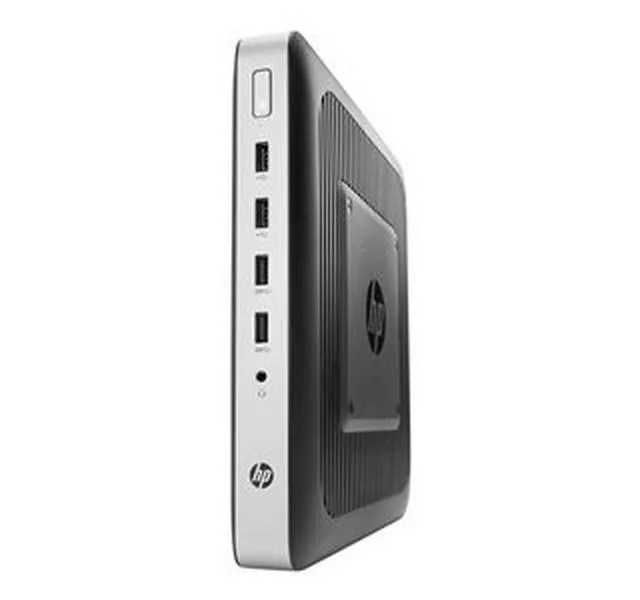
HP 4RU50UT t730 AMD RX-427BB 2.70 GHz 4 GB DDR3L 16 GB AI edge system
Thin client with AMD RX-427BB quad-core processor at 2.70 GHz, 4 GB DDR3L memory, 16 GB flash storage, and Radeon HD 9000 graphics
- AMD RX-427BB quad-core at 2.70 GHz powers edge workloads
- 4 GB DDR3L memory supports responsive thin-client operation
- 16 GB flash storage holds OS and local data
- Radeon HD 9000 graphics drives multiple display outputs
- 85 W power supply keeps energy draw low
HP t730 thin client for edge AI
The HP t730 thin client is built for edge AI deployments that need a compact, fanless form factor. An AMD R-Series RX-427BB quad-core processor running at 2.70 GHz handles inference workloads locally. Four gigabytes of DDR3L memory and 16 GB of flash storage provide the baseline platform for lightweight models.
Upgrade from older thin clients
This unit replaces legacy thin clients that lack the graphics headroom for modern edge analytics. The integrated Radeon HD 9000 controller supports hardware-accelerated video decode and basic compute tasks. The jump is worthwhile when workloads move beyond simple terminal sessions to local AI inference.
Sustained load behaviour
An 85 W maximum power envelope keeps thermal output predictable during continuous operation. The quad-core CPU maintains its 2.70 GHz clock under load without active cooling. DDR3L memory bandwidth and the Radeon HD 9000 graphics engine deliver steady throughput for long-running edge inference jobs.
Najważniejsze cechy
- AMD RX-427BB quad-core at 2.70 GHz powers edge workloads
- 4 GB DDR3L memory supports responsive thin-client operation
- 16 GB flash storage holds OS and local data
- Radeon HD 9000 graphics drives multiple display outputs
- 85 W power supply keeps energy draw low
Specyfikacja
Na razie brak opublikowanej specyfikacji tego produktu.
Pytania dotyczące tego produktu
What are the physical dimensions and mounting options for the HP t730 thin client?
The HP t730 is a compact thin client designed for space-constrained deployments. It supports VESA mounting behind displays and can be positioned horizontally or vertically with an optional stand. Its fanless design allows silent operation in dust-sensitive environments.
How do I set up the HP t730 for the first time, and what is a common configuration oversight?
Connect power, display via DisplayPort, and peripherals to the nine USB ports. A frequent oversight is neglecting to configure the write filter in HP ThinPro OS, which protects the 16 GB flash storage from excessive writes and ensures system stability.
What maintenance does the HP t730 require over its lifespan?
The fanless, solid-state design eliminates moving-part failures. Maintenance involves periodic dust removal from vents, keeping HP ThinPro OS updated for security, and monitoring the 16 GB flash storage health. The 85 W power supply is internal and not user-serviceable.
Także w tym dziale
Klienci porównywali też te produkty
Ten sam dział, ta sama kasa — osiem kryptowalut i 30-minutowa blokada kursu.


LG Electronics
LG Electronics CQ600N-6N AI edge system, 4GB DDR, 16GB eMMC
272,99 USD314,99 USD−13%
0.00340476BTC
Dostępny