


HP
HP EliteBook Folio 1040 G2 14.1" Core i7 5600U 2.60GHz 8GB 500GB SSD Windows 11 Pro
14.1-inch business laptop with Core i7 5600U at 2.60GHz, 8GB memory, new 500GB PNY SSD, Windows 11 Pro, and docking station included
- Screen Size14.1"
- TypeEveryday Value
- 1" display for portable productivity
- Core i7 5600U at 2.60 GHz handles demanding tasks
- 8 GB memory keeps everyday workloads responsive
- Fresh Windows 11 Pro install ready to use
- 500 GB PNY SSD provides fast solid-state storage
HP EliteBook Folio 1040 G2 14.1" laptop
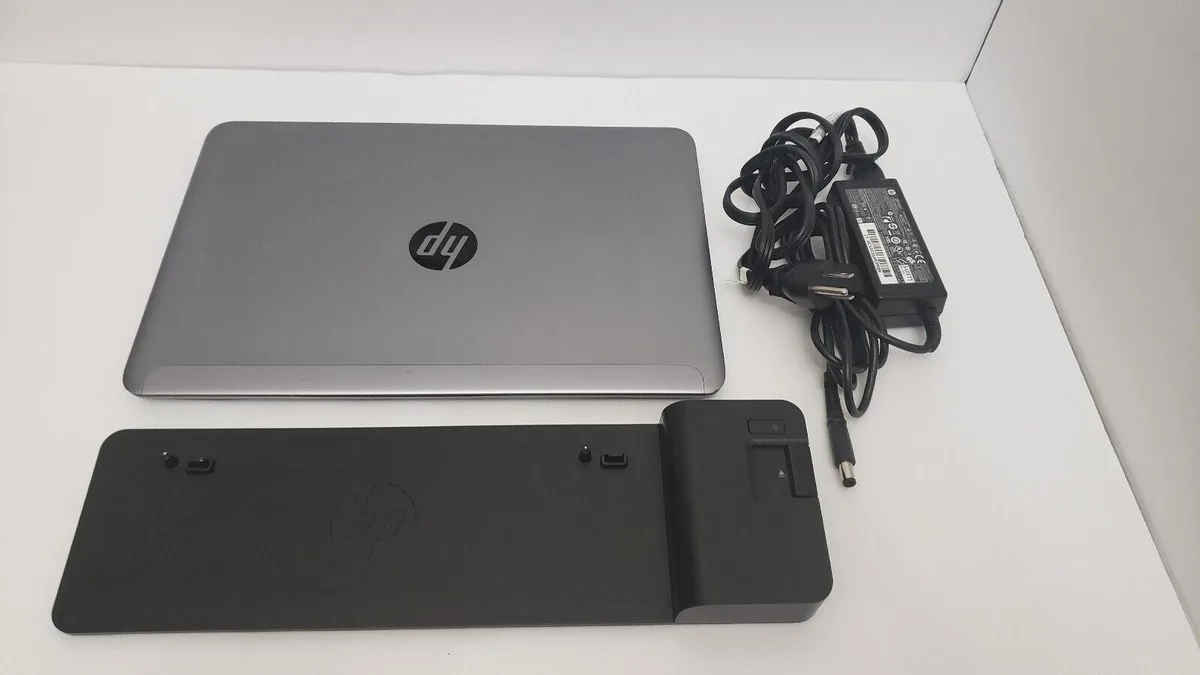
This HP EliteBook Folio 1040 G2 is a 14.1 inch laptop powered by an Intel Core i7 5600U processor running at 2.60GHz. It comes with 8GB of memory and a new 500GB PNY SSD. Windows 11 Pro is installed fresh. A docking station is included while the AC adapter is not.
Upgrade from older dual-core ultrabooks
The i7 5600U provides two cores and four threads for a noticeable step up from earlier dual-core ultrabooks. The new 500GB SSD replaces a mechanical drive or smaller solid-state unit for faster boot and load times. The jump is worth it when you need a thin chassis with a fresh Windows 11 Pro installation and a dock for desk connectivity.
Suits mobile professionals needing a docked workflow
This unit suits professionals who work primarily at a desk with the included docking station and value a lightweight 14.1 inch form factor for occasional travel. Buyers who need guaranteed battery runtime for unplugged use should look elsewhere because the battery is not fully tested and charge length is not guaranteed. Users requiring an AC adapter in the box must source one separately.
Najważniejsze cechy
- 1" display for portable productivity
- Core i7 5600U at 2.60 GHz handles demanding tasks
- 8 GB memory keeps everyday workloads responsive
- Fresh Windows 11 Pro install ready to use
- 500 GB PNY SSD provides fast solid-state storage
Specyfikacja
| Screen Size | 14.1" |
|---|---|
| Type | Everyday Value |
Pytania dotyczące tego produktu
What power connection does the included docking station provide for the EliteBook Folio 1040 G2?
The docking station supplies power to the laptop through its proprietary connector, so a separate AC adapter is not required while docked.
How do I attach the EliteBook Folio 1040 G2 to the supplied docking station?
Align the laptop's bottom docking connector with the station's port and press down firmly until it clicks; the step often missed is not pressing hard enough to fully seat the connector.
What should I do if the battery no longer holds a charge after using the dock?
Replace the internal battery with a compatible HP unit; the existing battery was not fully tested and its runtime is not guaranteed.
Także w tym dziale
Klienci porównywali też te produkty
Ten sam dział, ta sama kasa — osiem kryptowalut i 30-minutowa blokada kursu.


Microsoft
Microsoft Surface 3 1657 128GB CRB 2-in-1 laptop
- Silver
- Windows 10 Pro
244,99 USD
0.00316836BTC
Dostępny
Microsoft
Microsoft Surface Pro FGG-2D-00001-RFB 2-in-1 laptop 16 GB 512 GB 12.0" touchscreen 2736 x 1824 refurbished
- 12.0"
- Touch Screen
687,99 USD
0.0088975BTC
Dostępny
Lenovo
Lenovo Chromebook 500e Gen 5 M89 83TA0004US 12.2" MediaTek 8GB 64GB
- 12.2"
392,99 USD420,99 USD−7%
0.00508238BTC
Dostępny