


KTC
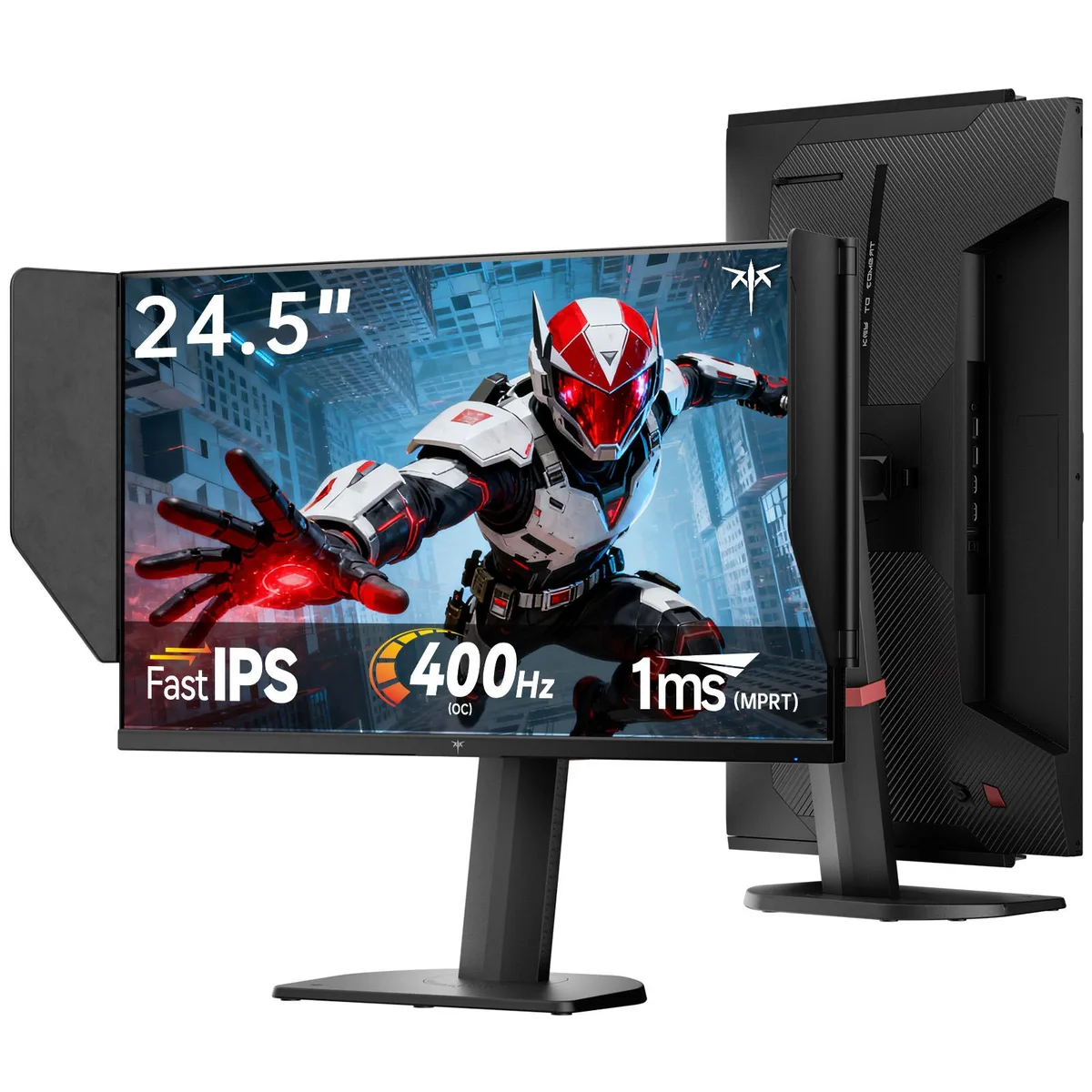
KTC 25M2 Pro 400Hz 24.5" Fast IPS gaming monitor with shielding hood
A 24.5-inch Fast IPS FHD panel overclockable to 400 Hz with 1 ms MPRT, 126% sRGB, HDR10 and a light-absorbing hood, plus full ergonomic adjustment
- Screen Size24.5"
- PanelFast IPS
- Resolution1920 x 1080
- Aspect Ratio16:9
- Response Time1 ms
- Refresh Rate400Hz
- Ultra-smooth competitive gameplay from a 400Hz overclockable refresh rate and 1ms MPRT response time
- Vivid, lifelike in-game colours backed by 126% sRGB gamut and HDR10 support
- Distraction-free immersion via the flocked shielding hood that absorbs ambient light and bezel reflections
- Flexible connectivity with 2×DP 1.4 for up to 400Hz and 2×HDMI 2.0 for 240Hz
- All-day comfort from a fully ergonomic stand offering 150mm height, ±60° swivel and -5°~90° pivot
Competitive 24.5-inch Fast IPS panel
The KTC 25M2 Pro is a 24.5-inch Fast IPS gaming monitor built for competitive players who prioritise motion clarity. Its 1920 x 1080 resolution and 16:9 aspect ratio keep frame rates high on mid-range graphics cards. A native 360Hz refresh rate can be overclocked to 400Hz, paired with a 1ms MPRT response time and Adaptive-Sync to minimise ghosting and input lag during fast-paced matches.
Shielding hood and versatile I/O
A matching flocked shielding hood absorbs ambient light to remove bezel reflections and adds minor sound absorption for deeper immersion. Connectivity includes two HDMI 2.0 ports limited to 240Hz, two DP 1.4 ports supporting 360Hz up to 400Hz, and a USB 2.0 interface. An external controller enables rapid switching between gaming presets, while the fully ergonomic stand offers 150mm height adjustment, -5 to 35 degree tilt, 60 degree swivel and -5 to 90 degree pivot for any desk layout.
Sustained colour and comfort performance
The panel delivers 400 cd/m² brightness with a 126% sRGB gamut and HDR10 support for vivid, lifelike colours during extended sessions. Low blue light and flicker-free technologies reduce eye strain over long hours of gaming or work. The Fast IPS technology maintains consistent response times and colour accuracy without the degradation sometimes seen in panels pushed only for peak burst speeds.
Najważniejsze cechy
- Ultra-smooth competitive gameplay from a 400Hz overclockable refresh rate and 1ms MPRT response time
- Vivid, lifelike in-game colours backed by 126% sRGB gamut and HDR10 support
- Distraction-free immersion via the flocked shielding hood that absorbs ambient light and bezel reflections
- Flexible connectivity with 2×DP 1.4 for up to 400Hz and 2×HDMI 2.0 for 240Hz
- All-day comfort from a fully ergonomic stand offering 150mm height, ±60° swivel and -5°~90° pivot
Specyfikacja
| Brand | KTC |
|---|---|
| Model | 25M2 PRO |
| Screen Size | 24.5" |
| Panel | Fast IPS |
| Resolution | 1920 x 1080 |
| Aspect Ratio | 16:9 |
| Response Time | 1 ms |
| Refresh Rate | 400Hz |
Pytania dotyczące tego produktu
How far can the 400Hz refresh rate be pushed before the panel hits its native limit?
The panel runs natively at 360Hz and can be overclocked to 400Hz via the two DisplayPort 1.4 inputs; HDMI 2.0 ports are limited to 240Hz.
What happens to fan noise and surface temperature when the monitor runs at 400Hz for a full day?
No fan is present, so the monitor stays silent; the Fast IPS panel and 400 cd/m² backlight run cool enough that surface temperature remains low during extended sessions.
Which cable and port combination must I already own to actually reach 400Hz?
A DisplayPort 1.4 cable connected to one of the two DP 1.4 ports is required; HDMI 2.0 caps at 240Hz and the USB 2.0 port carries no video signal.
Także w tym dziale
Klienci porównywali też te produkty
Ten sam dział, ta sama kasa — osiem kryptowalut i 30-minutowa blokada kursu.




