

Microsoft
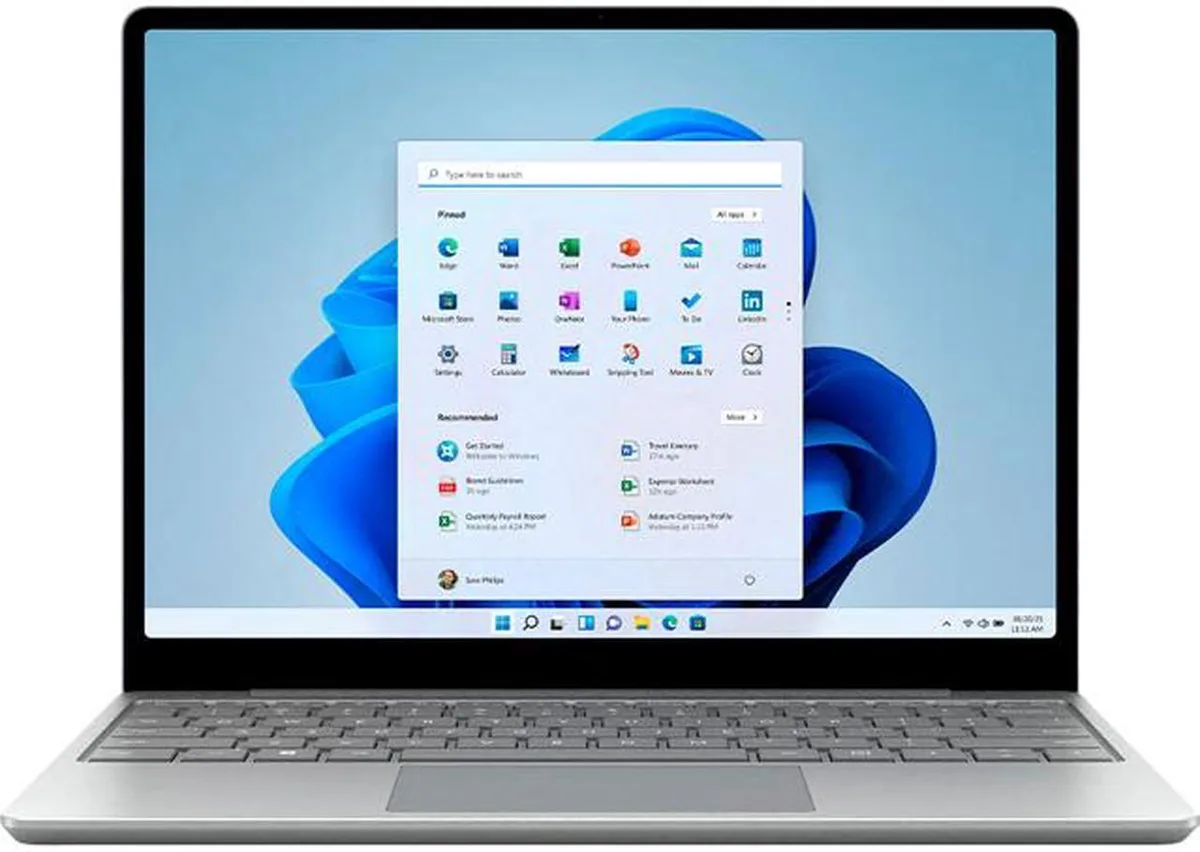
Microsoft Surface Laptop Go 2 8QD-00023 i5-1135G7 16 GB 256 GB laptop
- Platinum
- Security: Discrete…
405,99 USD
0.00517937BTC
DostępnyAkceptujemy kryptowaluty — posiadane środki można więc wykorzystać na zakup prawdziwego sprzętu.Płatność kryptowalutą — realny sprzęt w zamian. Bezpłatna, ubezpieczona dostawa na całym świecie powyżej 399 $. Neutralne kartony, bez oznaczeń, wysyłane z Niemiec.Bezpłatna, ubezpieczona dostawa powyżej 399 $. Kurs zostaje zablokowany na 30 minut od otwarcia kasy.Kurs zablokowany na 30 minut. Każdy produkt jest fabrycznie zapieczętowany, jego numer seryjny jest sprawdzany, a całość objęta jest 24-miesięczną gwarancją.Zapieczętowane fabrycznie, 24 miesiące gwarancji.


Microsoft
A 12.4" touchscreen laptop with a quad-core i5-1135G7, 16 GB LPDDR4X and a 256 GB SSD running Windows 11 Pro
Options 16GB/1TB W11P
The Microsoft Surface Laptop Go 2 model 8QD-00023 is a lightweight notebook built around a 12.4-inch PixelSense display with 10-point multi-touch. It suits students and mobile professionals who want a portable Windows 11 Pro device for everyday productivity and web browsing. The aluminium top cover and composite base keep the chassis rigid while staying light enough for daily carry.
Sixteen gigabytes of onboard LPDDR4X memory gives comfortable headroom for multitasking with dozens of browser tabs and office apps. The 256 GB SSD provides fast boot and application launch, though users working with large media libraries or virtual machines will eventually need external storage. Memory is soldered with zero expansion slots, so the 16 GB ceiling is fixed for the life of the device.
Intel Iris Xe graphics share system memory and handle 4K video playback, light photo editing and casual gaming at modest settings. The GPU runs out of steam on sustained 3D workloads, modern AAA titles or GPU-accelerated render pipelines that demand dedicated video memory. Buyers needing discrete graphics performance should look elsewhere.
| Brand | Microsoft |
|---|---|
| Series | Surface Laptop Go 2 |
| Model | 8QD-00023 |
| Color | Platinum |
| Other Features | Security: Discrete hardware TPM 2.0 Enterprise-grade protection with Windows Hello sign-in One Touch sign in with Fingerprint Power Button Sensors: Ambient light sensor Exterior: Top: Aluminum Base: Aluminum and Polycarbonate composite resin system with glass fiber and 30% post-consumer recycled content |
| Package Content | Surface Laptop Go 2 39W Power Supply Quick Start Guide Safety and warranty documents |
| Operating System | Windows 11 Pro 64-bit |
| CPU Type | Intel Core i5 11th Gen |
| Processor Name | Intel Core i5-1135G7 |
| Core Name | Tiger Lake |
| Number of Cores | Quad-core Processor |
| CPU L3 Cache | 8 MB |
| Screen Size | 12.4" |
| Touchscreen | 10 point multi-touch |
| Resolution | 1536 x 1024 |
| Display Features | 148 PPI 3:2 Aspect ratio 330 nits Maximum brightness |
| GPU/VPU | Intel Iris Xe Graphics |
| Video Memory | Shared system memory |
| Graphic Type | Integrated Card |
| SSD | 128GB |
| HDD | No |
| Memory | 16 GB onboard |
| Memory Spec | 16 GB onboard |
| Memory Slot (Total) | 0 |
| Memory Slot (Available) | 0 |
| Optical Drive Type | No |
| WLAN | 802.11ax Wireless LAN |
| WiFi Generation | Wi-Fi 6 |
| Bluetooth | Bluetooth 5.1 |
| USB | 1 x USB-C 1 x USB-A |
| Other port | 1 x Surface Connect port |
| Audio Ports | 3.5 mm headphone jack |
| Audio | Dual far-field Studio Mics |
| Speaker | Omnisonic Speakers with Dolby Audio Premium |
| Keyboard | Activation: Moving keys Layout: QWERTY, full row of function keys (F1 - F12) Windows key and dedicated buttons for media controls, screen brightness |
| Webcam | 720p HD f2.0 camera (front-facing) |
| Style | Thin and Light |
| Type | Everyday Value |
| Usage | Business |
| Battery | Battery Capacity Nominal (WH): 41.0 Battery Capacity Min (WH): 40.0 |
| Battery Life | Up to 13.5 hours of typical device usage |
| Dimensions (W x D x H) | 10.95" x 8.12" x 0.62" |
| Weight | 2.48 lbs. |
Inne wersje tego modelu
Ta sama rodzina, inna pamięć, inne chłodzenie lub taktowanie — proszę porównać przed decyzją.
The included 39 W power supply connects via the proprietary Surface Connect port, not USB-C, so it will not plug into a standard USB-C dock.
Open Settings > Bluetooth & devices > Touch to verify ten simultaneous touch points, then go to Accounts > Sign-in options to ensure Windows Hello fingerprint is listed and enrolled.
The package includes the laptop, 39 W power supply, quick start guide and safety documents; a Surface Pen is not included and must be purchased separately.
Także w tym dziale
Ten sam dział, ta sama kasa — osiem kryptowalut i 30-minutowa blokada kursu.
Waluta płatności i waluta wyświetlania cen.
Wysyłane z portfela przy kasie
Tylko podgląd — katalog wyceniony jest w dolarach
Brak pasującej waluty.
Wybierz język, w którym wyświetla się strona.
Brak pasującego języka.
Pierwsza wizyta?
Konto już założone?
Nie ma automatycznego resetowania hasła: ten sklep nie wysyła żadnych e-maili, więc nie ma jednorazowego linku, o który można by poprosić. Adres pozostawiony przy koncie zostanie obsłużony ręcznie.
Zgłoszenie zapisane
Do skrzynki odbiorczej nic nie trafi — ten sklep nie wysyła żadnych e-maili. Zgłoszenia są obsługiwane ręcznie.
Hasło się przypomniało?


