

Thermalright
Thermalright MC-2 ARGB Memory Cooler White 3200 RPM
- Fan & Heatsinks
- DDR/DDR2/DDR3/DDR4/…
22,99 USD
0.00028887BTC
În stocAcceptăm criptomonede — astfel, criptomonedele pe care le dețineți pot cumpăra echipamente reale.Plătiți în cripto, cheltuiți-o pe echipamente reale. Livrare asigurată gratuită oriunde în lume peste 399 $. Cartoane neutre, fără marcă, expediate din Germania.Livrare asigurată gratuită peste 399 $. Cursul dumneavoastră este blocat timp de 30 de minute de la deschiderea paginii de plată.Curs blocat 30 de minute. Fiecare articol este sigilat, numărul de serie este verificat, iar produsul este acoperit de o garanție de 24 de luni.Sigilat, garantat 24 de luni.


ASUS
A 120 mm magnetic-levitation case fan delivering 62.5 CFM at 22.5 dBA with a 400,000-hour lifespan
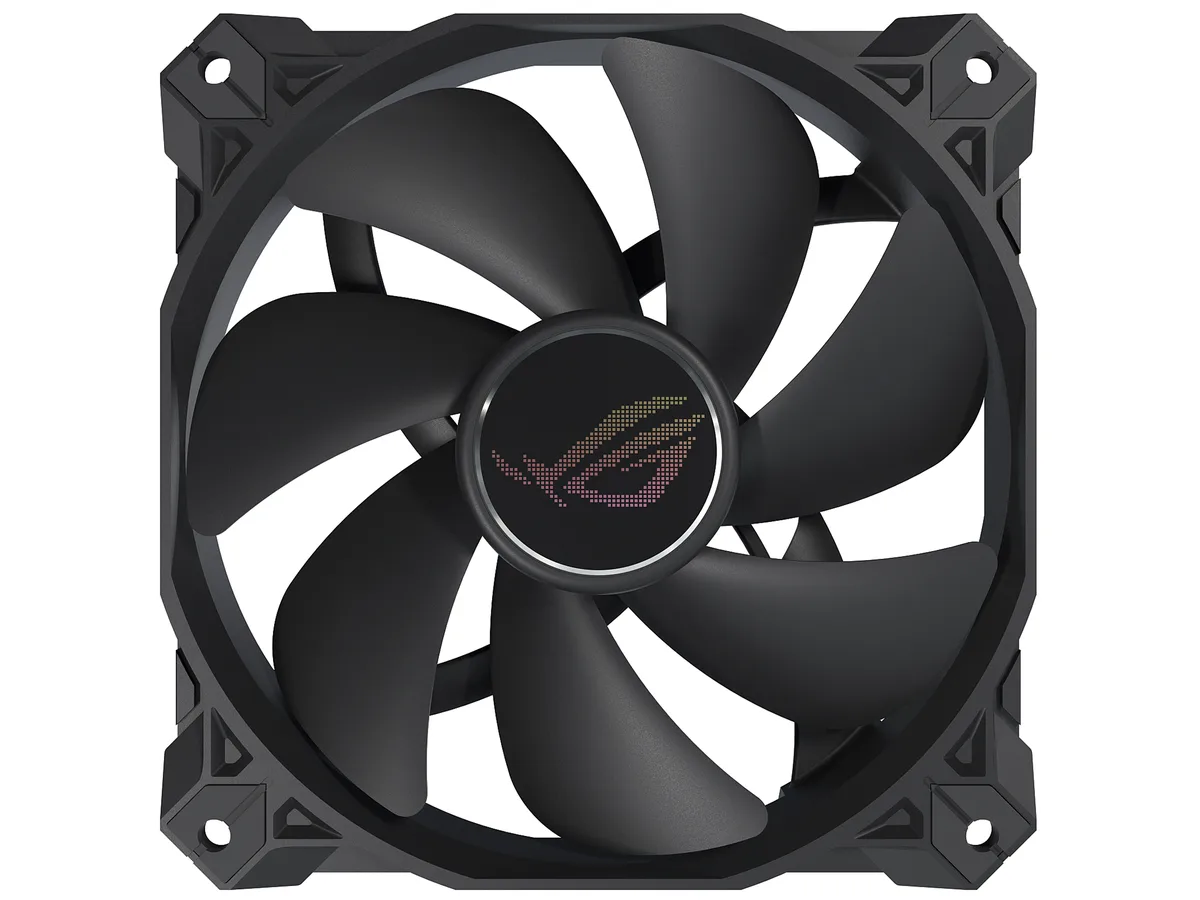
The ASUS ROG Strix XF120 is a 120 mm case fan built around a magnetic-levitation bearing rated for 400000 hours of operation. It spins between 250 and 1800 RPM and delivers 62.5 CFM at a quoted 22.5 dBA. The 4-pin PWM connector allows motherboard speed control without a separate fan controller. It suits builders who want one versatile fan for chassis intake, exhaust, radiator or CPU cooler duty.
Magnetic-levitation stabilises the rotor to cut friction and noise, while a minimised blade hub widens the airflow channel. Grooved fan blades and a direct-flow frame reduce turbulence, improving both airflow throughput and static pressure. Anti-vibration pads on the corners dampen vibration transfer to the case, helping the fan stay quiet at higher speeds.
Verify your case or radiator has 120 mm mounting holes with 25 mm clearance for the fan thickness. Ensure the motherboard or fan hub provides a 4-pin PWM header; the fan will not run from a 3-pin voltage-controlled header without losing speed control. The non-LED black finish suits stealth builds but adds no lighting if you need RGB synchronization.
| Brand | ASUS |
|---|---|
| Model | 90DA0010-B08000 |
| Fan Counts | 1 Fan |
| Fan Controller | No Controller |
| Type | Case Fan |
| Fan Size | 120mm |
| Fan Thickness | 25mm |
| Bearing Type | Magnetic-levitation |
| RPM | 1800 RPM (+/- 10%) |
| Air Flow | 62.5 CFM |
| Noise Level | 22.5 dBA |
| Color | Black |
| LED | Non-LED |
| Features | Optimal blend of airflow and static pressure: Enables use as a PC case, radiator or CPU cooler fan. MagLev bearing: Stabilizes rotor for reduced friction and noise, and offers 400,000-hour life span. Minimized acoustic profile: Whisper-quiet, 22.5 dB(A) cooling performance and tuned to deliver a smooth and stable sound frequency. Aerodynamic fan blade and frame design: Minimizes turbulence and maximizes airflow. Extensive operating range: 250 - 1800 rpm range for more flexibility and to create a quiet fan curve (fan spins down at 0% PWM utilization). Anti-vibration pads and mounts: R |
| Dimensions | 120.00 x 120.00 x 25.00 mm |
| Greutate la expediere | 0.27 kg |
| Dimensiunile coletului | 229 × 147 × 31 mm |
The 4-pin PWM connector allows speed control from 250 to 1800 RPM, and the fan can spin down completely at 0% PWM duty cycle.
It requires a standard 120mm mounting grid with at least 25mm depth; the anti-vibration pads add minimal extra height.
Push the rubber mounts through the fan holes first, then insert the supplied screws through the case and into the mounts — do not overtighten.
Tot din acest raion
Același raion, aceeași finalizare a comenzii — opt monede și un curs blocat 30 de minute.
În ce monedă plătiți și în ce monedă citiți prețurile.
Trimis din portofelul dumneavoastră la finalizarea comenzii
Doar pentru afișare — catalogul este exprimat în dolari
Nicio monedă nu corespunde.
Alegeți limba în care vă vorbește site-ul.
Prima vizită?
Aveți deja un cont?
Nu există o resetare automată: acest magazin nu trimite niciun e-mail, deci nu există niciun link de unică folosință de solicitat. Lăsați adresa în cont. Va fi tratată manual.
Cerere înregistrată
Nu veți primi nimic în căsuța de e-mail — acest magazin nu trimite niciun e-mail. Cineva se ocupă de asta manual.
V-ați amintit-o?


