

Thermalright
Thermalright MC-2 ARGB Memory Cooler White 3200 RPM
- Fan & Heatsinks
- DDR/DDR2/DDR3/DDR4/…
22,99 $
0.00028694BTC
Auf LagerWir akzeptieren Kryptowährungen — so können die Coins, die Sie besitzen, echte Hardware kaufen.Zahlen Sie mit Krypto, geben Sie sie für echte Hardware aus. Weltweit kostenloser versicherter Versand ab 399 $. Neutrale Kartons ohne Markenaufdruck, versendet aus Deutschland.Kostenloser versicherter Versand ab 399 $. Ihr Kurs wird 30 Minuten lang gesperrt, sobald die Kasse geöffnet wird.Kurs 30 Minuten gesperrt. Jeder Artikel ist versiegelt, die Seriennummer wird geprüft, und es gilt eine Garantie von 24 Monaten.Versiegelt, 24 Monate Garantie.


ASUS
A 120 mm magnetic-levitation case fan delivering 62.5 CFM at 22.5 dBA with a 400,000-hour lifespan
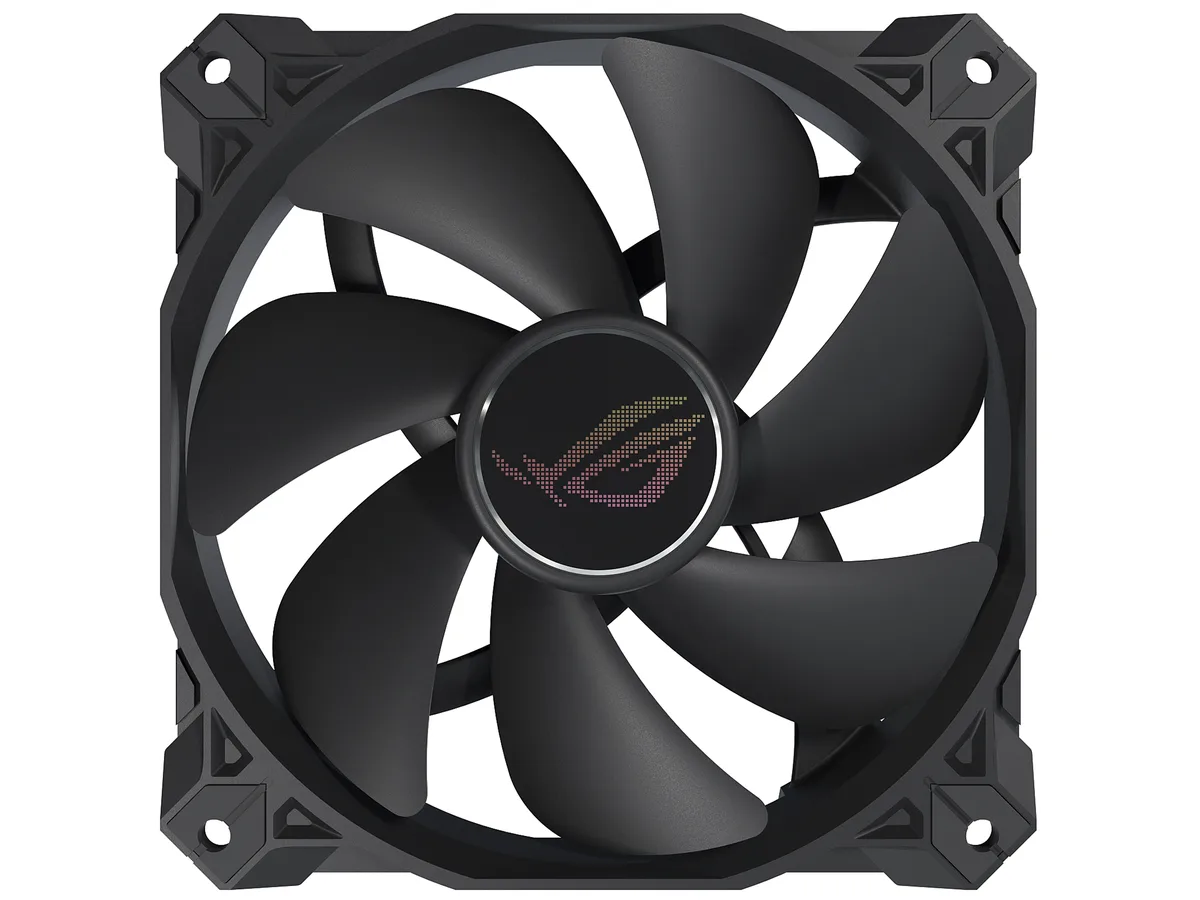
The ASUS ROG Strix XF120 is a 120 mm case fan built around a magnetic-levitation bearing rated for 400000 hours of operation. It spins between 250 and 1800 RPM and delivers 62.5 CFM at a quoted 22.5 dBA. The 4-pin PWM connector allows motherboard speed control without a separate fan controller. It suits builders who want one versatile fan for chassis intake, exhaust, radiator or CPU cooler duty.
Magnetic-levitation stabilises the rotor to cut friction and noise, while a minimised blade hub widens the airflow channel. Grooved fan blades and a direct-flow frame reduce turbulence, improving both airflow throughput and static pressure. Anti-vibration pads on the corners dampen vibration transfer to the case, helping the fan stay quiet at higher speeds.
Verify your case or radiator has 120 mm mounting holes with 25 mm clearance for the fan thickness. Ensure the motherboard or fan hub provides a 4-pin PWM header; the fan will not run from a 3-pin voltage-controlled header without losing speed control. The non-LED black finish suits stealth builds but adds no lighting if you need RGB synchronization.
| Brand | ASUS |
|---|---|
| Model | 90DA0010-B08000 |
| Fan Counts | 1 Fan |
| Fan Controller | No Controller |
| Type | Case Fan |
| Fan Size | 120mm |
| Fan Thickness | 25mm |
| Bearing Type | Magnetic-levitation |
| RPM | 1800 RPM (+/- 10%) |
| Air Flow | 62.5 CFM |
| Noise Level | 22.5 dBA |
| Color | Black |
| LED | Non-LED |
| Features | Optimal blend of airflow and static pressure: Enables use as a PC case, radiator or CPU cooler fan. MagLev bearing: Stabilizes rotor for reduced friction and noise, and offers 400,000-hour life span. Minimized acoustic profile: Whisper-quiet, 22.5 dB(A) cooling performance and tuned to deliver a smooth and stable sound frequency. Aerodynamic fan blade and frame design: Minimizes turbulence and maximizes airflow. Extensive operating range: 250 - 1800 rpm range for more flexibility and to create a quiet fan curve (fan spins down at 0% PWM utilization). Anti-vibration pads and mounts: R |
| Dimensions | 120.00 x 120.00 x 25.00 mm |
| Versandgewicht | 0.27 kg |
| Paketgröße | 229 × 147 × 31 mm |
The 4-pin PWM connector allows speed control from 250 to 1800 RPM, and the fan can spin down completely at 0% PWM duty cycle.
It requires a standard 120mm mounting grid with at least 25mm depth; the anti-vibration pads add minimal extra height.
Push the rubber mounts through the fan holes first, then insert the supplied screws through the case and into the mounts — do not overtighten.
Ebenfalls in dieser Kategorie
Gleiche Abteilung, gleiche Kasse — acht Kryptowährungen und ein für 30 Minuten fixierter Kurs.
Womit Sie bezahlen und in welcher Währung Sie die Preise sehen.
Wird von Ihrem Wallet an der Kasse gesendet
Nur zur Anzeige — der Katalog ist in US-Dollar ausgezeichnet
Keine passende Währung gefunden.
Wählen Sie die Sprache, in der die Seite mit Ihnen spricht.
Neu hier?
Haben Sie bereits eins?
Es gibt keine automatische Zurücksetzung: Dieser Shop versendet keine E-Mails, daher gibt es auch keinen Einmal-Link, den Sie anfordern könnten. Lassen Sie die im Konto hinterlegte Adresse stehen, sie wird von Hand bearbeitet.
Anfrage vermerkt
Es ist nichts auf dem Weg in Ihr Postfach — dieser Shop versendet grundsätzlich keine E-Mails. Jemand bearbeitet diese Anfragen von Hand.
Wieder eingefallen?


