

Thermalright
Thermalright MC-2 ARGB Memory Cooler White 3200 RPM
- Fan & Heatsinks
- DDR/DDR2/DDR3/DDR4/…
22,99 USD
0.00028663BTC
DostępnyAkceptujemy kryptowaluty — posiadane środki można więc wykorzystać na zakup prawdziwego sprzętu.Płatność kryptowalutą — realny sprzęt w zamian. Bezpłatna, ubezpieczona dostawa na całym świecie powyżej 399 $. Neutralne kartony, bez oznaczeń, wysyłane z Niemiec.Bezpłatna, ubezpieczona dostawa powyżej 399 $. Kurs zostaje zablokowany na 30 minut od otwarcia kasy.Kurs zablokowany na 30 minut. Każdy produkt jest fabrycznie zapieczętowany, jego numer seryjny jest sprawdzany, a całość objęta jest 24-miesięczną gwarancją.Zapieczętowane fabrycznie, 24 miesiące gwarancji.


ASUS
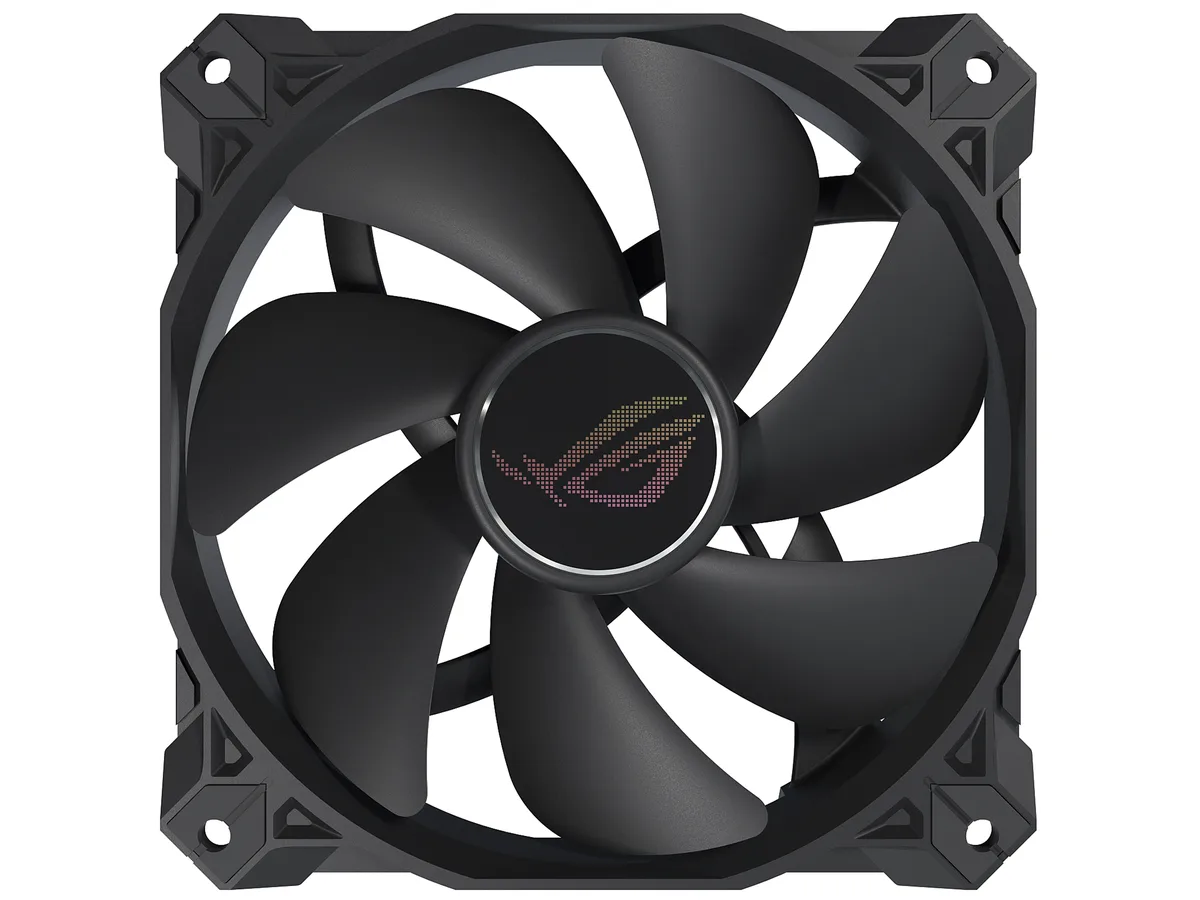
A 120 mm magnetic-levitation case fan delivering 62.5 CFM at 22.5 dBA with a 400,000-hour lifespan
The ASUS ROG Strix XF120 is a 120 mm case fan built around a magnetic-levitation bearing rated for 400000 hours of operation. It spins between 250 and 1800 RPM and delivers 62.5 CFM at a quoted 22.5 dBA. The 4-pin PWM connector allows motherboard speed control without a separate fan controller. It suits builders who want one versatile fan for chassis intake, exhaust, radiator or CPU cooler duty.
Magnetic-levitation stabilises the rotor to cut friction and noise, while a minimised blade hub widens the airflow channel. Grooved fan blades and a direct-flow frame reduce turbulence, improving both airflow throughput and static pressure. Anti-vibration pads on the corners dampen vibration transfer to the case, helping the fan stay quiet at higher speeds.
Verify your case or radiator has 120 mm mounting holes with 25 mm clearance for the fan thickness. Ensure the motherboard or fan hub provides a 4-pin PWM header; the fan will not run from a 3-pin voltage-controlled header without losing speed control. The non-LED black finish suits stealth builds but adds no lighting if you need RGB synchronization.
| Brand | ASUS |
|---|---|
| Model | 90DA0010-B08000 |
| Fan Counts | 1 Fan |
| Fan Controller | No Controller |
| Type | Case Fan |
| Fan Size | 120mm |
| Fan Thickness | 25mm |
| Bearing Type | Magnetic-levitation |
| RPM | 1800 RPM (+/- 10%) |
| Air Flow | 62.5 CFM |
| Noise Level | 22.5 dBA |
| Color | Black |
| LED | Non-LED |
| Features | Optimal blend of airflow and static pressure: Enables use as a PC case, radiator or CPU cooler fan. MagLev bearing: Stabilizes rotor for reduced friction and noise, and offers 400,000-hour life span. Minimized acoustic profile: Whisper-quiet, 22.5 dB(A) cooling performance and tuned to deliver a smooth and stable sound frequency. Aerodynamic fan blade and frame design: Minimizes turbulence and maximizes airflow. Extensive operating range: 250 - 1800 rpm range for more flexibility and to create a quiet fan curve (fan spins down at 0% PWM utilization). Anti-vibration pads and mounts: R |
| Dimensions | 120.00 x 120.00 x 25.00 mm |
| Waga przesyłki | 0.27 kg |
| Wymiary opakowania | 229 × 147 × 31 mm |
The 4-pin PWM connector allows speed control from 250 to 1800 RPM, and the fan can spin down completely at 0% PWM duty cycle.
It requires a standard 120mm mounting grid with at least 25mm depth; the anti-vibration pads add minimal extra height.
Push the rubber mounts through the fan holes first, then insert the supplied screws through the case and into the mounts — do not overtighten.
Także w tym dziale
Ten sam dział, ta sama kasa — osiem kryptowalut i 30-minutowa blokada kursu.
Waluta płatności i waluta wyświetlania cen.
Wysyłane z portfela przy kasie
Tylko podgląd — katalog wyceniony jest w dolarach
Brak pasującej waluty.
Wybierz język, w którym wyświetla się strona.
Pierwsza wizyta?
Konto już założone?
Nie ma automatycznego resetowania hasła: ten sklep nie wysyła żadnych e-maili, więc nie ma jednorazowego linku, o który można by poprosić. Adres pozostawiony przy koncie zostanie obsłużony ręcznie.
Zgłoszenie zapisane
Do skrzynki odbiorczej nic nie trafi — ten sklep nie wysyła żadnych e-maili. Zgłoszenia są obsługiwane ręcznie.
Hasło się przypomniało?


