

BFKK
BFKK 3U Rackmount Server Chassis EATX/ATX/MATX 4x5.25 6x3.5 Top/Side Cooling
- Rackmount
214,99 USD
0.00278445BTC
În stocAcceptăm criptomonede — astfel, criptomonedele pe care le dețineți pot cumpăra echipamente reale.Plătiți în cripto, cheltuiți-o pe echipamente reale. Livrare asigurată gratuită oriunde în lume peste 399 $. Cartoane neutre, fără marcă, expediate din Germania.Livrare asigurată gratuită peste 399 $. Cursul dumneavoastră este blocat timp de 30 de minute de la deschiderea paginii de plată.Curs blocat 30 de minute. Fiecare articol este sigilat, numărul de serie este verificat, iar produsul este acoperit de o garanție de 24 de luni.Sigilat, garantat 24 de luni.


DELL
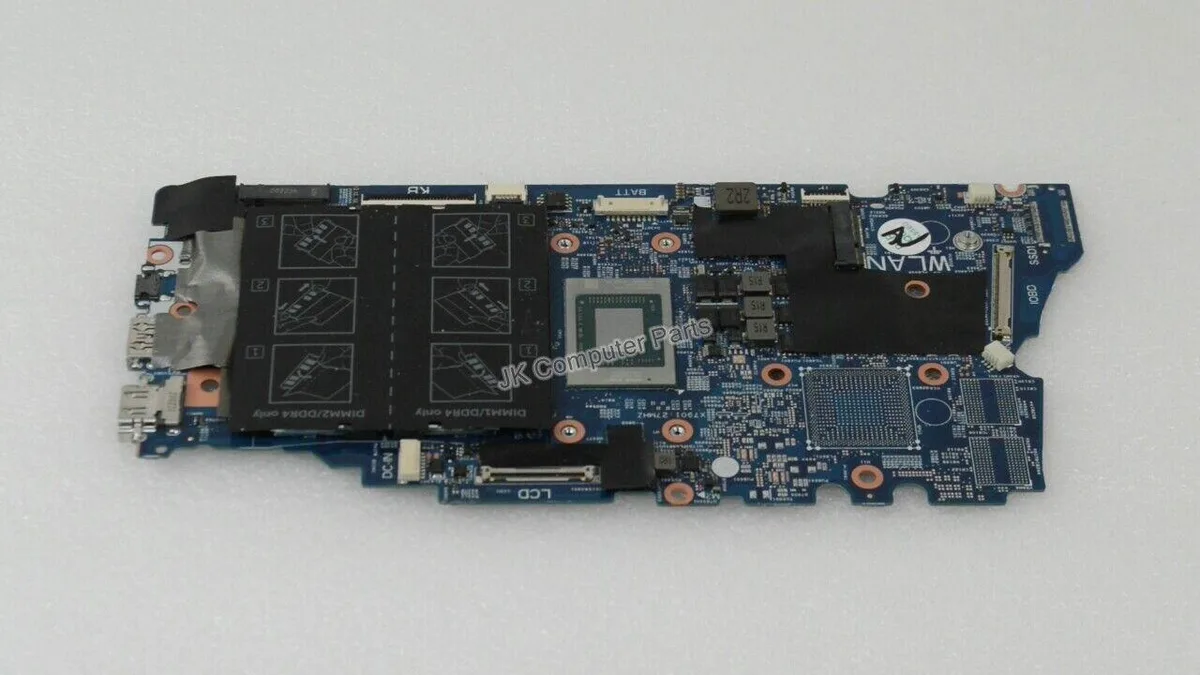
Replacement motherboard for the Inspiron 7405 2-in-1 laptop with a Ryzen 5 4500U processor
This replacement board fits the Inspiron 7405 convertible laptop and carries the AMD Ryzen 5 4500U processor. It is intended for technicians repairing a damaged system or upgrading a compatible chassis. The part number NNDRC identifies the exact revision required for proper fit and firmware alignment.
The integrated Ryzen 5 4500U operates within a low thermal envelope suited to the slim 2-in-1 design. Fan activity remains modest during typical productivity workloads and the board draws only the power needed for the processor and onboard components. No discrete graphics circuitry is present so heat output stays predictable.
| Brand | DELL |
|---|---|
| Model | INSPIRON 7405 |
| Part Number | NNDRC |
| CPU Type | A- Series/E-Series |
Remove the battery first, then disconnect all ribbon cables and antenna wires before unscrewing the board. The step often missed is reattaching the Wi‑Fi antenna cables to the correct terminals.
The CMOS battery will eventually need replacement to keep system time. Because the CPU is soldered, processor upgrades are not possible, so plan for a full board swap if performance demands increase.
Tot din acest raion
Același raion, aceeași finalizare a comenzii — opt monede și un curs blocat 30 de minute.
În ce monedă plătiți și în ce monedă citiți prețurile.
Trimis din portofelul dumneavoastră la finalizarea comenzii
Doar pentru afișare — catalogul este exprimat în dolari
Nicio monedă nu corespunde.
Alegeți limba în care vă vorbește site-ul.
Nicio limbă nu corespunde.
Prima vizită?
Aveți deja un cont?
Nu există o resetare automată: acest magazin nu trimite niciun e-mail, deci nu există niciun link de unică folosință de solicitat. Lăsați adresa în cont. Va fi tratată manual.
Cerere înregistrată
Nu veți primi nimic în căsuța de e-mail — acest magazin nu trimite niciun e-mail. Cineva se ocupă de asta manual.
V-ați amintit-o?



