


DELL
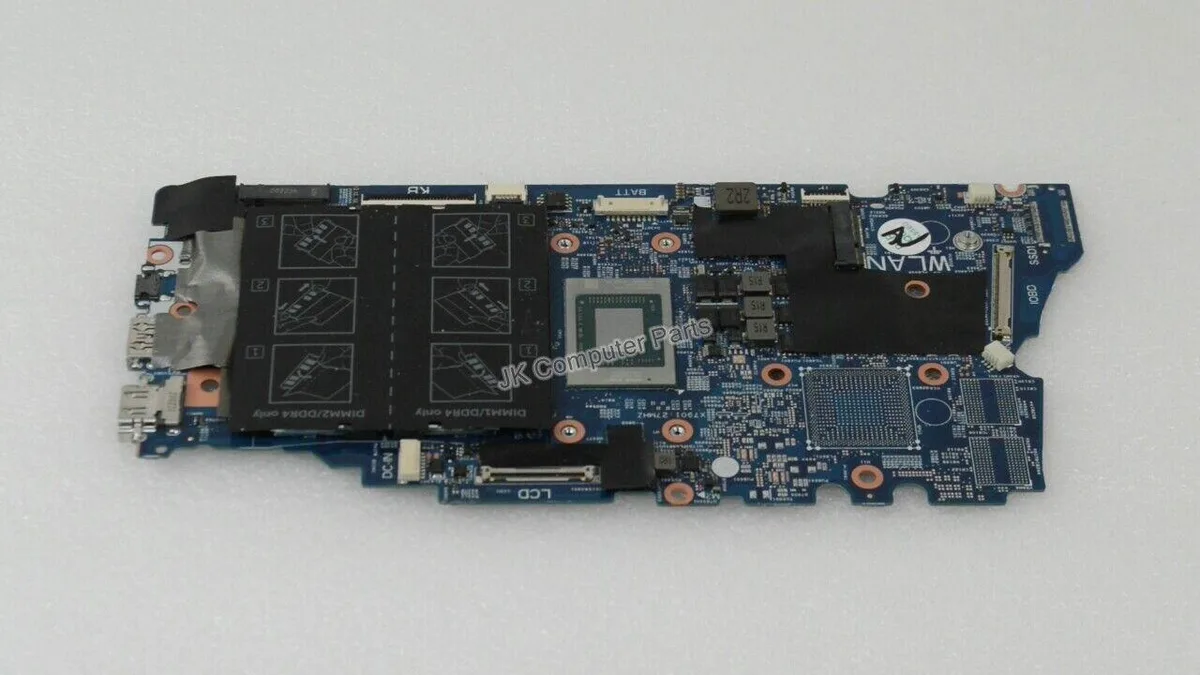
DELL INSPIRON 7405 2-IN-1 AMD RYZEN 5 4500U MOTHERBOARD NNDRC
Replacement motherboard for the Inspiron 7405 2-in-1 laptop with a Ryzen 5 4500U processor
- CPU TypeA- Series/E-Series
- Designed for Inspiron 7405 2-in-1 models
- Supports Ryzen 5 4500U processor performance
- Genuine Dell NNDRC part-number match
- New condition ready for installation
Dell Inspiron 7405 2-in-1 motherboard
This replacement board fits the Inspiron 7405 convertible laptop and carries the AMD Ryzen 5 4500U processor. It is intended for technicians repairing a damaged system or upgrading a compatible chassis. The part number NNDRC identifies the exact revision required for proper fit and firmware alignment.
Thermals and power in normal use
The integrated Ryzen 5 4500U operates within a low thermal envelope suited to the slim 2-in-1 design. Fan activity remains modest during typical productivity workloads and the board draws only the power needed for the processor and onboard components. No discrete graphics circuitry is present so heat output stays predictable.
Najważniejsze cechy
- Designed for Inspiron 7405 2-in-1 models
- Supports Ryzen 5 4500U processor performance
- Genuine Dell NNDRC part-number match
- New condition ready for installation
Specyfikacja
| Brand | DELL |
|---|---|
| Model | INSPIRON 7405 |
| Part Number | NNDRC |
| CPU Type | A- Series/E-Series |
Pytania dotyczące tego produktu
How do I install the DELL INSPIRON 7405 motherboard, and which step is commonly missed?
Remove the battery first, then disconnect all ribbon cables and antenna wires before unscrewing the board. The step often missed is reattaching the Wi‑Fi antenna cables to the correct terminals.
What maintenance or replacement will the DELL INSPIRON 7405 board need later?
The CMOS battery will eventually need replacement to keep system time. Because the CPU is soldered, processor upgrades are not possible, so plan for a full board swap if performance demands increase.
Także w tym dziale
Klienci porównywali też te produkty
Ten sam dział, ta sama kasa — osiem kryptowalut i 30-minutowa blokada kursu.


YourBestChoice
YourBestChoice 34mm ExpressCard to 2 Port USB 3.0 Adapter NEC Chip
10,99 USD
0.00014106BTC
Dostępny

SAMSUNG
SAMSUNG M471B5173QH0-YK0 4GB DDR3L PC3-12800 CL11 1.35V 204P SODIMM memory upgrade
14,99 USD
0.00019241BTC
Dostępny